
Unlocking E-Commerce Success: The Definitive Guide to High-Converting Product Pages on Shopify
Affiliate disclosure: This article may contain affiliate links. Recommendations are independent and editorially driven.
In the dynamic world of e-commerce, your product page isn’t just a digital brochure; it’s your most potent salesperson. For Shopify store owners, mastering the art of creating high-converting product pages on Shopify is not merely an advantage—it’s an absolute necessity for sustainable growth and profitability. While traffic generation is crucial, the true measure of success lies in how effectively that traffic translates into paying customers once they land on your product details. A stunning storefront and robust marketing campaigns are only as effective as the product pages they lead to.
Many online businesses pour significant resources into driving visitors to their sites, only to see potential customers bounce or abandon their carts at the critical product page stage. This leakage represents lost revenue, wasted marketing spend, and missed opportunities for D2C brands. The difference between a struggling online store and a thriving one often boils down to the minute details and strategic optimizations applied to these pivotal pages. It’s about understanding customer psychology, leveraging design best practices, crafting persuasive copy, and continuously refining based on data.
This comprehensive guide from e-comprofits will dissect the multifaceted elements that coalesce to form truly high-converting product pages on Shopify. We’ll delve into everything from foundational design principles and captivating visuals to persuasive copywriting, trust-building mechanisms, and advanced conversion tactics. Our goal is to equip you with the knowledge and actionable strategies to transform your Shopify product pages from mere listings into powerful conversion engines, driving unprecedented sales and cementing your brand’s presence in the competitive online marketplace. Prepare to elevate your e-commerce game and unlock the full profit potential of every product you offer.
Understanding the Anatomy of a High-Converting Product Page
Before diving into specific tactics, it’s crucial to grasp the fundamental components and psychological underpinnings of a product page designed to convert. It’s more than just slapping a product image and a price tag onto a template; it’s about orchestrating an experience that guides the customer from interest to purchase with minimal friction and maximum confidence.
Beyond the Basics: Core Elements
Every product page shares common elements, but how these elements are presented and optimized determines their conversion power. A truly high-converting product page integrates these components seamlessly:
- Crystal-Clear Product Name: Instantly communicates what the product is.
- Compelling Visuals: High-resolution images, videos, and 360-degree views that showcase the product from every angle.
- Persuasive Product Description: Not just features, but benefits that resonate with customer needs and desires.
- Visible Price and Promotions: Clearly displayed pricing, discounts, and payment options.
- Prominent Add-to-Cart Button: Unmissable, well-placed, and action-oriented.
- Product Variants: Easy selection for size, color, material, etc.
- Social Proof: Customer reviews, ratings, testimonials, and user-generated content.
- Trust Signals: Security badges, guarantees, return policies, shipping information.
- Related Products/Upsells/Cross-sells: Opportunities to increase average order value (AOV).
- FAQs and Support: Quick answers to common questions and accessible customer service.
The Psychology of Online Purchasing
Successful product pages tap into fundamental human psychology. Understanding these drivers allows you to craft a more effective sales narrative:
- Scarcity & Urgency: Limited stock alerts or countdown timers can motivate immediate action (use sparingly and authentically).
- Social Proof: People are more likely to buy something if others have bought it and had a positive experience.
- Authority & Trust: Brands seen as experts or highly trustworthy instil confidence.
- Loss Aversion: Highlighting what a customer might miss out on by not purchasing.
- Desire for Solution: Customers buy products to solve problems or fulfill desires. Focus on the transformation the product offers.
- Fear of Missing Out (FOMO): Exclusive offers or limited-time deals can trigger this.
- Cognitive Ease: Making the decision and purchase process as simple and straightforward as possible.
Setting Clear Conversion Goals
Before optimizing, define what “conversion” means for your product pages. While the primary goal is often a purchase, other micro-conversions contribute to the overall sales funnel:
- Adding to cart
- Adding to wishlist
- Signing up for back-in-stock notifications
- Watching a product video
- Reading customer reviews
- Using a product customizer
Tracking these micro-conversions provides insights into where users might be dropping off and what elements are engaging them. This data-driven approach is fundamental to creating truly high-converting product pages on Shopify.
Strategic Design Principles for Shopify Product Pages
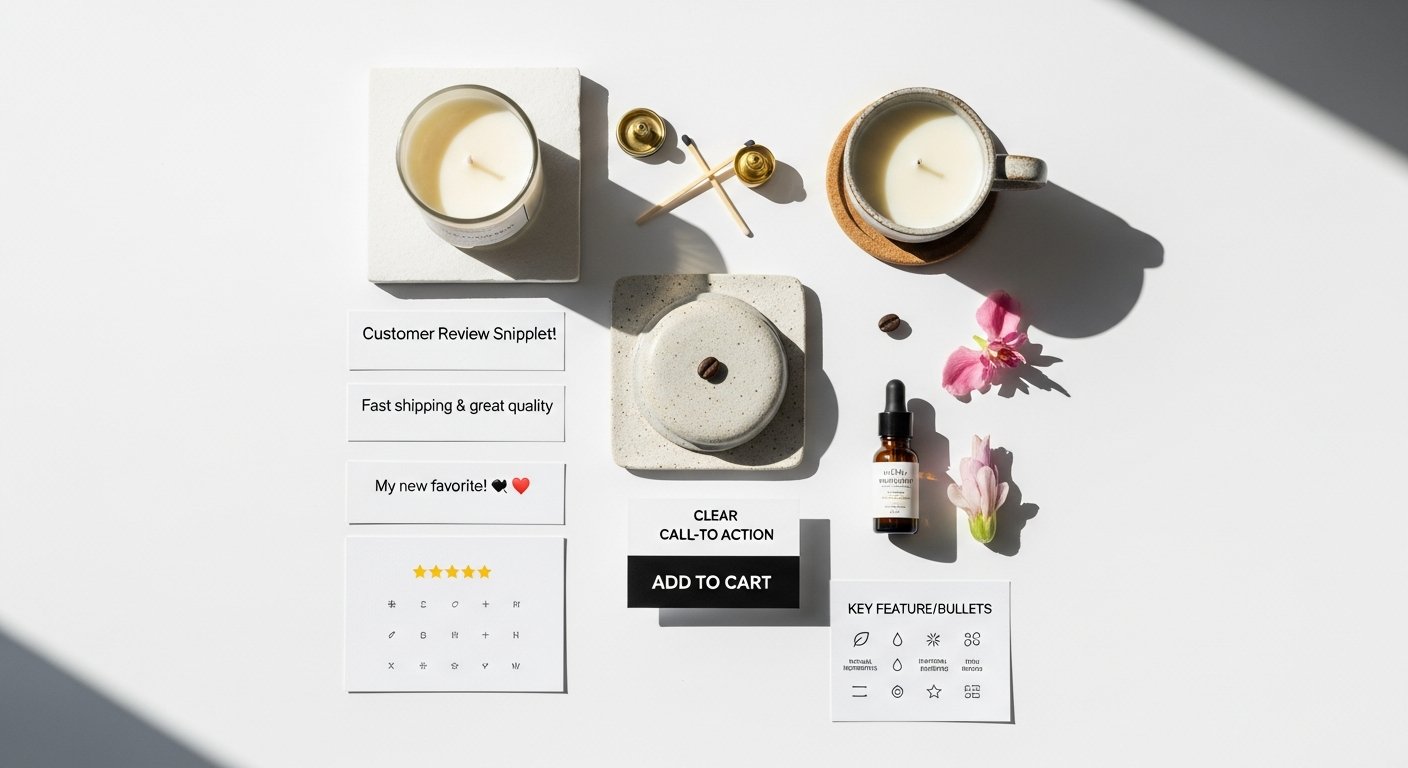
Design is not merely aesthetic; it’s a powerful communication tool that guides the user’s eye, builds trust, and facilitates the purchasing decision. A well-designed product page on Shopify feels intuitive, professional, and trustworthy, directly contributing to higher conversion rates.
[INLINE IMAGE 1: place after second H2 | alt=”high-converting product pages shopify concept illustration”]
Clean Layouts and Intuitive Navigation
Clutter is the enemy of conversion. A clean, organized layout ensures that visitors can quickly find the information they need without feeling overwhelmed. Key principles include:
- Whitespace: Ample whitespace prevents visual overload and draws attention to crucial elements like the product image and add-to-cart button.
- F-Pattern/Z-Pattern: Understand how users scan pages. Place the most important information along these natural scanning paths (e.g., product image top-left, description next, CTA prominent).
- Logical Grouping: Group related information together (e.g., all pricing details, shipping estimates, and payment options near the CTA).
- Breadcrumbs: Provide clear navigation paths back to categories, enhancing user experience and SEO.
Branding Consistency and Visual Hierarchy
Your product page should be an extension of your overall brand identity. Consistency in colors, fonts, and imagery reinforces brand recognition and professionalism.
- Visual Hierarchy: Use size, color, contrast, and placement to direct the user’s attention to the most important elements first. The product image, price, and add-to-cart button should stand out.
- Color Psychology: Leverage colors that align with your brand and evoke desired emotions (e.g., green for growth/nature, blue for trust/calm). The CTA button’s color should contrast with the background to make it pop.
- Typography: Choose legible fonts that reflect your brand’s personality and maintain consistency across your site.
Mobile-First Design: A Non-Negotiable
With a significant portion of e-commerce traffic coming from mobile devices, a mobile-first approach is no longer optional. Shopify themes are generally responsive, but fine-tuning is often necessary to ensure a truly optimal experience.
- Responsiveness: Ensure all elements scale and adapt gracefully to different screen sizes.
- Touch Targets: Buttons and clickable areas should be large enough to be easily tapped on mobile devices.
- Simplified Navigation: Mobile navigation should be streamlined, often utilizing hamburger menus or tab bars.
- Speed: Mobile users are less patient. Optimize images and code to ensure lightning-fast load times on cellular networks.
- Thumb-Friendly Layouts: Place primary CTAs and important information within easy reach of a thumb.
Leveraging Shopify Themes and Customization
Shopify offers a vast array of themes, both free and paid, that provide excellent starting points for creating high-converting product pages on Shopify. However, customization is key to differentiation and optimization.
- Theme Selection: Choose a theme known for its speed, clean code, and robust customization options. Look for themes designed with conversion in mind.
- Section-Based Editing: Shopify’s theme editor allows you to add, remove, and reorder sections on your product pages without coding. Utilize this to test different layouts.
- Custom CSS/JavaScript: For more advanced tweaks, don’t shy away from custom code (or hiring a developer) to achieve specific design or functionality goals.
- App Integrations: Many Shopify apps enhance product page design and functionality, from product configurators to advanced review displays.
By thoughtfully applying these design principles, you create an environment where the customer feels comfortable, informed, and ultimately, compelled to make a purchase. Design is the silent salesperson, working tirelessly to convert browsers into buyers.
Compelling Product Imagery and Video: Visuals That Sell
In online retail, customers cannot physically touch or inspect products. This makes high-quality visual content the single most crucial element in bridging the sensory gap and convincing visitors to buy. Your product imagery and video are not just supporting elements; they are often the primary conversion drivers on your Shopify product pages.
High-Quality Photography: Show, Don’t Just Tell
Every product deserves professional, high-resolution photographs that showcase it in its best light. Poor quality images immediately erode trust and signal a lack of professionalism.
- Variety of Angles: Provide multiple shots from various perspectives, allowing customers to visualize the product fully.
- Detail Shots: Highlight unique features, textures, and craftsmanship with close-up images.
- Consistent Aesthetic: Maintain a uniform style, lighting, and background across all your product photos for a cohesive brand look.
- High Resolution with Zoom: Offer high-resolution images that allow customers to zoom in and inspect fine details. Ensure the zoom feature is user-friendly and doesn’t pixelate.
- Lifestyle Shots: Show the product in use, demonstrating its context, scale, and the benefits it brings to the customer’s life.
Lifestyle vs. Product-Only Shots
A balanced mix of both types of imagery is ideal for high-converting product pages on Shopify.
- Product-Only (Studio) Shots:
- **Purpose:** To clearly display the product itself, its exact appearance, and available variants.
- **Best for:** Detail, accuracy, and providing a baseline reference. Often features a white or neutral background.
- Lifestyle Shots:
- **Purpose:** To evoke emotion, demonstrate usage, and allow customers to envision themselves using the product.
- **Best for:** Telling a story, highlighting benefits, and creating desire. Helps customers connect with the product on a deeper, emotional level.
Consider showcasing different variants (colors, sizes) through distinct images to avoid confusion and enhance clarity.
The Power of Product Videos and 360-Degree Views
Video content is rapidly becoming a standard expectation and a significant conversion booster. A product video can convey more information and emotion in a short time than a series of images or paragraphs of text.
- Demonstrations: Show how the product works, its features in action, and how it solves a problem.
- Unboxing: Create anticipation and excitement by showing the unboxing experience.
- Customer Testimonials: Integrate short video testimonials to add a layer of authentic social proof.
- 360-Degree Views: Offer interactive 360-degree spins, allowing customers to explore the product from every angle as if they were holding it. This is particularly effective for complex items or products where texture and form are important.
- Short and Engaging: Keep videos concise (typically 30-90 seconds) and front-load the most compelling information.
Optimizing Images for Speed and SEO
While high-quality visuals are paramount, they must not come at the expense of page load speed. Slow-loading pages are a major conversion killer.
- Compression: Compress images without sacrificing quality. Tools like TinyPNG, ImageOptim, or Shopify apps can help.
- Format: Use modern formats like WebP where possible, which offer superior compression. JPEGs are generally suitable for photos, PNGs for graphics with transparency.
- Sizing: Resize images to the maximum display size required, rather than uploading excessively large files that are then scaled down by the browser.
- Lazy Loading: Implement lazy loading for images and videos, so they only load as the user scrolls them into view. Many Shopify themes include this by default.
- Alt Text: Crucial for SEO and accessibility. Describe each image accurately using relevant keywords. This helps search engines understand your images and assists visually impaired users. Example:
<img src="product-red-dress.jpg" alt="Red maxi dress with floral print, shown on model">
By investing in and meticulously optimizing your visual content, you create a powerful first impression and provide customers with the confidence they need to click that “Add to Cart” button. It’s an indispensable part of creating high-converting product pages on Shopify.
[INLINE IMAGE 2: place after fourth H2 | alt=”high-converting product pages shopify comparison illustration”]
Crafting Irresistible Product Descriptions and Copy
Beyond stunning visuals, the words on your product page are your direct line of communication with potential customers. Effective product descriptions and compelling copy don’t just inform; they persuade, evoke emotion, answer unspoken questions, and ultimately drive conversions. This is where you transform features into benefits and address customer pain points.
Feature-Benefit Conversion: Speaking to Desires
A common mistake is listing only features. While features are important, customers buy benefits. They want to know what the product will do for them, how it will improve their lives, or solve a problem. Every feature should be paired with a benefit.
- Identify Core Features: What does the product have? (e.g., “Made from organic cotton,” “Waterproof zipper,” “12-hour battery life”).
- Translate to Benefits: Why does that matter to the customer? (e.g., “Soft and breathable for all-day comfort,” “Keeps your valuables dry in any weather,” “Enjoy uninterrupted use throughout your busy day”).
- Focus on the “So What?”: For every feature, ask “So what?” and answer it from the customer’s perspective.
Your copy should paint a vivid picture of the customer’s life *with* your product.
Storytelling and Brand Voice Integration
People connect with stories, not just products. Integrating storytelling into your product descriptions can make them far more engaging and memorable.
- Origin Story: Share the inspiration behind the product, the craftsmanship, or the problem it was designed to solve.
- Customer Scenario: Describe a typical use case for the product, allowing the customer to envision themselves in that scenario.
- Brand Voice: Ensure your product copy aligns with your brand’s overall tone. Is your brand playful, luxurious, minimalist, authoritative? Let that voice shine through consistently. This consistency builds a stronger brand identity and fosters trust.
Addressing Objections and Building Trust
Anticipate potential customer doubts and address them proactively within your copy. This builds trust and removes friction from the purchasing decision.
- Common Objections: Address concerns about price, durability, fit, usage, or compatibility.
- Guarantees & Warranties: Clearly state any satisfaction guarantees, warranties, or return policies.
- Materials & Sourcing: If relevant to your brand (e.g., sustainable, ethical), provide details about materials and sourcing.
- Clear Callouts: Use bolding, bullet points, or dedicated sections for important information like “Free Shipping,” “Easy Returns,” or “Satisfaction Guaranteed.”
The Art of Scannable Copy and Microcopy
Online readers scan before they read in detail. Your copy must be easy to digest at a glance, with key information readily apparent. Microcopy (small bits of text like button labels, error messages, or tooltips) also plays a vital role in guiding the user.
- Headings and Subheadings: Break up long blocks of text with descriptive
<h3>and<h4>tags. - Bullet Points and Numbered Lists: Excellent for presenting features, benefits, specifications, or instructions in an easily digestible format.
- Short Paragraphs: Keep paragraphs concise, typically 2-4 sentences max.
- Bolding and Italics: Use sparingly to highlight crucial information or emphasize key phrases.
- Microcopy Optimization:
- CTA Buttons: “Add to Cart” is standard, but consider “Shop Now,” “Get Yours,” or “Enroll Today” if more relevant.
- Form Fields: Clear labels and helpful hints.
- Error Messages: Be helpful and instructional, not accusatory.
Crafting effective product copy is an ongoing process. Test different approaches, analyze their impact on conversion rates, and refine your messaging to resonate even more powerfully with your target audience. This copywriting finesse is a cornerstone of high-converting product pages on Shopify.
Optimizing for User Experience (UX) and Site Speed
User Experience (UX) is the overall impression a customer has when interacting with your product page. A seamless, enjoyable, and efficient UX minimizes frustration and guides users effortlessly towards a purchase. Closely intertwined with UX is site speed—a slow page can derail even the most persuasive content.
Seamless Navigation and Information Architecture
Customers need to find what they’re looking for quickly and logically. Your product page should be part of a well-structured site.
- Clear Product Hierarchy: Ensure products are correctly categorized and subcategorized, with clear breadcrumbs for navigation.
- Intuitive Scrolling: Design for natural scrolling behavior, placing key information above the fold but expecting users to scroll for more details.
- Related Product Links: Strategically place links to related items, collections, or complementary products to encourage further browsing and increase AOV.
- Sticky Elements: Consider making the “Add to Cart” button or product information summary sticky on long pages, especially on mobile, so it’s always accessible.
Page Load Speed: The Silent Conversion Killer
Every second counts. Studies consistently show that even a one-second delay in page load time can lead to a significant drop in conversions and a higher bounce rate. Shopify provides tools and best practices to optimize speed.
- Image Optimization: As discussed, proper compression, sizing, and lazy loading are critical.
- Theme Choice: Opt for lean, well-coded Shopify themes that prioritize performance. Avoid themes bloated with unnecessary features you won’t use.
- App Audit: Every Shopify app adds code and can impact speed. Regularly review your installed apps and remove any that are not essential or are underperforming.
- Minimize HTTP Requests: Reduce the number of files (CSS, JavaScript, images) the browser needs to fetch. Combine files where possible.
- Browser Caching: Ensure your site leverages browser caching to store static resources, speeding up subsequent visits.
- Code Optimization: Periodically review your theme’s code or consult a developer to remove redundant CSS/JavaScript.
Use tools like Google PageSpeed Insights or GTmetrix to analyze your Shopify product pages and identify areas for improvement.
Clear Calls-to-Action (CTAs) and Button Placement
Your “Add to Cart” button is the most critical element on your product page. It needs to be impossible to miss.
- Prominence: Use a contrasting color, sufficient size, and clear whitespace around it.
- Action-Oriented Language: “Add to Cart,” “Buy Now,” “Customize & Buy” are clear.
- Placement: Typically positioned prominently near the price and product options, often above the fold, but always easily accessible. Consider A/B testing different placements.
- Visual Cues: Add a subtle animation or hover effect to the button to make it more engaging.
- Secondary CTAs: Include less prominent CTAs like “Add to Wishlist” or “Compare” for users not yet ready to buy.
Handling Product Variants and Options Gracefully
For products with multiple options (size, color, material), a smooth selection process is paramount. Clunky variant selectors are a major source of frustration.
- Intuitive Selectors: Use dropdowns, color swatches, or image-based selectors that clearly represent the options.
- Real-time Updates: When a variant is selected, ensure the main product image, price, and stock status update in real-time.
- Availability Messaging: Clearly indicate which variants are in stock and which are out, with options for back-in-stock notifications.
- Customizable Options: For highly configurable products, consider using Shopify apps that offer advanced product options and configurators, enhancing the user’s ability to create their perfect product.
A superior UX, backed by a fast and responsive site, creates an environment where customers feel confident and compelled to proceed with their purchase, making it an essential ingredient for high-converting product pages on Shopify.
Leveraging Social Proof and Trust Signals
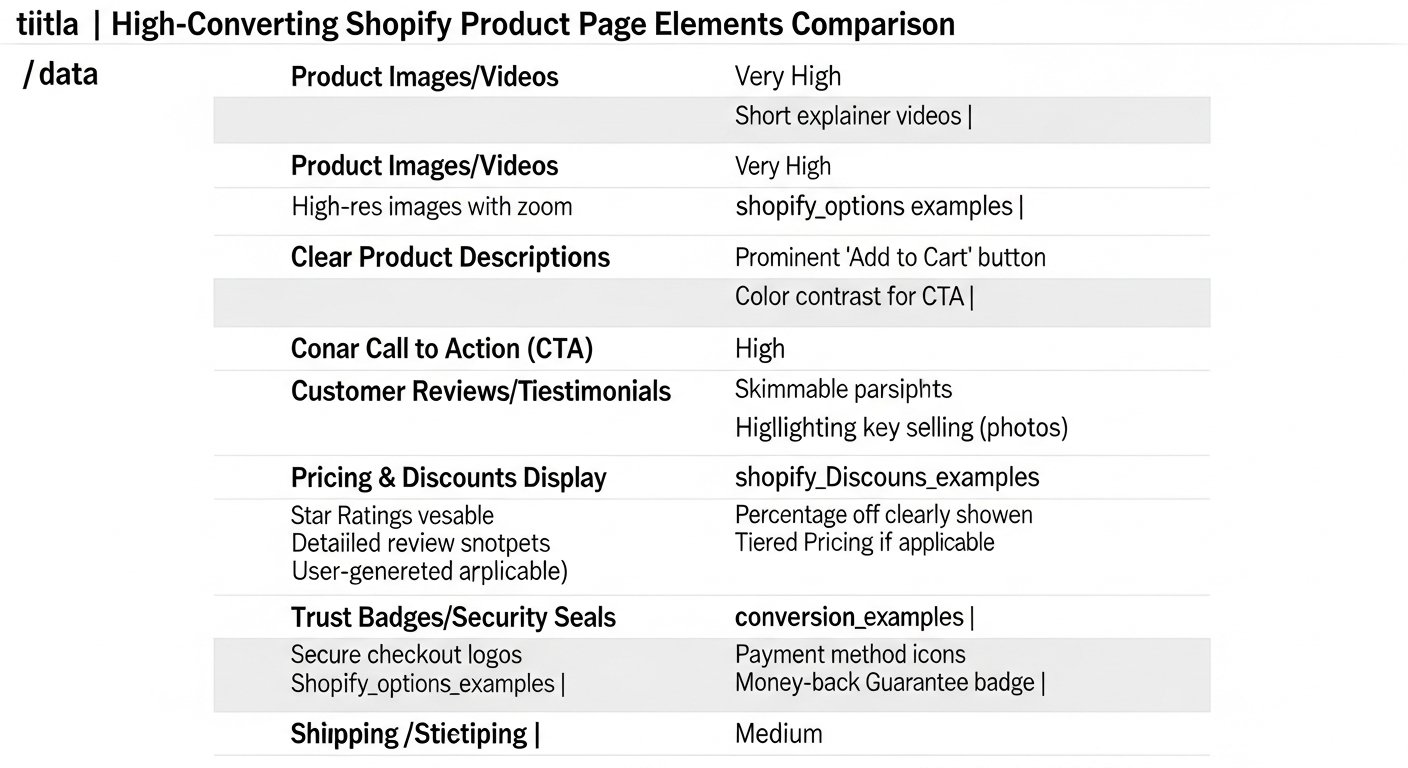
In the online world, where physical interaction with products and salespeople is absent, trust is the ultimate currency. Social proof and various trust signals act as powerful endorsements, reassuring potential buyers that your products are desirable, reliable, and that your brand is credible. Integrating these elements effectively on your product pages can dramatically boost conversion rates.
Customer Reviews and Ratings: Your Best Sales Team
Reviews are arguably the most potent form of social proof. Modern consumers heavily rely on peer opinions before making a purchase.
- Prominent Placement: Display star ratings and the number of reviews prominently near the product name. This is often one of the first things a customer looks for.
- Detailed Review Section: Provide a dedicated section for full reviews, allowing users to filter by rating, search for keywords, and see photos/videos from other customers.
- Encourage Reviews: Implement a post-purchase email sequence to solicit reviews. Make the process simple and incentivize it if appropriate.
- Respond to Reviews: Positively engage with all reviews, especially negative ones. Showing you care and address issues publicly builds immense trust.
- Rich Snippets: Ensure your reviews are structured with schema markup so star ratings appear in search results, increasing click-through rates to your product pages.
User-Generated Content (UGC) and Testimonials
UGC, such as customer photos and videos, offers even more authentic proof of product usage and satisfaction than professional photography. Testimonials provide deeper narratives.
- Photo/Video Reviews: Encourage customers to submit media with their reviews. Showcase these prominently in a gallery or dedicated section.
- Instagram Feeds: Integrate a shoppable Instagram feed on your product page featuring customers using your product.
- Influencer Marketing: If working with influencers, display their testimonials or content featuring your product.
- Video Testimonials: Short video clips of happy customers speaking about their experience are incredibly powerful.
These real-world examples remove doubt and help new customers visualize themselves with the product.
Security Badges and Guarantees
Explicitly addressing security concerns and offering strong guarantees can significantly reduce perceived risk and build buyer confidence, especially for first-time purchasers.
- SSL Certificate: Ensure your Shopify store has an active SSL certificate (this is standard for Shopify). Clearly communicate your site is secure (e.g., “Secure Checkout”).
- Payment Badges: Display logos of accepted payment methods (Visa, Mastercard, PayPal, Shop Pay, Afterpay, etc.) near the “Add to Cart” button or in the footer.
- Trust Badges: Logos from trusted third parties (e.g., McAfee, Norton, Google Trusted Store) can reassure customers, though their efficacy varies by audience.
- Money-Back Guarantees: A strong, no-questions-asked money-back guarantee signals confidence in your product and removes purchase apprehension. Highlight this prominently.
- Satisfaction Guarantees: Offer clear policies around product quality and customer satisfaction.
- Warranty Information: For electronics or higher-value items, clearly state warranty periods and what they cover.
Building Community with Q&A Sections
A dedicated Q&A section on your product page allows customers to ask specific questions and get answers, often from other customers or your support team. This can pre-empt support tickets and provide valuable, detailed information.
- Searchable Q&A: Allow users to search existing questions to quickly find answers.
- Encourage User Participation: Let customers submit their own questions and answers.
- Official Responses: Ensure your team monitors and provides authoritative answers to questions that aren’t addressed by the community.
By strategically implementing social proof and trust signals, you dismantle barriers to purchase, build credibility, and transform hesitant browsers into confident buyers. This is a crucial element for creating high-converting product pages on Shopify that consistently drive sales.
Advanced Conversion Tactics: Upsells, Cross-sells, and Personalization
Once a customer has shown interest in a product, the goal isn’t just to complete that single purchase, but to maximize the value of that interaction. Upsells, cross-sells, and personalization are powerful strategies to increase average order value (AOV) and customer lifetime value (CLTV), turning initial interest into greater profitability on your high-converting product pages on Shopify.
Strategic Product Bundling and Kits
Bundling involves offering multiple products together as a single package, often at a slight discount compared to buying them individually. Kits are pre-selected bundles designed for a specific purpose.
- Complementary Products: Bundle items that naturally go together (e.g., a camera with a lens and case, a skincare set).
- Value Proposition: Clearly communicate the savings or added convenience of buying the bundle.
- “Buy Together and Save”: Use language that highlights the benefit.
- Themed Bundles: Create bundles around specific occasions, needs, or lifestyles (e.g., “Weekend Getaway Kit,” “New Parent Survival Pack”).
- Tiered Bundling: Offer different bundle sizes or levels to cater to various customer needs and budgets.
“Customers Also Bought” and “Related Products”
These sections are classic e-commerce staples for a reason: they work. They subtly guide customers to explore more of your inventory based on their current interest, increasing the chance of additional purchases.
- “Customers Also Bought” (Cross-sell): Based on purchase data, suggest items frequently purchased by other customers who bought the current product.
- “Related Products” (Cross-sell/Upsell): Showcase similar items, different variants, or complementary products that enhance the main product’s value.
- Placement: Typically placed below the main product description, near the bottom of the page, or in a sidebar.
- Algorithm-Driven: Utilize Shopify’s built-in recommendations or dedicated apps that use AI to provide more intelligent suggestions based on browsing history and product similarity.
Personalized Recommendations and Dynamic Content
Leveraging data to show highly relevant products and content dramatically improves conversion rates. Personalization makes the shopping experience feel tailored to the individual.
- Browsing History: Recommend products based on a customer’s past viewing history on your site.
- Purchase History: For returning customers, suggest items that complement their previous purchases or are part of a series.
- Geographic Location: Display localized content, shipping estimates, or product availability based on the customer’s location.
- User Segments: Tailor promotions or product highlights based on specific customer segments (e.g., “New Arrivals for Men,” “Eco-Friendly Picks for Conscious Shoppers”).
- Dynamic Pricing/Offers: While more advanced, some apps allow you to present different pricing or special offers based on factors like cart value or customer loyalty tier.
Implementing true personalization often requires advanced Shopify apps or integrations with marketing automation platforms.
Exit-Intent Pop-ups and Retargeting Strategies
Even the best product pages won’t convert 100% of visitors. These tactics aim to capture those who are about to leave or bring back those who have left.
- Exit-Intent Pop-ups: Trigger a special offer (e.g., a discount code, free shipping) when a user’s mouse movement indicates they are about to leave the page. Use these judiciously to avoid annoyance.
- Abandoned Cart Emails: Automatically send follow-up emails to users who added products to their cart but didn’t complete the purchase. Often includes a gentle reminder or a small incentive.
- Retargeting Ads: Display targeted ads on social media or other websites to users who visited your product pages but didn’t buy. Remind them of the product and offer a reason to return.
By implementing these advanced tactics, you not only improve individual product page conversions but also significantly uplift your overall store’s profitability and customer retention, turning your Shopify store into a highly efficient revenue generator.
Shopify Apps and Integrations for Enhanced Product Pages
Shopify’s robust ecosystem of apps is one of its greatest strengths, offering endless possibilities to enhance product page functionality and conversion capabilities without requiring extensive coding. From managing reviews to building custom layouts and optimizing for upsells, these apps are indispensable tools for creating high-converting product pages on Shopify.
Review Apps: Building Trust and Social Proof
Customer reviews are non-negotiable for building trust. These apps help you collect, display, and manage them effectively.
- Yotpo: A comprehensive platform for collecting reviews, ratings, Q&A, and visual UGC. Offers advanced features like review requests, loyalty programs, and Google Seller Ratings.
- Loox Product Reviews & Photos: Specializes in beautiful photo and video reviews. Known for its aesthetic display options and automated review requests.
- Judge.me Product Reviews: A powerful and affordable option that supports text, photo, and video reviews. Includes review rich snippets, Q&A, and various display widgets.
- Stamped.io Reviews & UGC: Offers reviews, ratings, photos/videos, Q&A, and loyalty features. Known for its customization and integration options.
Upsell/Cross-sell Apps: Maximizing Average Order Value (AOV)
These apps automate the process of suggesting complementary products or upgrades to customers, directly increasing your sales per transaction.
- ReConvert Upsell & Cross Sell: Focuses on post-purchase upsells (on the thank you page) but also offers pre-purchase upsells and cross-sells. Excellent for increasing AOV and repeat purchases.
- Candy Rack — All-in-One Upsell: Provides various types of upsells and cross-sells, including product bundles, frequently bought together, and checkout upsells. Highly customizable.
- Zipify OneClickUpsell (OCU): Designed for one-click upsells and downsells immediately after the initial purchase, before the customer reaches the thank you page. Can significantly boost AOV.
- Frequently Bought Together: Mimics Amazon’s famous “Customers who bought this item also bought…” feature, offering product recommendations in bundles.
Page Builder Apps: Customizing Layouts Beyond Your Theme
For those who want more control over the look and feel of their product pages than their theme editor allows, page builders are a game-changer.
- PageFly Advanced Page Builder: A drag-and-drop page builder that allows you to create custom product page layouts, sections, and blocks without coding. Highly flexible for unique designs.
- Shogun Page Builder: Another robust drag-and-drop builder offering extensive customization for product pages, landing pages, and blog posts. Integrates well with other apps.
- GemPages Page Builder & Funnel: Similar to PageFly and Shogun, offering a wide range of templates and elements to design high-converting product pages and entire sales funnels.
Inventory & Variant Apps: Enhancing Product Options and Availability
For complex products or those with many options, these apps streamline the selection process and provide crucial inventory information.
- Custom Product Options: Allows you to add unlimited product options (e.g., text fields for engraving, file uploads for customization, complex conditional logic for variants) beyond Shopify’s default limits.
- In Stock Alerts & Back in Stock: Notifies customers when an out-of-stock item is back, capturing lost sales and retaining interested buyers.
- PreOrder & Sold Out Alerts: Allows customers to pre-order upcoming products or sign up for notifications when popular items are restocked.
Comparison of Popular Shopify App Categories for Product Page Optimization
Choosing the right apps depends on your specific needs, budget, and desired level of customization. Here’s a brief comparison of some top contenders in key categories:
| Category | App Name | Key Features | Best For | Typical Pricing (Monthly) | ||||||||
|---|---|---|---|---|---|---|---|---|---|---|---|---|
| **Reviews & UGC** | Loox Product Reviews & Photos | Photo/Video reviews, beautiful display, automated requests, rich snippets. | Visual-centric brands wantingUnlocking E-Commerce Success: The Definitive Guide to High-Converting Product Pages on ShopifyAffiliate disclosure: This article may contain affiliate links. Recommendations are independent and editorially driven. In the dynamic world of e-commerce, your product page isn’t just a digital brochure; it’s your most potent salesperson. For Shopify store owners, mastering the art of creating high-converting product pages on Shopify is not merely an advantage—it’s an absolute necessity for sustainable growth and profitability. While traffic generation is crucial, the true measure of success lies in how effectively that traffic translates into paying customers once they land on your product details. A stunning storefront and robust marketing campaigns are only as effective as the product pages they lead to. Many online businesses pour significant resources into driving visitors to their sites, only to see potential customers bounce or abandon their carts at the critical product page stage. This leakage represents lost revenue, wasted marketing spend, and missed opportunities for D2C brands. The difference between a struggling online store and a thriving one often boils down to the minute details and strategic optimizations applied to these pivotal pages. It’s about understanding customer psychology, leveraging design best practices, crafting persuasive copy, and continuously refining based on data. This comprehensive guide from e-comprofits will dissect the multifaceted elements that coalesce to form truly high-converting product pages on Shopify. We’ll delve into everything from foundational design principles and captivating visuals to persuasive copywriting, trust-building mechanisms, and advanced conversion tactics. Our goal is to equip you with the knowledge and actionable strategies to transform your Shopify product pages from mere listings into powerful conversion engines, driving unprecedented sales and cementing your brand’s presence in the competitive online marketplace. Prepare to elevate your e-commerce game and unlock the full profit potential of every product you offer. Understanding the Anatomy of a High-Converting Product PageBefore diving into specific tactics, it’s crucial to grasp the fundamental components and psychological underpinnings of a product page designed to convert. It’s more than just slapping a product image and a price tag onto a template; it’s about orchestrating an experience that guides the customer from interest to purchase with minimal friction and maximum confidence. Beyond the Basics: Core ElementsEvery product page shares common elements, but how these elements are presented and optimized determines their conversion power. A truly high-converting product page integrates these components seamlessly:
The Psychology of Online PurchasingSuccessful product pages tap into fundamental human psychology. Understanding these drivers allows you to craft a more effective sales narrative:
Setting Clear Conversion GoalsBefore optimizing, define what “conversion” means for your product pages. While the primary goal is often a purchase, other micro-conversions contribute to the overall sales funnel:
Tracking these micro-conversions provides insights into where users might be dropping off and what elements are engaging them. This data-driven approach is fundamental to creating truly high-converting product pages on Shopify. Strategic Design Principles for Shopify Product PagesDesign is not merely aesthetic; it’s a powerful communication tool that guides the user’s eye, builds trust, and facilitates the purchasing decision. A well-designed product page on Shopify feels intuitive, professional, and trustworthy, directly contributing to higher conversion rates. [INLINE IMAGE 1: place after second H2 | alt=”high-converting product pages shopify concept illustration”] Clean Layouts and Intuitive NavigationClutter is the enemy of conversion. A clean, organized layout ensures that visitors can quickly find the information they need without feeling overwhelmed. Key principles include:
Branding Consistency and Visual HierarchyYour product page should be an extension of your overall brand identity. Consistency in colors, fonts, and imagery reinforces brand recognition and professionalism.
Mobile-First Design: A Non-NegotiableWith a significant portion of e-commerce traffic coming from mobile devices, a mobile-first approach is no longer optional. Shopify themes are generally responsive, but fine-tuning is often necessary to ensure a truly optimal experience.
Leveraging Shopify Themes and CustomizationShopify offers a vast array of themes, both free and paid, that provide excellent starting points for creating high-converting product pages on Shopify. However, customization is key to differentiation and optimization.
By thoughtfully applying these design principles, you create an environment where the customer feels comfortable, informed, and ultimately, compelled to make a purchase. Design is the silent salesperson, working tirelessly to convert browsers into buyers. Compelling Product Imagery and Video: Visuals That SellIn online retail, customers cannot physically touch or inspect products. This makes high-quality visual content the single most crucial element in bridging the sensory gap and convincing visitors to buy. Your product imagery and video are not just supporting elements; they are often the primary conversion drivers on your Shopify product pages. High-Quality Photography: Show, Don’t Just TellEvery product deserves professional, high-resolution photographs that showcase it in its best light. Poor quality images immediately erode trust and signal a lack of professionalism.
Lifestyle vs. Product-Only ShotsA balanced mix of both types of imagery is ideal for high-converting product pages on Shopify.
Consider showcasing different variants (colors, sizes) through distinct images to avoid confusion and enhance clarity. The Power of Product Videos and 360-Degree ViewsVideo content is rapidly becoming a standard expectation and a significant conversion booster. A product video can convey more information and emotion in a short time than a series of images or paragraphs of text.
Optimizing Images for Speed and SEOWhile high-quality visuals are paramount, they must not come at the expense of page load speed. Slow-loading pages are a major conversion killer.
By investing in and meticulously optimizing your visual content, you create a powerful first impression and provide customers with the confidence they need to click that “Add to Cart” button. It’s an indispensable part of creating high-converting product pages on Shopify. [INLINE IMAGE 2: place after fourth H2 | alt=”high-converting product pages shopify comparison illustration”] Crafting Irresistible Product Descriptions and CopyBeyond stunning visuals, the words on your product page are your direct line of communication with potential customers. Effective product descriptions and compelling copy don’t just inform; they persuade, evoke emotion, answer unspoken questions, and ultimately drive conversions. This is where you transform features into benefits and address customer pain points. Feature-Benefit Conversion: Speaking to DesiresA common mistake is listing only features. While features are important, customers buy benefits. They want to know what the product will do for them, how it will improve their lives, or solve a problem. Every feature should be paired with a benefit.
Your copy should paint a vivid picture of the customer’s life *with* your product. Storytelling and Brand Voice IntegrationPeople connect with stories, not just products. Integrating storytelling into your product descriptions can make them far more engaging and memorable.
Addressing Objections and Building TrustAnticipate potential customer doubts and address them proactively within your copy. This builds trust and removes friction from the purchasing decision.
The Art of Scannable Copy and MicrocopyOnline readers scan before they read in detail. Your copy must be easy to digest at a glance, with key information readily apparent. Microcopy (small bits of text like button labels, error messages, or tooltips) also plays a vital role in guiding the user.
Crafting effective product copy is an ongoing process. Test different approaches, analyze their impact on conversion rates, and refine your messaging to resonate even more powerfully with your target audience. This copywriting finesse is a cornerstone of high-converting product pages on Shopify. Optimizing for User Experience (UX) and Site SpeedUser Experience (UX) is the overall impression a customer has when interacting with your product page. A seamless, enjoyable, and efficient UX minimizes frustration and guides users effortlessly towards a purchase. Closely intertwined with UX is site speed—a slow page can derail even the most persuasive content. Seamless Navigation and Information ArchitectureCustomers need to find what they’re looking for quickly and logically. Your product page should be part of a well-structured site.
Page Load Speed: The Silent Conversion KillerEvery second counts. Studies consistently show that even a one-second delay in page load time can lead to a significant drop in conversions and a higher bounce rate. Shopify provides tools and best practices to optimize speed.
Use tools like Google PageSpeed Insights or GTmetrix to analyze your Shopify product pages and identify areas for improvement. Clear Calls-to-Action (CTAs) and Button PlacementYour “Add to Cart” button is the most critical element on your product page. It needs to be impossible to miss.
Handling Product Variants and Options GracefullyFor products with multiple options (size, color, material), a smooth selection process is paramount. Clunky variant selectors are a major source of frustration.
A superior UX, backed by a fast and responsive site, creates an environment where customers feel confident and compelled to proceed with their purchase, making it an essential ingredient for high-converting product pages on Shopify. Leveraging Social Proof and Trust SignalsIn the online world, where physical interaction with products and salespeople is absent, trust is the ultimate currency. Social proof and various trust signals act as powerful endorsements, reassuring potential buyers that your products are desirable, reliable, and that your brand is credible. Integrating these elements effectively on your product pages can dramatically boost conversion rates. Customer Reviews and Ratings: Your Best Sales TeamReviews are arguably the most potent form of social proof. Modern consumers heavily rely on peer opinions before making a purchase.
User-Generated Content (UGC) and TestimonialsUGC, such as customer photos and videos, offers even more authentic proof of product usage and satisfaction than professional photography. Testimonials provide deeper narratives.
These real-world examples remove doubt and help new customers visualize themselves with the product. Security Badges and GuaranteesExplicitly addressing security concerns and offering strong guarantees can significantly reduce perceived risk and build buyer confidence, especially for first-time purchasers.
Building Community with Q&A SectionsA dedicated Q&A section on your product page allows customers to ask specific questions and get answers, often from other customers or your support team. This can pre-empt support tickets and provide valuable, detailed information.
By strategically implementing social proof and trust signals, you dismantle barriers to purchase, build credibility, and transform hesitant browsers into confident buyers. This is a crucial element for creating high-converting product pages on Shopify that consistently drive sales. Advanced Conversion Tactics: Upsells, Cross-sells, and PersonalizationOnce a customer has shown interest in a product, the goal isn’t just to complete that single purchase, but to maximize the value of that interaction. Upsells, cross-sells, and personalization are powerful strategies to increase average order value (AOV) and customer lifetime value (CLTV), turning initial interest into greater profitability on your high-converting product pages on Shopify. Strategic Product Bundling and KitsBundling involves offering multiple products together as a single package, often at a slight discount compared to buying them individually. Kits are pre-selected bundles designed for a specific purpose.
“Customers Also Bought” and “Related Products”These sections are classic e-commerce staples for a reason: they work. They subtly guide customers to explore more of your inventory based on their current interest, increasing the chance of additional purchases.
Personalized Recommendations and Dynamic ContentLeveraging data to show highly relevant products and content dramatically improves conversion rates. Personalization makes the shopping experience feel tailored to the individual.
Implementing true personalization often requires advanced Shopify apps or integrations with marketing automation platforms. Exit-Intent Pop-ups and Retargeting StrategiesEven the best product pages won’t convert 100% of visitors. These tactics aim to capture those who are about to leave or bring back those who have left.
By implementing these advanced tactics, you not only improve individual product page conversions but also significantly uplift your overall store’s profitability and customer retention, turning your Shopify store into a highly efficient revenue generator. Shopify Apps and Integrations for Enhanced Product PagesShopify’s robust ecosystem of apps is one of its greatest strengths, offering endless possibilities to enhance product page functionality and conversion capabilities without requiring extensive coding. From managing reviews to building custom layouts and optimizing for upsells, these apps are indispensable tools for creating high-converting product pages on Shopify. Review Apps: Building Trust and Social ProofCustomer reviews are non-negotiable for building trust. These apps help you collect, display, and manage them effectively.
Upsell/Cross-sell Apps: Maximizing Average Order Value (AOV)These apps automate the process of suggesting complementary products or upgrades to customers, directly increasing your sales per transaction.
Page Builder Apps: Customizing Layouts Beyond Your ThemeFor those who want more control over the look and feel of their product pages than their theme editor allows, page builders are a game-changer.
Inventory & Variant Apps: Enhancing Product Options and AvailabilityFor complex products or those with many options, these apps streamline the selection process and provide crucial inventory information.
Comparison of Popular Shopify App Categories for Product Page OptimizationChoosing the right apps depends on your specific needs, budget, and desired level of customization. Here’s a brief comparison of some top contenders in key categories:
|
