
UX for E-commerce: The Definitive Guide to Boosting Conversions & Profitability
Affiliate disclosure: This article may contain affiliate links. Recommendations are independent and editorially driven.
In the fiercely competitive landscape of online retail, where countless digital storefronts vie for consumer attention, the key differentiator often boils down to one critical element: user experience (UX). For e-commerce businesses, an intuitive, engaging, and frictionless UX isn’t merely a nice-to-have; it’s the bedrock of sustained growth, increased conversion rates, and ultimately, enhanced profitability. Welcome to the definitive guide on UX for e-commerce, where we’ll unpack the strategies, principles, and tools necessary to transform your online store into a conversion-generating powerhouse.
Far beyond just aesthetics, e-commerce UX encompasses every interaction a potential customer has with your digital platform—from the moment they land on your homepage to the final click of purchase and even the post-sale follow-up. It’s about crafting a journey that is not only efficient but also delightful, building trust, and fostering loyalty. In a world where attention spans are fleeting and alternatives are abundant, a superior UX can be the single most potent lever for your D2C brand’s success. Let’s delve deep into how you can harness the power of UX to drive unparalleled e-commerce growth.
The Foundational Role of UX for E-commerce Profitability
Many e-commerce merchants initially focus on traffic generation or product catalog expansion, often overlooking the profound impact that a meticulously designed user experience has on their bottom line. However, the truth is clear: investing in UX for e-commerce is one of the most cost-effective strategies for increasing revenue and long-term customer value.
What Exactly is E-commerce UX?
At its core, e-commerce UX is the process of enhancing user satisfaction by improving the usability, accessibility, and pleasure provided in the interaction with an e-commerce website or mobile application. It’s not just about how your site looks, but how it feels to navigate, how quickly it responds, how easy it is to find products, and how seamless the checkout process is. A well-executed e-commerce UX anticipates user needs, removes friction points, and guides shoppers effortlessly towards their goals—which, for your business, is conversion.
Direct Impact on Conversion Rates
The most immediate and measurable benefit of superior UX for e-commerce is its direct correlation with conversion rates. A poorly designed website with confusing navigation, slow loading times, or a convoluted checkout process will inevitably lead to high bounce rates and abandoned carts. Conversely, a site optimized for UX offers a smooth path from discovery to purchase:
- Clear Calls-to-Action (CTAs): Users know exactly what to do next.
- Intuitive Navigation: Shoppers can easily find what they’re looking for.
- Fast Page Loads: No frustrating waiting times.
- Streamlined Checkout: Minimal steps and clear instructions.
Each of these elements, when optimized, significantly reduces obstacles to purchase, transforming browsers into buyers.
Boosting Customer Lifetime Value (CLTV)
Beyond initial conversions, excellent UX plays a crucial role in building customer loyalty and increasing Customer Lifetime Value (CLTV). When customers have a positive, memorable experience with your store, they are far more likely to return for future purchases. A good UX fosters trust and convenience, turning one-time buyers into repeat customers. This includes not just the purchasing journey, but also post-purchase support, easy returns processes, and personalized experiences that make customers feel valued.
Reducing Cart Abandonment
Cart abandonment is the bane of every e-commerce business, often accounting for a significant portion of lost sales. Research consistently shows that a complex checkout process, unexpected shipping costs, or a lack of trust signals are primary drivers of abandonment. A focus on UX for e-commerce directly addresses these issues by:
- Offering guest checkout options.
- Displaying all costs upfront.
- Providing multiple payment options.
- Including trust badges and security seals.
- Minimizing the number of steps in the checkout flow.
By simplifying and reassuring users throughout the final stages of their purchase, you can dramatically reduce abandonment rates and reclaim lost revenue.
Core Principles of Outstanding E-commerce UX Design
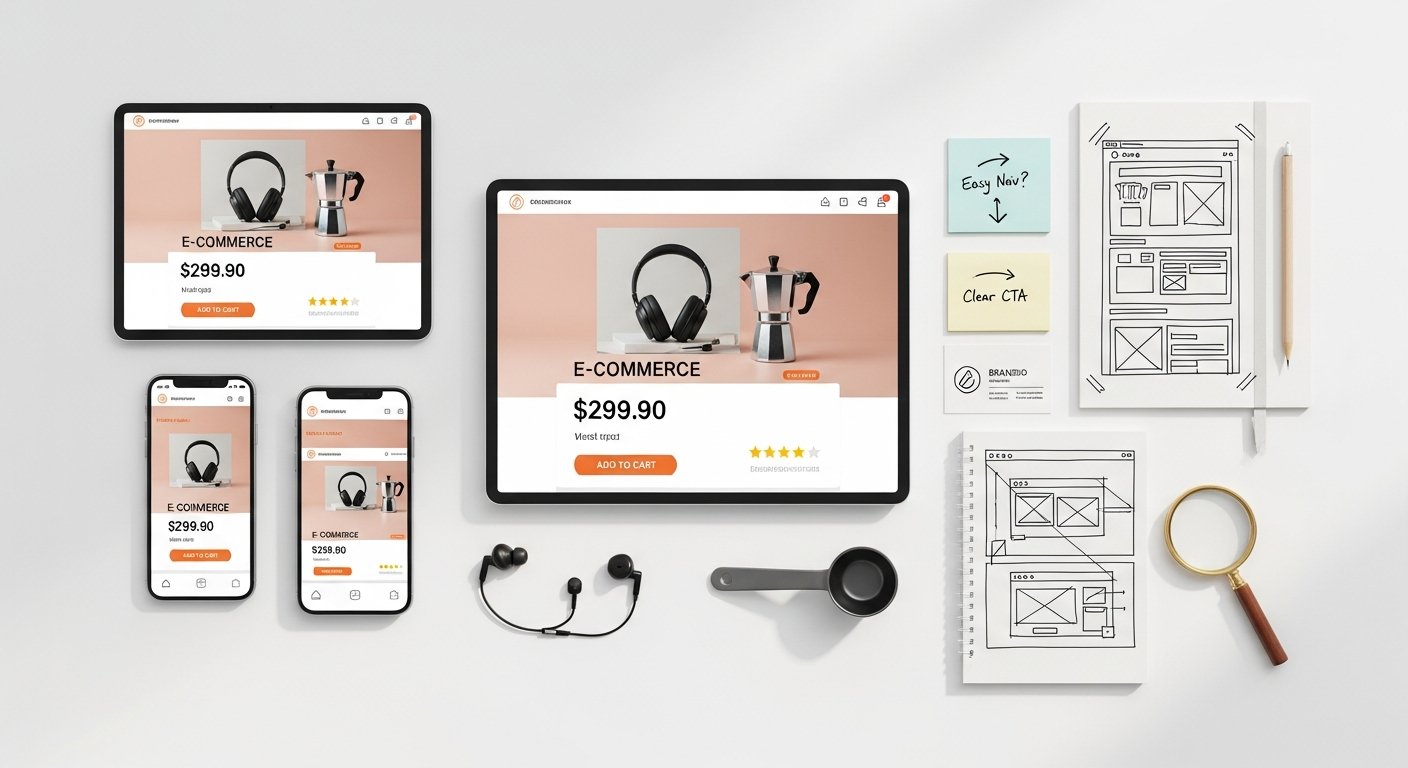
Building a top-tier e-commerce experience isn’t about guesswork; it’s about adhering to established principles of user-centered design. These foundational guidelines ensure that every decision you make regarding your online store’s functionality and aesthetics contributes positively to the user’s journey.
[INLINE IMAGE 1: place after second H2 | alt=”ux for ecommerce concept illustration”]
Intuitive Navigation and Information Architecture
The backbone of any successful e-commerce site is its navigation. Users expect to find what they’re looking for quickly and easily, without having to think too hard. This means:
- Clear Category Structure: Products should be logically grouped and easy to browse.
- Powerful Search Functionality: An accurate and fast search bar with filters and suggestions is essential.
- Consistent Menus: Main navigation should be easily accessible from any page.
- Breadcrumbs: These help users understand where they are in the site hierarchy and navigate back.
Effective information architecture ensures that products are categorized logically, making the journey from broad category to specific product as seamless as possible. Think like your customer: how would they naturally look for an item?
Clarity and Consistency
Confusion is the enemy of conversion. Your e-commerce site must be unequivocally clear in its messaging, design elements, and functionality. This means:
- Concise Copy: Product descriptions, CTAs, and informational text should be easy to understand.
- Visual Hierarchy: Important elements (e.g., product images, price, add-to-cart button) should stand out.
- Consistent Design Language: Use the same fonts, colors, button styles, and iconography across your entire site to build familiarity and trust.
- Predictable Interactions: Buttons should look like buttons and links should look like links. Users should know what to expect when they click or tap.
Consistency reduces cognitive load, allowing users to focus on your products rather than deciphering your interface.
Accessibility for All Users
A truly excellent UX for e-commerce is inclusive. Designing for accessibility means ensuring that your website can be effectively used by people with a wide range of abilities, including those with visual, auditory, motor, or cognitive impairments. This not only broadens your potential customer base but also demonstrates your brand’s commitment to inclusivity. Key accessibility considerations include:
- Keyboard Navigation: Ensure all interactive elements can be accessed and operated using only a keyboard.
- Screen Reader Compatibility: Provide descriptive alt text for images and ensure clear semantic HTML.
- Color Contrast: Text and background colors should have sufficient contrast for readability.
- Font Sizes: Allow users to scale text size without breaking the layout.
- Transcripts/Captions: For any video content.
Accessibility compliance is increasingly a legal requirement in many regions, but more importantly, it’s a fundamental aspect of ethical design.
Speed and Performance
In today’s fast-paced digital world, patience is a scarce commodity. Users expect e-commerce sites to load instantaneously. Even a delay of a few seconds can lead to a significant drop-off in traffic and conversions. Core performance optimizations include:
- Optimizing Images: Compress images without sacrificing quality.
- Minifying Code: Reduce CSS, JavaScript, and HTML file sizes.
- Leveraging Caching: Store frequently accessed data to speed up subsequent loads.
- Using a Content Delivery Network (CDN): Distribute your content across multiple servers globally for faster delivery.
- Efficient Server Response Times: Choose reliable hosting.
Google and other search engines also factor page speed into their ranking algorithms, meaning a slow site not only frustrates users but also hurts your SEO efforts.
Mapping the Customer Journey: UX Strategies for Every Touchpoint
Understanding the complete customer journey—from initial awareness to post-purchase engagement—is paramount for designing effective UX for e-commerce. Each stage presents unique opportunities to enhance the user experience and drive conversions. By meticulously mapping these touchpoints, you can identify pain points and optimize every step.
Discovery & First Impression
The first interaction a user has with your brand is critical. Whether they arrive via a search engine, social media, or an advertisement, their initial impression dictates whether they stay or bounce.
Optimizing your landing pages for specific campaigns is vital here.
Key UX elements for this stage include:
- Compelling Homepage: Clearly articulate your value proposition, showcase bestsellers, and provide easy entry points to product categories.
- Clear Value Proposition: Users should immediately understand what your store offers and why they should care.
- High-Quality Visuals: Professional photography and engaging videos grab attention and convey brand quality.
- Intuitive Onboarding (if applicable): For complex products or services, a brief, guided tour can be beneficial.
The goal is to hook the user, make them feel welcome, and encourage further exploration.
Product Exploration & Detail Pages
Once a user is engaged, their next step is typically to explore your products. This phase is where detailed information and persuasive design come into play.
Category and Listing Pages:
- Robust Filtering and Sorting: Allow users to narrow down options by price, size, color, brand, reviews, etc.
- Clear Product Previews: High-quality thumbnails, quick-view options, and essential information (price, ratings) at a glance.
- “Add to Wishlist” or “Compare” Options: Enable users to save or evaluate products without committing to purchase immediately.
Product Detail Pages (PDPs):
These are often the make-or-break pages. A well-optimized PDP provides all the information a customer needs to make an informed decision and feel confident in their purchase.
- Exceptional Product Imagery and Video: Multiple angles, zoom functionality, lifestyle shots, and 360-degree views. Video demonstrations can be incredibly powerful.
- Detailed, Benefit-Oriented Descriptions: Don’t just list features; explain how the product benefits the customer.
- Clear Pricing and Availability: Instantly visible, including any discounts. Clear stock indicators.
- Social Proof (Reviews & Ratings): Authentic customer reviews build trust and provide valuable insights. Highlight top-rated products.
- Clear Call-to-Action (CTA): Prominently displayed “Add to Cart” or “Buy Now” buttons, distinct from other elements.
- Related Products/Cross-Sells/Upsells: Thoughtfully placed suggestions can increase average order value.
- Shipping & Returns Information: Easily accessible on the PDP, building confidence before checkout.
The PDP is where you address all potential customer questions and overcome objections before they even arise.
Seamless Checkout Process
The checkout flow is the final hurdle, and it’s where many potential sales are lost due to poor UX. A truly seamless checkout is quick, secure, and transparent.
- Guest Checkout Option: Don’t force users to create an account immediately. Offer it as an option post-purchase.
- Progress Indicator: Show users how many steps are left, reducing perceived effort.
- Minimize Form Fields: Only ask for essential information. Auto-fill where possible.
- Multiple Payment Options: Credit cards, PayPal, Apple Pay, Google Pay, Buy Now Pay Later services, etc.
- Transparent Costs: Clearly display product cost, shipping, taxes, and total price before payment.
- Trust Signals: SSL certificates, security badges, and clear privacy policies reassure users.
- Error Validation: Provide real-time, helpful feedback for incorrect entries.
- Order Summary: Allow users to review their order before final confirmation.
Every additional step or point of confusion in the checkout process increases the likelihood of abandonment. Streamline, simplify, and reassure.
Post-Purchase Experience
The customer journey doesn’t end after the purchase button is clicked. The post-purchase experience is crucial for building loyalty and securing repeat business.
- Order Confirmation: An immediate, clear email confirming the order details.
- Shipping Updates: Proactive communication about shipping status and tracking information.
- Easy Returns and Exchanges: A clear, simple process for returns builds trust.
- Customer Support: Easily accessible contact information for any issues.
- Feedback Requests: Solicit reviews and feedback to improve future experiences.
- Personalized Follow-Ups: Recommendations for related products or loyalty program invitations.
A positive post-purchase experience transforms a transaction into a relationship.
Mastering Mobile UX for the Modern E-commerce Shopper
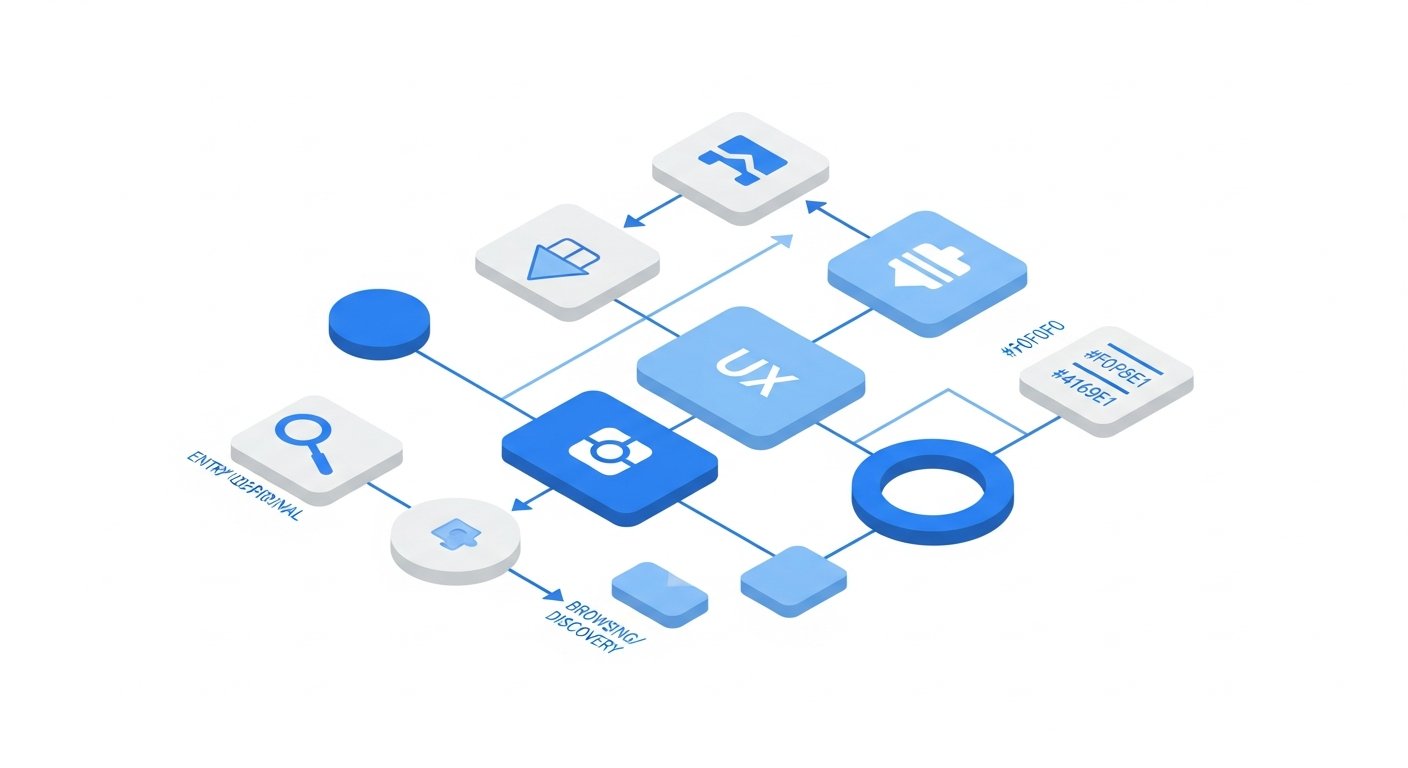
In 2026, mobile devices account for the vast majority of e-commerce traffic and an ever-growing share of purchases. Ignoring mobile UX is akin to ignoring your largest customer segment. A mobile-first approach is no longer optional; it’s a fundamental requirement for success in UX for e-commerce.
[INLINE IMAGE 2: place after fourth H2 | alt=”ux for ecommerce comparison illustration”]
Mobile-First Design Philosophy
Designing mobile-first means you start with the smallest screen and add complexity and features as you scale up to larger desktops. This approach forces you to prioritize content and functionality, ensuring that the most critical elements are front and center for mobile users. It’s about delivering core value efficiently.
- Prioritize Essential Content: What do mobile users absolutely need to see and do? Strip away clutter.
- Thumb-Friendly Design: Place interactive elements (buttons, navigation) within easy reach of a thumb.
- Clear Hierarchy: Use visual cues to guide the eye through content on a smaller screen.
- Optimized for Context: Mobile users might be on the go, looking for quick information or purchases.
This philosophy ensures that even on a small screen, the user experience is fluid and purposeful.
Responsive Design vs. Dedicated Mobile Apps
The choice between responsive web design and a dedicated mobile app depends on your business goals and customer base.
- Responsive Web Design: This is the standard for most e-commerce sites. A single codebase adapts its layout and content to fit various screen sizes.
- Pros: Easier to maintain, wider reach (no app download required), better for SEO.
- Cons: May not offer the full native app experience, can still feel less “snappy” than an app.
- Dedicated Mobile Apps: Offer a truly native experience, often faster and with access to device-specific features (camera, GPS, notifications).
- Pros: Superior performance, personalized notifications, offline capabilities, deeper engagement.
- Cons: High development and maintenance costs, requires users to download, potential for lower reach.
For most D2C brands, a highly optimized responsive website is the immediate priority. An app can be a strategic expansion once you have a loyal customer base and specific use cases that a native app can uniquely address.
Optimizing for Touch Interactions
Mobile UX is fundamentally different because it relies on touch, not a mouse. This requires specific design considerations:
- Tap Targets: Buttons and links must be large enough and spaced far enough apart to be easily tappable without accidental selections. Google recommends a minimum tap target size of 48×48 pixels.
- Swiping and Gestures: Leverage natural mobile gestures for image galleries, product carousels, or quick navigation.
- No Hover States: Design interactions that don’t rely on hover effects, as these don’t exist on touchscreens.
- Virtual Keyboards: Ensure form fields trigger the correct keyboard type (numeric for phone numbers, email for email addresses).
Designing for touch ensures a natural and frustration-free experience for mobile users.
Performance on Mobile Networks
Even with optimized code, mobile users often contend with slower and less stable internet connections (e.g., cellular data). This makes performance optimization even more critical for mobile UX:
- Aggressive Image Compression: Use next-gen image formats (WebP) and responsive images that load smaller versions for smaller screens.
- Lazy Loading: Load images and content only as they scroll into view.
- Minimize Third-Party Scripts: Each script adds overhead and potential delays.
- Progressive Web Apps (PWAs): Consider implementing PWA features to provide app-like speed and reliability even on slower networks.
A fast mobile experience is not a luxury; it’s a basic expectation for modern e-commerce.
Learn more about improving your website’s speed for enhanced UX.
Data-Driven UX Optimization: Analytics, A/B Testing, and Personalization
Guesswork has no place in modern e-commerce. The most successful online stores leverage data to continuously refine and improve their UX for e-commerce. This involves a continuous cycle of observation, hypothesis, experimentation, and analysis.
Leveraging E-commerce Analytics (Google Analytics, Hotjar)
Analytics tools provide invaluable insights into how users interact with your site. They allow you to identify trends, bottlenecks, and areas for improvement.
- Google Analytics 4 (GA4): Essential for understanding user behavior, traffic sources, conversion funnels, and identifying drop-off points. Pay close attention to engagement metrics, conversion paths, and user flow reports.
- Heatmapping & Session Recording Tools (e.g., Hotjar, Crazy Egg): These tools visually represent user activity.
- Heatmaps: Show where users click, move their mouse, and scroll, revealing areas of interest and neglect.
- Session Recordings: Watch actual user sessions to identify points of confusion, frustration, or unexpected behavior.
- Form Analytics: Pinpoint exactly where users are abandoning forms.
- Funnel Analysis: Track users through critical paths (e.g., product view to add-to-cart to checkout completion) to identify where they drop off.
By regularly reviewing these insights, you can form data-backed hypotheses for UX improvements.
Implementing A/B Testing for UX Improvements
A/B testing (also known as split testing) is a powerful method for validating UX changes. Instead of guessing, you test two versions of a page element against each other to see which performs better in terms of a specific goal (e.g., conversion rate, click-through rate).
- Test One Variable at a Time: Isolate changes to a single element (e.g., button color, CTA text, image placement) to accurately measure its impact.
- Define Clear Hypotheses: Before running a test, articulate what you expect to happen and why.
- Ensure Statistical Significance: Run tests long enough and with enough traffic to be confident in the results.
- Tools: Google Optimize (deprecated, but alternatives like Google Optimize 360, VWO, Optimizely are available), Shopify A/B testing apps.
A/B testing removes subjectivity from design decisions and ensures that UX changes genuinely lead to improved outcomes.
The Power of Personalization
Personalization tailors the user experience based on individual user data, preferences, and behavior. This creates a more relevant and engaging shopping journey.
- Personalized Product Recommendations: Based on browsing history, purchase history, or similar customers.
- Dynamic Content: Showing different homepage banners or promotions based on location, new vs. returning user, or past interactions.
- Targeted Email Campaigns: Abandoned cart reminders, “we miss you” offers, or product recommendations based on past purchases.
- User-Specific Sorting and Filtering: Prioritizing products a user is likely to be interested in.
Personalization can significantly enhance conversion rates and customer satisfaction, making the shopping experience feel uniquely tailored to each individual.
Explore advanced personalization strategies for your e-commerce store.
User Feedback and Usability Testing
While analytics tell you *what* users are doing, direct feedback and usability testing tell you *why*. This qualitative data is indispensable for truly understanding the user perspective.
- Usability Testing: Observe real users as they attempt to complete tasks on your site. This can be moderated (with a facilitator) or unmoderated. Pay attention to where they struggle, hesitate, or express confusion.
- Surveys and Questionnaires: Ask users directly about their experience, pain points, and desires. Place exit-intent surveys or post-purchase feedback forms.
- Customer Support Interactions: Your support team is on the front lines, gathering valuable insights into common user problems and frustrations. Analyze support tickets for recurring themes.
- User Interviews: Conduct one-on-one interviews to gain deeper qualitative insights into user motivations and experiences.
Combining quantitative data from analytics with qualitative data from testing and feedback provides a holistic view of your UX strengths and weaknesses.
Essential Tools and Technologies for Elevating E-commerce UX
The right suite of tools can significantly streamline your UX design, development, and optimization efforts. From initial concept to ongoing improvement, these technologies are crucial for any e-commerce business committed to delivering a superior user experience.
Prototyping & Wireframing Tools
Before writing a single line of code, these tools help you visualize and plan your site’s structure and user flow.
- Figma: A collaborative, cloud-based design tool popular for UI/UX design, wireframing, and prototyping. Its real-time collaboration features are excellent for team workflows.
- Sketch: A vector-based design tool primarily for macOS, widely used for UI design.
- Adobe XD: Part of the Adobe Creative Cloud suite, offering design, prototyping, and sharing capabilities.
- Balsamiq: Focuses specifically on low-fidelity wireframing, ideal for quickly sketching out ideas and user flows without getting bogged down in visual details.
These tools allow you to iterate quickly, gather feedback early, and catch potential UX issues before they become expensive to fix.
Analytics & Heatmapping Software
As discussed, these are indispensable for understanding user behavior and identifying areas for improvement.
- Google Analytics 4 (GA4): The industry standard for web analytics, providing comprehensive data on traffic, conversions, user engagement, and more.
- Hotjar: Combines heatmaps, session recordings, surveys, and feedback polls to give a deep understanding of user behavior.
- Crazy Egg: Offers heatmaps, scroll maps, confetti reports, and user recordings to visualize user interactions.
- Microsoft Clarity: A free tool offering similar features to Hotjar (heatmaps, session recordings) with robust filters and AI insights.
Regularly consulting these platforms is critical for data-driven UX optimization.
Testing & Optimization Platforms
These tools facilitate A/B testing and other experimentation methods to validate UX changes.
- Google Optimize 360: (While the free version is deprecated, enterprise solutions and alternatives are robust.)
- VWO (Visual Website Optimizer): A comprehensive platform for A/B testing, multivariate testing, personalization, and behavioral analytics.
- Optimizely: Another enterprise-grade experimentation platform offering A/B testing, feature flagging, and personalization.
- Shopify Apps: Many apps in the Shopify App Store offer built-in A/B testing functionality specifically tailored for Shopify stores, such as Shogun Page Builder, or various CRO apps.
These platforms allow you to conduct controlled experiments to ensure your UX changes are truly beneficial.
AI & Machine Learning in UX (Chatbots, Recommendations)
Artificial intelligence and machine learning are increasingly integrated into e-commerce UX to offer more personalized and efficient experiences.
- AI-Powered Chatbots: Provide instant customer support, answer common questions, guide users to products, and even assist with checkout, significantly reducing customer service load and improving immediate user satisfaction.
- Personalized Recommendation Engines: Algorithms analyze user behavior (browsing history, purchase history) and similar user data to suggest relevant products, increasing discoverability and average order value.
- AI Search: Smart search functions that understand natural language, correct typos, and provide highly relevant results even with vague queries.
- Predictive Analytics: Foresee customer needs and potential issues before they arise, enabling proactive UX adjustments or targeted outreach.
Embracing AI and ML can transform your e-commerce site from reactive to proactive, delivering a hyper-personalized and seamless experience.
Discover how AI is revolutionizing e-commerce operations for D2C brands.
Comparison of Popular UX Research and Testing Tools
Choosing the right tools for your UX for e-commerce strategy is crucial. Here’s a comparison of some popular options, highlighting their primary strengths and typical use cases.
| Tool Category | Example Tool | Primary Use Case | Key Features | Typical Cost Model |
|---|---|---|---|---|
| Analytics Platform | Google Analytics 4 (GA4) | Understanding website traffic, user demographics, conversion funnels. | Event-based tracking, custom reports, real-time data, integration with Google Ads. | Free (standard) / Enterprise (paid) |
| Heatmapping & Session Recording | Hotjar | Visualizing user behavior, identifying friction points, gathering direct feedback. | Heatmaps, scroll maps, session recordings, surveys, feedback widgets. | Freemium / Tiered subscriptions |
| A/B Testing & Optimization | VWO | Experimenting with website variations to improve conversion rates. | A/B testing, multivariate testing, personalization, behavioral analytics. | Tiered subscriptions (often higher price point) |
| Prototyping & Design | Figma | Collaborative UI/UX design, wireframing, interactive prototyping. | Real-time collaboration, component libraries, design system features, plugin ecosystem. | Freemium / Tiered subscriptions |
| Usability Testing (Remote) | UserTesting | Gathering qualitative feedback from real users performing tasks. | Unmoderated user tests, video recordings of user sessions, customizable test plans. | Subscription-based (can be costly) |
Each tool serves a distinct purpose, and a holistic UX for e-commerce strategy often involves combining insights from several categories to get a comprehensive view of your users’ experience.
Common UX Pitfalls to Avoid in E-commerce
Even with the best intentions, it’s easy to fall into common UX traps that can severely hinder your e-commerce performance. Awareness of these pitfalls is the first step toward building a truly optimized online store. By actively avoiding these missteps, you can protect your conversion rates and enhance customer satisfaction in your UX for e-commerce strategy.
Overloading with Information and Clutter
While product details are important, overwhelming users with too much information, too many choices, or a cluttered design can lead to “analysis paralysis” and frustration. This includes:
- Excessive Text: Long blocks of unbroken text on product pages or homepages.
- Too Many CTAs: Multiple competing calls to action on a single screen confuse users about what to do next.
- Banner Blindness: Too many promotions or flashy banners that distract from core content.
- Poor Whitespace Utilization: Lack of negative space makes a page feel dense and difficult to process.
Solution: Prioritize content, use clear headings and bullet points, and embrace whitespace. Guide the user’s eye to the most important elements.
Complex and Inconsistent Navigation Structures
Confusing navigation is a leading cause of abandonment. If users can’t find what they’re looking for, they’ll leave. This pitfall includes:
- Hidden or Non-Standard Navigation: Menus that are hard to find or use unconventional labels.
- Deeply Nested Categories: Requiring too many clicks to reach a product.
- Inconsistent Menu Items: Changing navigation labels or structures across different pages.
- Lack of Search Functionality: Or a search bar that performs poorly.
Solution: Keep navigation simple, clear, and consistent. Use standard conventions, implement breadcrumbs, and ensure your search function is robust.
Slow Page Load Times
As mentioned earlier, speed is paramount. Slow-loading pages are a guaranteed conversion killer and dramatically increase bounce rates. Common causes include:
- Unoptimized Images: Large, uncompressed images are the most frequent culprit.
- Excessive JavaScript/CSS: Bloated code or too many third-party scripts.
- Poor Hosting: Inadequate server response times.
- Lack of Caching: Every element has to be reloaded for every visit.
Solution: Implement comprehensive image optimization, minify code, leverage CDNs, ensure efficient hosting, and regularly test your site speed using tools like Google PageSpeed Insights.
Lack of Trust Signals and Security Assurances
E-commerce involves sensitive personal and financial information. If users don’t trust your site, they won’t buy. Pitfalls include:
- Missing SSL Certificate: Your site should always use HTTPS.
- No Trust Badges: Lack of visible security seals, payment logos, or privacy policy links.
- Sparse Contact Information: Making it difficult for customers to get help or contact you.
- Lack of Customer Reviews: Or displaying only overwhelmingly positive (and thus suspicious) reviews.
Solution: Display trust badges prominently, link to clear privacy and returns policies, provide diverse contact options, and encourage authentic customer reviews.
Inconsistent Branding and Messaging
Your brand is more than just a logo; it’s the entire experience you offer. Inconsistencies can erode trust and confuse customers.
- Varying Visuals: Different fonts, color palettes, or image styles across pages.
- Conflicting Tone of Voice: Switching from casual to formal in different parts of the site.
- Misaligned Value Proposition: What you promise on your homepage doesn’t match the product experience.
Solution: Develop and adhere to a strict brand style guide for all visual and textual content. Ensure every interaction reflects your core brand identity and values.
The Future Landscape of UX in E-commerce
The world of e-commerce is in constant flux, driven by technological advancements and evolving consumer expectations. The future of UX for e-commerce will be characterized by greater immersion, personalization, and seamless integration across diverse channels. Staying ahead of these trends will be crucial for maintaining a competitive edge and continually enhancing online store profitability.
Voice Commerce and Conversational UX
The rise of smart speakers and voice assistants (like Amazon Alexa, Google Assistant) is ushering in a new era of hands-free shopping. Voice commerce allows users to search for products, check prices, and make purchases using only their voice.
- Optimizing for Voice Search: Focus on natural language queries and long-tail keywords.
- Conversational Interfaces: Designing chatbots and AI assistants that can engage in natural, helpful dialogues with users, guiding them through the shopping process.
- Streamlined Purchase Flows: Making it easy for voice-enabled purchases, often requiring pre-saved payment and shipping information.
The challenge and opportunity lie in creating intuitive, efficient, and trustworthy voice-based shopping experiences that reduce friction for users who prefer hands-free interaction.
Augmented Reality (AR) and Virtual Reality (VR)
AR and VR are set to revolutionize how customers interact with products online, bridging the gap between digital browsing and the physical shopping experience.
- Augmented Reality (AR): Allows customers to visualize products in their own environment. For example, trying on clothes virtually, seeing how furniture looks in their living room, or testing makeup shades on their face using their smartphone camera. This significantly reduces uncertainty and returns.
- Virtual Reality (VR): Offers fully immersive shopping experiences, allowing users to “walk” through virtual showrooms, interact with 3D product models, and even experience virtual fitting rooms. While less mainstream for direct purchase currently, its potential for high-value items and experiential retail is immense.
These technologies create highly engaging and interactive product experiences, boosting confidence and driving conversions.
Hyper-Personalization and Predictive UX
Building on current personalization efforts, the future will see hyper-personalization powered by more advanced AI and machine learning, anticipating user needs even before they express them.
- Contextual Personalization: Adapting the entire site experience not just to past behavior, but also to real-time context (location, weather, time of day, device, current mood inferred from interaction patterns).
- Predictive Analytics for Customer Service: Identifying potential customer issues before they arise and offering proactive support.
- Dynamic Pricing and Promotions: Offering personalized discounts or bundles based on individual customer data and predicted purchase likelihood.
- Adaptive Interfaces: Websites and apps that subtly adjust their layout and content based on individual user preferences and habits over time.
The goal is to make the e-commerce experience feel so intuitive and tailored that it almost reads the customer’s mind.
Ethical UX and Data Privacy
As personalization and data collection become more sophisticated, so too does the importance of ethical UX design and robust data privacy practices. Consumers are increasingly aware of their digital footprint and demand transparency and control over their data.
- Transparency in Data Usage: Clearly communicating how customer data is collected, used, and protected.
- Easy Consent Management: Providing simple, clear options for users to manage their privacy preferences (e.g., cookie consents, marketing opt-ins).
- “Privacy by Design”: Integrating privacy considerations into every stage
UX for E-commerce: The Definitive Guide to Boosting Conversions & Profitability
Affiliate disclosure: This article may contain affiliate links. Recommendations are independent and editorially driven.
In the fiercely competitive landscape of online retail, where countless digital storefronts vie for consumer attention, the key differentiator often boils down to one critical element: user experience (UX). For e-commerce businesses, an intuitive, engaging, and frictionless UX isn’t merely a nice-to-have; it’s the bedrock of sustained growth, increased conversion rates, and ultimately, enhanced profitability. Welcome to the definitive guide on UX for e-commerce, where we’ll unpack the strategies, principles, and tools necessary to transform your online store into a conversion-generating powerhouse.
Far beyond just aesthetics, e-commerce UX encompasses every interaction a potential customer has with your digital platform—from the moment they land on your homepage to the final click of purchase and even the post-sale follow-up. It’s about crafting a journey that is not only efficient but also delightful, building trust, and fostering loyalty. In a world where attention spans are fleeting and alternatives are abundant, a superior UX can be the single most potent lever for your D2C brand’s success. Let’s delve deep into how you can harness the power of UX to drive unparalleled e-commerce growth.
The Foundational Role of UX for E-commerce Profitability
Many e-commerce merchants initially focus on traffic generation or product catalog expansion, often overlooking the profound impact that a meticulously designed user experience has on their bottom line. However, the truth is clear: investing in UX for e-commerce is one of the most cost-effective strategies for increasing revenue and long-term customer value.
What Exactly is E-commerce UX?
At its core, e-commerce UX is the process of enhancing user satisfaction by improving the usability, accessibility, and pleasure provided in the interaction with an e-commerce website or mobile application. It’s not just about how your site looks, but how it feels to navigate, how quickly it responds, how easy it is to find products, and how seamless the checkout process is. A well-executed e-commerce UX anticipates user needs, removes friction points, and guides shoppers effortlessly towards their goals—which, for your business, is conversion.
Direct Impact on Conversion Rates
The most immediate and measurable benefit of superior UX for e-commerce is its direct correlation with conversion rates. A poorly designed website with confusing navigation, slow loading times, or a convoluted checkout process will inevitably lead to high bounce rates and abandoned carts. Conversely, a site optimized for UX offers a smooth path from discovery to purchase:
- Clear Calls-to-Action (CTAs): Users know exactly what to do next.
- Intuitive Navigation: Shoppers can easily find what they’re looking for.
- Fast Page Loads: No frustrating waiting times.
- Streamlined Checkout: Minimal steps and clear instructions.
Each of these elements, when optimized, significantly reduces obstacles to purchase, transforming browsers into buyers.
Boosting Customer Lifetime Value (CLTV)
Beyond initial conversions, excellent UX plays a crucial role in building customer loyalty and increasing Customer Lifetime Value (CLTV). When customers have a positive, memorable experience with your store, they are far more likely to return for future purchases. A good UX fosters trust and convenience, turning one-time buyers into repeat customers. This includes not just the purchasing journey, but also post-purchase support, easy returns processes, and personalized experiences that make customers feel valued.
Reducing Cart Abandonment
Cart abandonment is the bane of every e-commerce business, often accounting for a significant portion of lost sales. Research consistently shows that a complex checkout process, unexpected shipping costs, or a lack of trust signals are primary drivers of abandonment. A focus on UX for e-commerce directly addresses these issues by:
- Offering guest checkout options.
- Displaying all costs upfront.
- Providing multiple payment options.
- Including trust badges and security seals.
- Minimizing the number of steps in the checkout flow.
By simplifying and reassuring users throughout the final stages of their purchase, you can dramatically reduce abandonment rates and reclaim lost revenue.
Core Principles of Outstanding E-commerce UX Design
Building a top-tier e-commerce experience isn’t about guesswork; it’s about adhering to established principles of user-centered design. These foundational guidelines ensure that every decision you make regarding your online store’s functionality and aesthetics contributes positively to the user’s journey.
[INLINE IMAGE 1: place after second H2 | alt=”ux for ecommerce concept illustration”]
Intuitive Navigation and Information Architecture
The backbone of any successful e-commerce site is its navigation. Users expect to find what they’re looking for quickly and easily, without having to think too hard. This means:
- Clear Category Structure: Products should be logically grouped and easy to browse.
- Powerful Search Functionality: An accurate and fast search bar with filters and suggestions is essential.
- Consistent Menus: Main navigation should be easily accessible from any page.
- Breadcrumbs: These help users understand where they are in the site hierarchy and navigate back.
Effective information architecture ensures that products are categorized logically, making the journey from broad category to specific product as seamless as possible. Think like your customer: how would they naturally look for an item?
Clarity and Consistency
Confusion is the enemy of conversion. Your e-commerce site must be unequivocally clear in its messaging, design elements, and functionality. This means:
- Concise Copy: Product descriptions, CTAs, and informational text should be easy to understand.
- Visual Hierarchy: Important elements (e.g., product images, price, add-to-cart button) should stand out.
- Consistent Design Language: Use the same fonts, colors, button styles, and iconography across your entire site to build familiarity and trust.
- Predictable Interactions: Buttons should look like buttons and links should look like links. Users should know what to expect when they click or tap.
Consistency reduces cognitive load, allowing users to focus on your products rather than deciphering your interface.
Accessibility for All Users
A truly excellent UX for e-commerce is inclusive. Designing for accessibility means ensuring that your website can be effectively used by people with a wide range of abilities, including those with visual, auditory, motor, or cognitive impairments. This not only broadens your potential customer base but also demonstrates your brand’s commitment to inclusivity. Key accessibility considerations include:
- Keyboard Navigation: Ensure all interactive elements can be accessed and operated using only a keyboard.
- Screen Reader Compatibility: Provide descriptive alt text for images and ensure clear semantic HTML.
- Color Contrast: Text and background colors should have sufficient contrast for readability.
- Font Sizes: Allow users to scale text size without breaking the layout.
- Transcripts/Captions: For any video content.
Accessibility compliance is increasingly a legal requirement in many regions, but more importantly, it’s a fundamental aspect of ethical design.
Speed and Performance
In today’s fast-paced digital world, patience is a scarce commodity. Users expect e-commerce sites to load instantaneously. Even a delay of a few seconds can lead to a significant drop-off in traffic and conversions. Core performance optimizations include:
- Optimizing Images: Compress images without sacrificing quality.
- Minifying Code: Reduce CSS, JavaScript, and HTML file sizes.
- Leveraging Caching: Store frequently accessed data to speed up subsequent loads.
- Using a Content Delivery Network (CDN): Distribute your content across multiple servers globally for faster delivery.
- Efficient Server Response Times: Choose reliable hosting.
Google and other search engines also factor page speed into their ranking algorithms, meaning a slow site not only frustrates users but also hurts your SEO efforts.
Mapping the Customer Journey: UX Strategies for Every Touchpoint
Understanding the complete customer journey—from initial awareness to post-purchase engagement—is paramount for designing effective UX for e-commerce. Each stage presents unique opportunities to enhance the user experience and drive conversions. By meticulously mapping these touchpoints, you can identify pain points and optimize every step.
Discovery & First Impression
The first interaction a user has with your brand is critical. Whether they arrive via a search engine, social media, or an advertisement, their initial impression dictates whether they stay or bounce.
Optimizing your landing pages for specific campaigns is vital here.
Key UX elements for this stage include:- Compelling Homepage: Clearly articulate your value proposition, showcase bestsellers, and provide easy entry points to product categories.
- Clear Value Proposition: Users should immediately understand what your store offers and why they should care.
- High-Quality Visuals: Professional photography and engaging videos grab attention and convey brand quality.
- Intuitive Onboarding (if applicable): For complex products or services, a brief, guided tour can be beneficial.
The goal is to hook the user, make them feel welcome, and encourage further exploration.
Product Exploration & Detail Pages
Once a user is engaged, their next step is typically to explore your products. This phase is where detailed information and persuasive design come into play.
Category and Listing Pages:
- Robust Filtering and Sorting: Allow users to narrow down options by price, size, color, brand, reviews, etc.
- Clear Product Previews: High-quality thumbnails, quick-view options, and essential information (price, ratings) at a glance.
- “Add to Wishlist” or “Compare” Options: Enable users to save or evaluate products without committing to purchase immediately.
Product Detail Pages (PDPs):
These are often the make-or-break pages. A well-optimized PDP provides all the information a customer needs to make an informed decision and feel confident in their purchase.
- Exceptional Product Imagery and Video: Multiple angles, zoom functionality, lifestyle shots, and 360-degree views. Video demonstrations can be incredibly powerful.
- Detailed, Benefit-Oriented Descriptions: Don’t just list features; explain how the product benefits the customer.
- Clear Pricing and Availability: Instantly visible, including any discounts. Clear stock indicators.
- Social Proof (Reviews & Ratings): Authentic customer reviews build trust and provide valuable insights. Highlight top-rated products.
- Clear Call-to-Action (CTA): Prominently displayed “Add to Cart” or “Buy Now” buttons, distinct from other elements.
- Related Products/Cross-Sells/Upsells: Thoughtfully placed suggestions can increase average order value.
- Shipping & Returns Information: Easily accessible on the PDP, building confidence before checkout.
The PDP is where you address all potential customer questions and overcome objections before they even arise.
Seamless Checkout Process
The checkout flow is the final hurdle, and it’s where many potential sales are lost due to poor UX. A truly seamless checkout is quick, secure, and transparent.
- Guest Checkout Option: Don’t force users to create an account immediately. Offer it as an option post-purchase.
- Progress Indicator: Show users how many steps are left, reducing perceived effort.
- Minimize Form Fields: Only ask for essential information. Auto-fill where possible.
- Multiple Payment Options: Credit cards, PayPal, Apple Pay, Google Pay, Buy Now Pay Later services, etc.
- Transparent Costs: Clearly display product cost, shipping, taxes, and total price before payment.
- Trust Signals: SSL certificates, security badges, and clear privacy policies reassure users.
- Error Validation: Provide real-time, helpful feedback for incorrect entries.
- Order Summary: Allow users to review their order before final confirmation.
Every additional step or point of confusion in the checkout process increases the likelihood of abandonment. Streamline, simplify, and reassure.
Post-Purchase Experience
The customer journey doesn’t end after the purchase button is clicked. The post-purchase experience is crucial for building loyalty and securing repeat business.
- Order Confirmation: An immediate, clear email confirming the order details.
- Shipping Updates: Proactive communication about shipping status and tracking information.
- Easy Returns and Exchanges: A clear, simple process for returns builds trust.
- Customer Support: Easily accessible contact information for any issues.
- Feedback Requests: Solicit reviews and feedback to improve future experiences.
- Personalized Follow-Ups: Recommendations for related products or loyalty program invitations.
A positive post-purchase experience transforms a transaction into a relationship.
Mastering Mobile UX for the Modern E-commerce Shopper
In 2026, mobile devices account for the vast majority of e-commerce traffic and an ever-growing share of purchases. Ignoring mobile UX is akin to ignoring your largest customer segment. A mobile-first approach is no longer optional; it’s a fundamental requirement for success in UX for e-commerce.
[INLINE IMAGE 2: place after fourth H2 | alt=”ux for ecommerce comparison illustration”]
Mobile-First Design Philosophy
Designing mobile-first means you start with the smallest screen and add complexity and features as you scale up to larger desktops. This approach forces you to prioritize content and functionality, ensuring that the most critical elements are front and center for mobile users. It’s about delivering core value efficiently.
- Prioritize Essential Content: What do mobile users absolutely need to see and do? Strip away clutter.
- Thumb-Friendly Design: Place interactive elements (buttons, navigation) within easy reach of a thumb.
- Clear Hierarchy: Use visual cues to guide the eye through content on a smaller screen.
- Optimized for Context: Mobile users might be on the go, looking for quick information or purchases.
This philosophy ensures that even on a small screen, the user experience is fluid and purposeful.
Responsive Design vs. Dedicated Mobile Apps
The choice between responsive web design and a dedicated mobile app depends on your business goals and customer base.
- Responsive Web Design: This is the standard for most e-commerce sites. A single codebase adapts its layout and content to fit various screen sizes.
- Pros: Easier to maintain, wider reach (no app download required), better for SEO.
- Cons: May not offer the full native app experience, can still feel less “snappy” than an app.
- Dedicated Mobile Apps: Offer a truly native experience, often faster and with access to device-specific features (camera, GPS, notifications).
- Pros: Superior performance, personalized notifications, offline capabilities, deeper engagement.
- Cons: High development and maintenance costs, requires users to download, potential for lower reach.
For most D2C brands, a highly optimized responsive website is the immediate priority. An app can be a strategic expansion once you have a loyal customer base and specific use cases that a native app can uniquely address.
Optimizing for Touch Interactions
Mobile UX is fundamentally different because it relies on touch, not a mouse. This requires specific design considerations:
- Tap Targets: Buttons and links must be large enough and spaced far enough apart to be easily tappable without accidental selections. Google recommends a minimum tap target size of 48×48 pixels.
- Swiping and Gestures: Leverage natural mobile gestures for image galleries, product carousels, or quick navigation.
- No Hover States: Design interactions that don’t rely on hover effects, as these don’t exist on touchscreens.
- Virtual Keyboards: Ensure form fields trigger the correct keyboard type (numeric for phone numbers, email for email addresses).
Designing for touch ensures a natural and frustration-free experience for mobile users.
Performance on Mobile Networks
Even with optimized code, mobile users often contend with slower and less stable internet connections (e.g., cellular data). This makes performance optimization even more critical for mobile UX:
- Aggressive Image Compression: Use next-gen image formats (WebP) and responsive images that load smaller versions for smaller screens.
- Lazy Loading: Load images and content only as they scroll into view.
- Minimize Third-Party Scripts: Each script adds overhead and potential delays.
- Progressive Web Apps (PWAs): Consider implementing PWA features to provide app-like speed and reliability even on slower networks.
A fast mobile experience is not a luxury; it’s a basic expectation for modern e-commerce.
Learn more about improving your website’s speed for enhanced UX.Data-Driven UX Optimization: Analytics, A/B Testing, and Personalization
Guesswork has no place in modern e-commerce. The most successful online stores leverage data to continuously refine and improve their UX for e-commerce. This involves a continuous cycle of observation, hypothesis, experimentation, and analysis.
Leveraging E-commerce Analytics (Google Analytics, Hotjar)
Analytics tools provide invaluable insights into how users interact with your site. They allow you to identify trends, bottlenecks, and areas for improvement.
- Google Analytics 4 (GA4): Essential for understanding user behavior, traffic sources, conversion funnels, and identifying drop-off points. Pay close attention to engagement metrics, conversion paths, and user flow reports.
- Heatmapping & Session Recording Tools (e.g., Hotjar, Crazy Egg): These tools visually represent user activity.
- Heatmaps: Show where users click, move their mouse, and scroll, revealing areas of interest and neglect.
- Session Recordings: Watch actual user sessions to identify points of confusion, frustration, or unexpected behavior.
- Form Analytics: Pinpoint exactly where users are abandoning forms.
- Funnel Analysis: Track users through critical paths (e.g., product view to add-to-cart to checkout completion) to identify where they drop off.
By regularly reviewing these insights, you can form data-backed hypotheses for UX improvements.
Implementing A/B Testing for UX Improvements
A/B testing (also known as split testing) is a powerful method for validating UX changes. Instead of guessing, you test two versions of a page element against each other to see which performs better in terms of a specific goal (e.g., conversion rate, click-through rate).
- Test One Variable at a Time: Isolate changes to a single element (e.g., button color, CTA text, image placement) to accurately measure its impact.
- Define Clear Hypotheses: Before running a test, articulate what you expect to happen and why.
- Ensure Statistical Significance: Run tests long enough and with enough traffic to be confident in the results.
- Tools: Google Optimize (deprecated, but alternatives like Google Optimize 360, VWO, Optimizely are available), Shopify A/B testing apps.
A/B testing removes subjectivity from design decisions and ensures that UX changes genuinely lead to improved outcomes.
The Power of Personalization
Personalization tailors the user experience based on individual user data, preferences, and behavior. This creates a more relevant and engaging shopping journey.
- Personalized Product Recommendations: Based on browsing history, purchase history, or similar customers.
- Dynamic Content: Showing different homepage banners or promotions based on location, new vs. returning user, or past interactions.
- Targeted Email Campaigns: Abandoned cart reminders, “we miss you” offers, or product recommendations based on past purchases.
- User-Specific Sorting and Filtering: Prioritizing products a user is likely to be interested in.
Personalization can significantly enhance conversion rates and customer satisfaction, making the shopping experience feel uniquely tailored to each individual.
Explore advanced personalization strategies for your e-commerce store.User Feedback and Usability Testing
While analytics tell you *what* users are doing, direct feedback and usability testing tell you *why*. This qualitative data is indispensable for truly understanding the user perspective.
- Usability Testing: Observe real users as they attempt to complete tasks on your site. This can be moderated (with a facilitator) or unmoderated. Pay attention to where they struggle, hesitate, or express confusion.
- Surveys and Questionnaires: Ask users directly about their experience, pain points, and desires. Place exit-intent surveys or post-purchase feedback forms.
- Customer Support Interactions: Your support team is on the front lines, gathering valuable insights into common user problems and frustrations. Analyze support tickets for recurring themes.
- User Interviews: Conduct one-on-one interviews to gain deeper qualitative insights into user motivations and experiences.
Combining quantitative data from analytics with qualitative data from testing and feedback provides a holistic view of your UX strengths and weaknesses.
Essential Tools and Technologies for Elevating E-commerce UX
The right suite of tools can significantly streamline your UX design, development, and optimization efforts. From initial concept to ongoing improvement, these technologies are crucial for any e-commerce business committed to delivering a superior user experience.
Prototyping & Wireframing Tools
Before writing a single line of code, these tools help you visualize and plan your site’s structure and user flow.
- Figma: A collaborative, cloud-based design tool popular for UI/UX design, wireframing, and prototyping. Its real-time collaboration features are excellent for team workflows.
- Sketch: A vector-based design tool primarily for macOS, widely used for UI design.
- Adobe XD: Part of the Adobe Creative Cloud suite, offering design, prototyping, and sharing capabilities.
- Balsamiq: Focuses specifically on low-fidelity wireframing, ideal for quickly sketching out ideas and user flows without getting bogged down in visual details.
These tools allow you to iterate quickly, gather feedback early, and catch potential UX issues before they become expensive to fix.
Analytics & Heatmapping Software
As discussed, these are indispensable for understanding user behavior and identifying areas for improvement.
- Google Analytics 4 (GA4): The industry standard for web analytics, providing comprehensive data on traffic, conversions, user engagement, and more.
- Hotjar: Combines heatmaps, session recordings, surveys, and feedback polls to give a deep understanding of user behavior.
- Crazy Egg: Offers heatmaps, scroll maps, confetti reports, and user recordings to visualize user interactions.
- Microsoft Clarity: A free tool offering similar features to Hotjar (heatmaps, session recordings) with robust filters and AI insights.
Regularly consulting these platforms is critical for data-driven UX optimization.
Testing & Optimization Platforms
These tools facilitate A/B testing and other experimentation methods to validate UX changes.
- Google Optimize 360: (While the free version is deprecated, enterprise solutions and alternatives are robust.)
- VWO (Visual Website Optimizer): A comprehensive platform for A/B testing, multivariate testing, personalization, and behavioral analytics.
- Optimizely: Another enterprise-grade experimentation platform offering A/B testing, feature flagging, and personalization.
- Shopify Apps: Many apps in the Shopify App Store offer built-in A/B testing functionality specifically tailored for Shopify stores, such as Shogun Page Builder, or various CRO apps.
These platforms allow you to conduct controlled experiments to ensure your UX changes are truly beneficial.
AI & Machine Learning in UX (Chatbots, Recommendations)
Artificial intelligence and machine learning are increasingly integrated into e-commerce UX to offer more personalized and efficient experiences.
- AI-Powered Chatbots: Provide instant customer support, answer common questions, guide users to products, and even assist with checkout, significantly reducing customer service load and improving immediate user satisfaction.
- Personalized Recommendation Engines: Algorithms analyze user behavior (browsing history, purchase history) and similar user data to suggest relevant products, increasing discoverability and average order value.
- AI Search: Smart search functions that understand natural language, correct typos, and provide highly relevant results even with vague queries.
- Predictive Analytics: Foresee customer needs and potential issues before they arise, enabling proactive UX adjustments or targeted outreach.
Embracing AI and ML can transform your e-commerce site from reactive to proactive, delivering a hyper-personalized and seamless experience.
Discover how AI is revolutionizing e-commerce operations for D2C brands.Comparison of Popular UX Research and Testing Tools
Choosing the right tools for your UX for e-commerce strategy is crucial. Here’s a comparison of some popular options, highlighting their primary strengths and typical use cases.
Tool Category Example Tool Primary Use Case Key Features Typical Cost Model Analytics Platform Google Analytics 4 (GA4) Understanding website traffic, user demographics, conversion funnels. Event-based tracking, custom reports, real-time data, integration with Google Ads. Free (standard) / Enterprise (paid) Heatmapping & Session Recording Hotjar Visualizing user behavior, identifying friction points, gathering direct feedback. Heatmaps, scroll maps, session recordings, surveys, feedback widgets. Freemium / Tiered subscriptions A/B Testing & Optimization VWO Experimenting with website variations to improve conversion rates. A/B testing, multivariate testing, personalization, behavioral analytics. Tiered subscriptions (often higher price point) Prototyping & Design Figma Collaborative UI/UX design, wireframing, interactive prototyping. Real-time collaboration, component libraries, design system features, plugin ecosystem. Freemium / Tiered subscriptions Usability Testing (Remote) UserTesting Gathering qualitative feedback from real users performing tasks. Unmoderated user tests, video recordings of user sessions, customizable test plans. Subscription-based (can be costly) Each tool serves a distinct purpose, and a holistic UX for e-commerce strategy often involves combining insights from several categories to get a comprehensive view of your users’ experience.
Common UX Pitfalls to Avoid in E-commerce
Even with the best intentions, it’s easy to fall into common UX traps that can severely hinder your e-commerce performance. Awareness of these pitfalls is the first step toward building a truly optimized online store. By actively avoiding these missteps, you can protect your conversion rates and enhance customer satisfaction in your UX for e-commerce strategy.
Overloading with Information and Clutter
While product details are important, overwhelming users with too much information, too many choices, or a cluttered design can lead to “analysis paralysis” and frustration. This includes:
- Excessive Text: Long blocks of unbroken text on product pages or homepages.
- Too Many CTAs: Multiple competing calls to action on a single screen confuse users about what to do next.
- Banner Blindness: Too many promotions or flashy banners that distract from core content.
- Poor Whitespace Utilization: Lack of negative space makes a page feel dense and difficult to process.
Solution: Prioritize content, use clear headings and bullet points, and embrace whitespace. Guide the user’s eye to the most important elements.
Complex and Inconsistent Navigation Structures
Confusing navigation is a leading cause of abandonment. If users can’t find what they’re looking for, they’ll leave. This pitfall includes:
- Hidden or Non-Standard Navigation: Menus that are hard to find or use unconventional labels.
- Deeply Nested Categories: Requiring too many clicks to reach a product.
- Inconsistent Menu Items: Changing navigation labels or structures across different pages.
- Lack of Search Functionality: Or a search bar that performs poorly.
Solution: Keep navigation simple, clear, and consistent. Use standard conventions, implement breadcrumbs, and ensure your search function is robust.
Slow Page Load Times
As mentioned earlier, speed is paramount. Slow-loading pages are a guaranteed conversion killer and dramatically increase bounce rates. Common causes include:
- Unoptimized Images: Large, uncompressed images are the most frequent culprit.
- Excessive JavaScript/CSS: Bloated code or too many third-party scripts.
- Poor Hosting: Inadequate server response times.
- Lack of Caching: Every element has to be reloaded for every visit.
Solution: Implement comprehensive image optimization, minify code, leverage CDNs, ensure efficient hosting, and regularly test your site speed using tools like Google PageSpeed Insights.
Lack of Trust Signals and Security Assurances
E-commerce involves sensitive personal and financial information. If users don’t trust your site, they won’t buy. Pitfalls include:
- Missing SSL Certificate: Your site should always use HTTPS.
- No Trust Badges: Lack of visible security seals, payment logos, or privacy policy links.
- Sparse Contact Information: Making it difficult for customers to get help or contact you.
- Lack of Customer Reviews: Or displaying only overwhelmingly positive (and thus suspicious) reviews.
Solution: Display trust badges prominently, link to clear privacy and returns policies, provide diverse contact options, and encourage authentic customer reviews.
Inconsistent Branding and Messaging
Your brand is more than just a logo; it’s the entire experience you offer. Inconsistencies can erode trust and confuse customers.
- Varying Visuals: Different fonts, color palettes, or image styles across pages.
- Conflicting Tone of Voice: Switching from casual to formal in different parts of the site.
- Misaligned Value Proposition: What you promise on your homepage doesn’t match the product experience.
Solution: Develop and adhere to a strict brand style guide for all visual and textual content. Ensure every interaction reflects your core brand identity and values.
The Future Landscape of UX in E-commerce
The world of e-commerce is in constant flux, driven by technological advancements and evolving consumer expectations. The future of UX for e-commerce will be characterized by greater immersion, personalization, and seamless integration across diverse channels. Staying ahead of these trends will be crucial for maintaining a competitive edge and continually enhancing online store profitability.
Voice Commerce and Conversational UX
The rise of smart speakers and voice assistants (like Amazon Alexa, Google Assistant) is ushering in a new era of hands-free shopping. Voice commerce allows users to search for products, check prices, and make purchases using only their voice.
- Optimizing for Voice Search: Focus on natural language queries and long-tail keywords.
- Conversational Interfaces: Designing chatbots and AI assistants that can engage in natural, helpful dialogues with users, guiding them through the shopping process.
- Streamlined Purchase Flows: Making it easy for voice-enabled purchases, often requiring pre-saved payment and shipping information.
The challenge and opportunity lie in creating intuitive, efficient, and trustworthy voice-based shopping experiences that reduce friction for users who prefer hands-free interaction.
Augmented Reality (AR) and Virtual Reality (VR)
AR and VR are set to revolutionize how customers interact with products online, bridging the gap between digital browsing and the physical shopping experience.
- Augmented Reality (AR): Allows customers to visualize products in their own environment. For example, trying on clothes virtually, seeing how furniture looks in their living room, or testing makeup shades on their face using their smartphone camera. This significantly reduces uncertainty and returns.
- Virtual Reality (VR): Offers fully immersive shopping experiences, allowing users to “walk” through virtual showrooms, interact with 3D product models, and even experience virtual fitting rooms. While less mainstream for direct purchase currently, its potential for high-value items and experiential retail is immense.
These technologies create highly engaging and interactive product experiences, boosting confidence and driving conversions.
Hyper-Personalization and Predictive UX
Building on current personalization efforts, the future will see hyper-personalization powered by more advanced AI and machine learning, anticipating user needs even before they express them.
- Contextual Personalization: Adapting the entire site experience not just to past behavior, but also to real-time context (location, weather, time of day, device, current mood inferred from interaction patterns).
- Predictive Analytics for Customer Service: Identifying potential customer issues before they arise and offering proactive support.
- Dynamic Pricing and Promotions: Offering personalized discounts or bundles based on individual customer data and predicted purchase likelihood.
- Adaptive Interfaces: Websites and apps that subtly adjust their layout and content based on individual user preferences and habits over time.
The goal is to make the e-commerce experience feel so intuitive and tailored that it almost reads the customer’s mind.
Ethical UX and Data Privacy
As personalization and data collection become more sophisticated, so too does the importance of ethical UX design and robust data privacy practices. Consumers are increasingly aware of their digital footprint and demand transparency and control over their data.
- Transparency in Data Usage: Clearly communicating how customer data is collected, used, and protected.
- Easy Consent Management: Providing simple, clear options for users to manage their privacy preferences (e.g., cookie consents, marketing opt-ins).
- “Privacy by Design”: Integrating privacy considerations into every stage
