
How to Choose an Ecommerce Platform: The Definitive Guide for D2C Profitability and Growth in 2026
Affiliate disclosure: This article may contain affiliate links. Recommendations are independent and editorially driven.
The foundation of any successful direct-to-consumer (D2C) brand in 2026 is a robust, scalable, and profit-driving ecommerce platform. In a landscape saturated with options, knowing how to choose an ecommerce platform isn’t just about picking a name; it’s about strategizing for long-term growth, optimizing conversion rates, and securing your online store’s profitability.
This comprehensive guide from e-comprofits is designed to equip you with the knowledge and framework needed to make an informed decision. We’ll delve into the critical factors that differentiate a good platform from the right one for your specific business needs, ensuring you build a resilient and thriving online presence.
Understanding Your Business: The First Step to Choosing the Right Platform
Before you even begin to look at features or pricing, the most crucial step in knowing how to choose an ecommerce platform is a deep, honest assessment of your own business. Your platform needs to be a direct reflection of your operational realities, growth ambitions, and customer base.
What Are Your Current Needs and Goals?
Start with introspection. Are you a nascent startup looking for an affordable entry point, or an established brand seeking advanced customization and enterprise-level features? Consider:
- Product Catalog Size & Complexity: Do you have 10 products or 10,000? Do products have multiple variants (sizes, colors), bundles, or customizable options?
- Sales Volume & Traffic Projections: What are your current sales figures, and what do you realistically expect them to be in 1, 3, and 5 years? A platform that handles 100 orders a month might crumble under 10,000.
- Target Audience: Who are your customers? Are they tech-savvy millennials, or a broader demographic that values simplicity? This influences UX/UI requirements.
- Business Model: Are you B2C, B2B, D2C, subscription-based, or a marketplace? Each model has unique requirements.
- Geographic Reach: Do you sell locally, nationally, or internationally? Multi-currency, multi-language, and localized shipping/tax capabilities become critical for global expansion.
Defining Your Budget: A Realistic Financial Outlook
Your budget isn’t just about the monthly subscription fee. When considering how to choose an ecommerce platform, you must account for:
- Platform Subscription/License Fees: The most obvious cost.
- Transaction Fees: Some platforms or payment gateways charge a percentage per sale.
- Theme/Template Costs: Premium themes can range from a few hundred to over a thousand dollars.
- App/Plugin/Extension Costs: Many crucial functionalities (email marketing, reviews, advanced analytics) require paid third-party apps.
- Development/Customization Costs: If you need bespoke features or unique design elements, expect to hire developers.
- Payment Processing Fees: Standard fees charged by gateways like Stripe, PayPal, or the platform’s native processor.
- Marketing & SEO Tools: While some are built-in, you might need subscriptions for advanced SEO tools, email service providers (ESPs), or advertising platforms.
- Maintenance & Support: Even if technical support is included, ongoing updates, bug fixes, or minor tweaks might incur costs.
A comprehensive budget ensures you don’t encounter unexpected expenses down the line, which can severely impact your profitability.
[INLINE IMAGE 1: place after second H2 | alt=”how to choose ecommerce platform concept illustration”]
Essential Features and Functionality: Powering Your D2C Operations
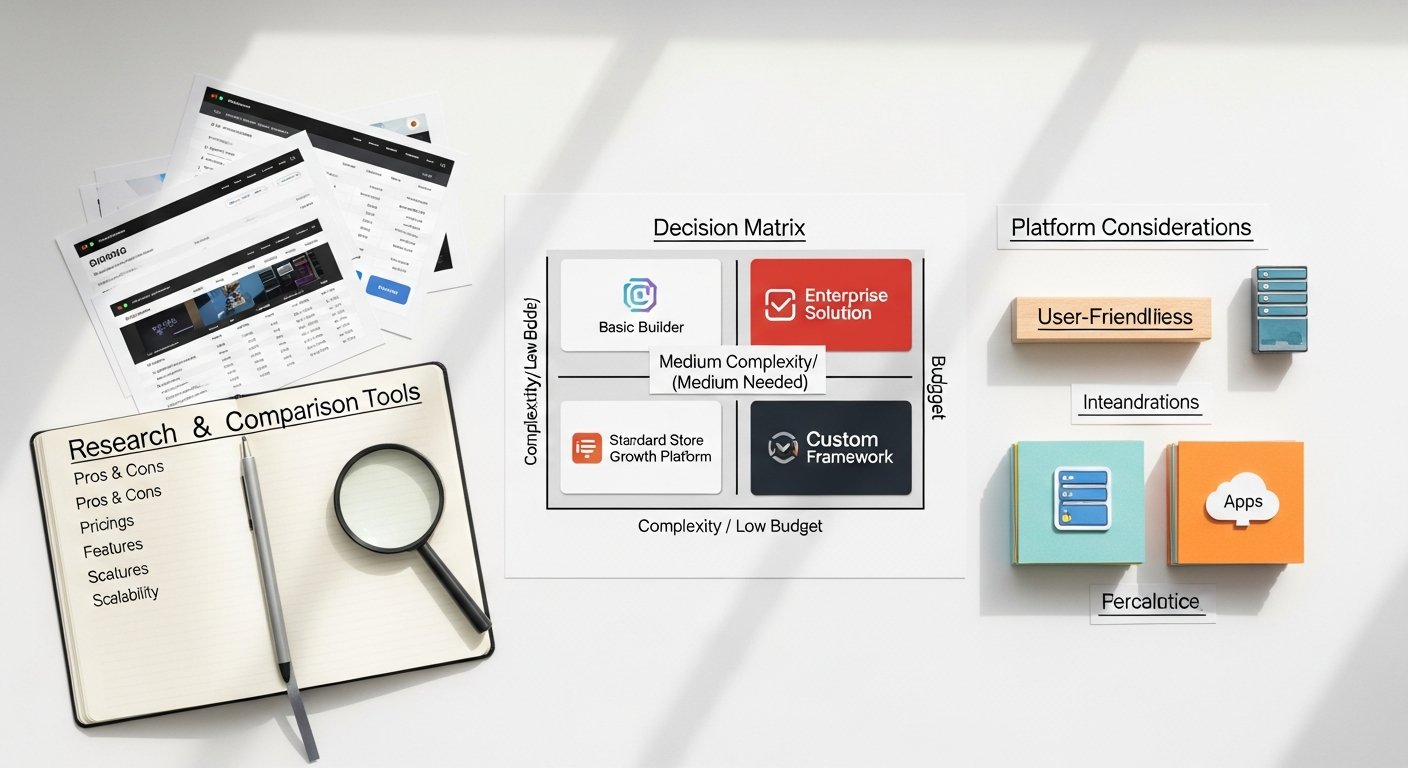
The core of how to choose an ecommerce platform lies in its feature set. This is where the rubber meets the road, determining your ability to operate efficiently, satisfy customers, and drive conversions. Don’t get distracted by every shiny bell and whistle; focus on what truly matters for your specific business.
Product Management & Catalog Capabilities
Efficient product management is non-negotiable. Look for platforms that offer:
- Easy Product Upload & Organization: Intuitive interfaces for adding, editing, and categorizing products.
- Robust Variant Management: Support for multiple product options (size, color, material) and the ability to manage inventory for each variant.
- Inventory Management: Real-time tracking, low-stock alerts, and ideally, integration with your existing ERP or inventory systems.
- Digital Product Support: If you sell digital goods (ebooks, software, courses), ensure the platform handles downloads and licensing securely.
- Bundling & Subscriptions: The ability to create product bundles or manage recurring subscription orders, crucial for many D2C brands.
- Bulk Editing: Save countless hours by making changes to multiple products simultaneously.
Order Management & Fulfillment
Seamless order processing is critical for customer satisfaction and operational efficiency.
- Intuitive Order Dashboard: A clear overview of all orders, their status, and details.
- Shipping & Logistics Integrations: Connections to major carriers (UPS, FedEx, USPS, DHL) and fulfillment services (3PLs). Automated label generation and tracking updates are a huge plus.
- Return Management: A streamlined process for handling returns, exchanges, and refunds.
- Payment Gateway Options: A wide range of integrated payment processors (Stripe, PayPal, Apple Pay, Google Pay, Afterpay, Klarna) to cater to diverse customer preferences.
- Tax Calculation: Automated sales tax calculation and reporting, essential for compliance.
Customer Experience (CX) and Personalization
In D2C, the customer experience is paramount. Your platform should empower you to create engaging and personalized journeys.
- Customizable Storefront: The ability to design a unique, branded online store without needing extensive coding knowledge. Drag-and-drop builders are a boon.
- Mobile Responsiveness: Non-negotiable in 2026. Your store must look and function perfectly on all devices.
- Customer Accounts: Allowing customers to create accounts for faster checkout, order history, and wish lists.
- Reviews & Ratings: Built-in or easily integrable systems for customer feedback, vital for social proof.
- Personalization Features: Tools for recommending products, dynamic content display, or targeted promotions based on browsing history or purchase behavior.
- Multi-language & Multi-currency: If you’re targeting international markets, these are essential for a localized experience.
Marketing & SEO Tools for Visibility and Growth
An ecommerce platform isn’t just for selling; it’s a critical marketing tool. When considering how to choose an ecommerce platform, look for robust built-in or integrated marketing and SEO capabilities.
- SEO Optimization: Customizable meta titles, descriptions, URLs, image alt tags, and sitemaps are fundamental. Canonical URLs and schema markup support are advanced advantages.
- Blogging Platform: Integrated content marketing capabilities to drive organic traffic and establish authority.
- Email Marketing Integration: Seamless connection with popular ESPs (Klaviyo, Mailchimp, etc.) for abandoned cart recovery, newsletters, and promotional campaigns.
- Social Media Integration: Easy sharing options and, ideally, direct selling features on platforms like Instagram and Facebook.
- Discount Codes & Promotions: Flexible tools for creating various discount types, gift cards, and promotional campaigns.
- Analytics & Reporting: Comprehensive dashboards to track sales, traffic, conversion rates, customer behavior, and marketing campaign performance. Integration with Google Analytics 4 is a must.
Scalability and Future-Proofing Your D2C Business
The goal of any D2C brand is growth. Therefore, when deciding how to choose an ecommerce platform, its ability to scale with you is arguably the most critical long-term consideration. A platform that limits your growth or forces an expensive, disruptive migration later can be devastating.
Handling Increased Traffic and Sales Volume
As your brand gains traction, your website will experience surges in traffic during peak seasons, flash sales, or successful marketing campaigns. Your platform must be able to handle these spikes without crashing or slowing down. Key considerations:
- Infrastructure & Hosting: Does the platform offer reliable, high-performance hosting with global Content Delivery Networks (CDNs)? Look for uptime guarantees.
- Bandwidth & Storage: Ensure the platform provides ample bandwidth and storage for your product images, videos, and growing customer database.
- Elasticity: Can the platform automatically scale resources up or down based on demand? This is a hallmark of cloud-based solutions.
Adding New Features and Functionality
Your business needs will evolve. What’s a “nice-to-have” today might be essential tomorrow. Your platform should be flexible enough to accommodate new features without requiring a complete overhaul.
- App Store/Marketplace: A thriving ecosystem of third-party apps and integrations allows you to extend functionality easily.
- APIs & Integrations: Robust APIs enable you to connect your store with other critical business systems (ERPs, CRMs, accounting software, marketing automation tools) as your tech stack matures.
- Customization Options: Beyond pre-built apps, can developers customize the platform’s code or build bespoke features if necessary? Open-source platforms generally offer more flexibility here, but with added complexity.
Expanding into New Markets
Global expansion is a common aspiration for D2C brands. Your platform needs to support this ambition from the outset or have a clear path to doing so.
- Multi-currency & Multi-language: As mentioned, these are crucial for providing a localized experience.
- International Shipping & Tax Compliance: Capabilities to handle varying tax laws, customs duties, and shipping regulations across different countries.
- Localized Payment Methods: Offering popular payment options specific to different regions can significantly boost conversion rates.
[INLINE IMAGE 2: place after fourth H2 | alt=”how to choose ecommerce platform comparison illustration”]
Cost Analysis: Peeling Back the Layers of Platform Pricing
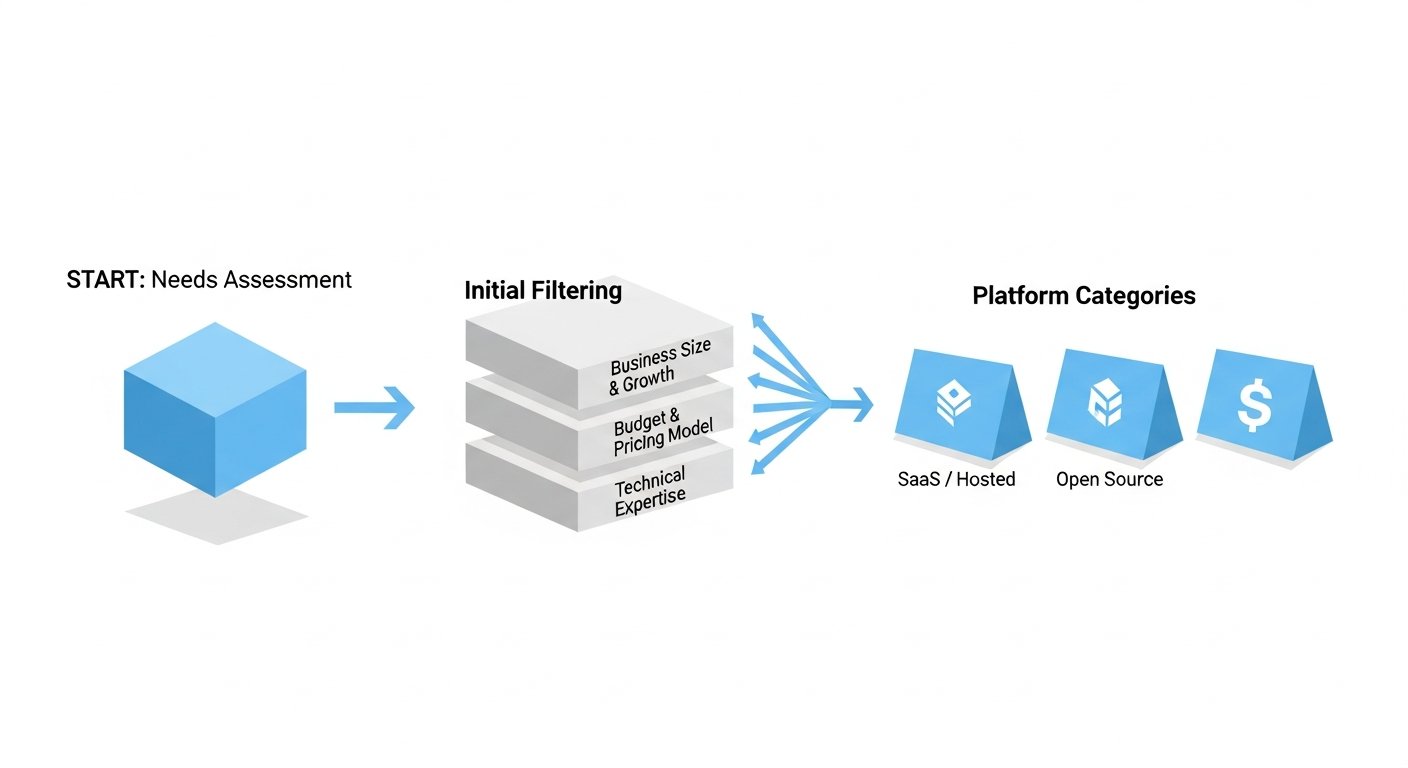
As discussed, the “cost” of an ecommerce platform extends far beyond its monthly subscription. A thorough cost analysis is paramount when considering how to choose an ecommerce platform, ensuring long-term profitability and avoiding budget surprises.
Subscription Models: SaaS vs. Open-Source vs. Headless
Platforms generally fall into three categories, each with distinct cost implications:
- Software as a Service (SaaS):
- Examples: Shopify, BigCommerce, Squarespace, Wix.
- Pros: Predictable monthly fees, all-inclusive hosting, security, and maintenance. Easy to set up and use. Lower upfront costs.
- Cons: Less control over the underlying code, reliance on app marketplaces for extended functionality (often paid). Transaction fees can apply if not using their payment gateway.
- Cost Structure: Tiered monthly subscriptions, app costs, transaction fees (if applicable), premium theme costs.
- Open-Source:
- Examples: Magento (Adobe Commerce Open Source), WooCommerce (on WordPress).
- Pros: Ultimate flexibility and control over code, no monthly license fees for the base software. Large developer communities.
- Cons: Requires significant technical expertise for setup, hosting, security, and maintenance. Higher ongoing operational costs (hosting, development, security patches).
- Cost Structure: Hosting fees, development/customization costs, security updates, premium extensions, payment gateway fees, often higher maintenance burden.
- Headless Commerce:
- Examples: Shopify Plus (with Storefront API), BigCommerce (API-first), commercetools.
- Pros: Separates the frontend (what customers see) from the backend (ecommerce engine), offering unparalleled design freedom and omnichannel capabilities. Best-in-class performance.
- Cons: Highest complexity and development costs. Requires a team of specialized developers. Not suitable for most small to medium businesses.
- Cost Structure: Often enterprise-level subscriptions, significant ongoing development costs for both frontend and backend integration.
For most D2C businesses, a SaaS solution provides the best balance of features, scalability, and predictable costs. As you grow, you might explore enterprise SaaS (e.g., Shopify Plus, BigCommerce Enterprise) or even a headless approach.
Hidden Costs and Overlooked Expenses
Beyond the obvious, remember these potential cost traps:
- Data Migration: If you’re moving from an existing platform, migrating product data, customer information, and order history can be costly, either in time or in professional services.
- Integrations: Connecting your platform with CRM, ERP, accounting software, or marketing tools can require paid apps or custom API development.
- Ongoing Optimization: Hiring designers, developers, or CRO specialists to continually refine your store for better conversion rates.
- Fraud Prevention: While some basic tools are built-in, advanced fraud detection services often come with additional fees.
- Legal Compliance: Ensuring your store is compliant with privacy laws (GDPR, CCPA) may require specialized apps or legal consultation.
Ease of Use and Technical Expertise: Matching Platform to Team
Your team’s technical proficiency is a significant factor in how to choose an ecommerce platform. A powerful platform is useless if your team can’t effectively manage it, or if it requires a dedicated developer that your budget can’t support.
Admin Interface and User Experience (UX)
The platform’s backend should be intuitive and easy to navigate. Consider:
- Dashboard Clarity: Can you quickly find key metrics, orders, and product information?
- Product Editing: Is adding and editing products straightforward, including variants, images, and descriptions?
- Order Processing: Can you easily fulfill orders, print labels, and manage returns?
- Theme Customization: Does the platform offer a visual drag-and-drop editor, or does it require coding knowledge to make design changes?
Platforms like Shopify and BigCommerce are renowned for their user-friendly admin interfaces, making them ideal for those without extensive technical backgrounds. Open-source solutions like WooCommerce (on WordPress) or Magento offer more control but come with a steeper learning curve.
Developer Resources and Ecosystem
Even if you’re not a developer, the platform’s developer ecosystem is important:
- Documentation: Is the developer documentation clear, comprehensive, and up-to-date?
- APIs: Are there robust APIs for custom integrations?
- Community Support: A large, active developer community means more resources, tutorials, and easier troubleshooting.
- Availability of Experts: Can you easily find freelance developers or agencies experienced with the platform, should you need custom work? This is especially crucial for specialized needs or during rapid growth phases.
Time to Market
How quickly do you need to launch or re-launch your store? Some platforms allow you to go live within days, while others require weeks or months of development.
- SaaS Platforms: Generally offer the fastest time to market due to pre-built templates, integrated hosting, and ease of setup.
- Open-Source Platforms: Typically have a longer development cycle due to the need for custom hosting, more extensive configuration, and bespoke development.
- Headless Commerce: The longest time to market due to the architectural complexity and need for custom frontend development.
SEO, Marketing, and Conversion Rate Optimization (CRO) Capabilities
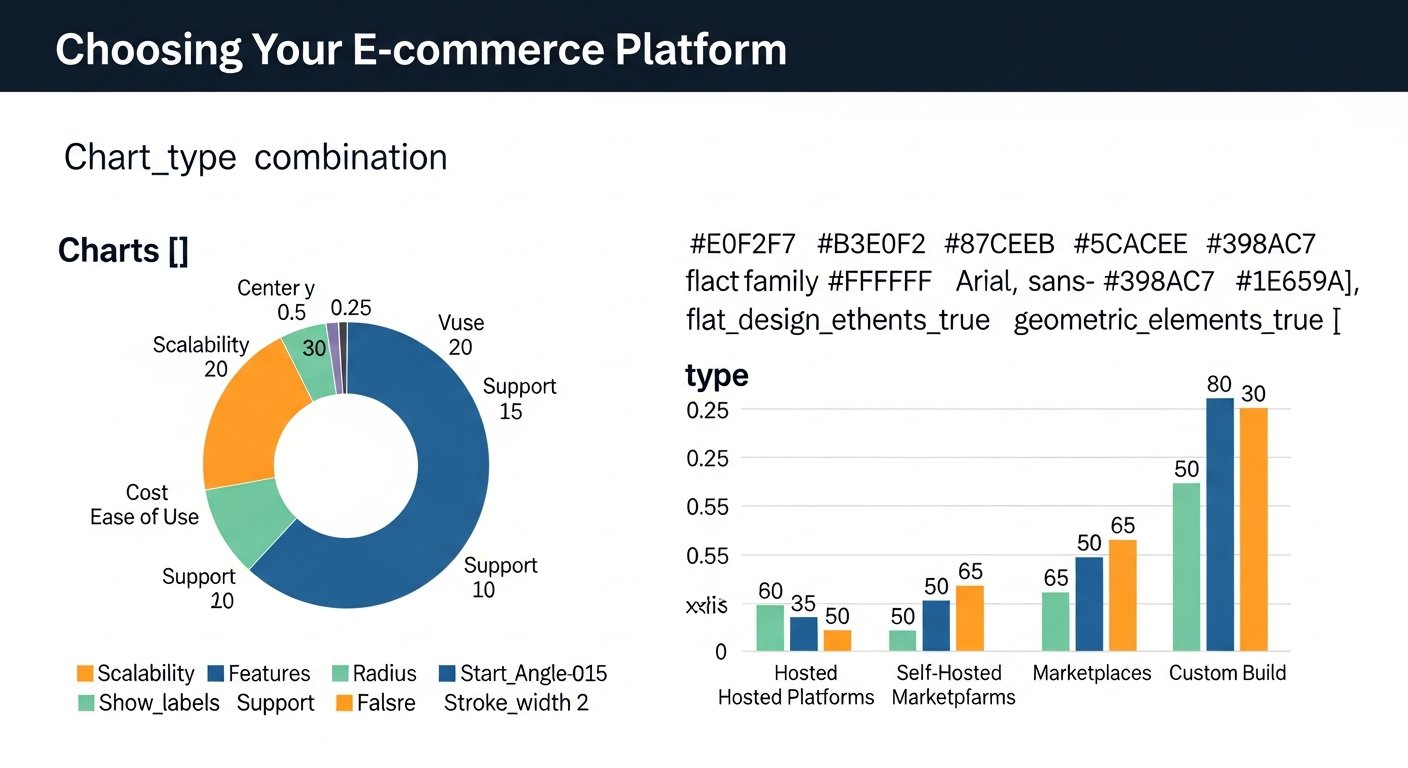
Your ecommerce platform is a critical tool for driving traffic, converting visitors into customers, and maximizing profitability. Therefore, when you consider how to choose an ecommerce platform, its inherent SEO, marketing, and CRO capabilities are non-negotiable.
Built-in SEO Features
Effective SEO is the backbone of organic traffic. Your platform must support:
- Customizable Meta Tags: Ability to edit title tags, meta descriptions, and image alt text for every product, collection, and page.
- Clean URL Structures: SEO-friendly URLs that are readable and descriptive.
- Canonical Tags: Proper handling of duplicate content issues through canonical URLs.
- XML Sitemaps: Automatic generation and submission of XML sitemaps to search engines.
- Robots.txt Control: Ability to manage how search engines crawl your site.
- Site Speed & Performance: A platform that is inherently fast and optimized for core web vitals. Page load speed is a ranking factor and critical for user experience.
- Structured Data/Schema Markup: Support for product schema, review schema, and other structured data types to enhance search engine visibility and rich snippets.
Marketing & Content Opportunities
Beyond basic SEO, how does the platform enable your broader marketing strategy?
- Integrated Blogging: A robust blogging platform allows you to create engaging content, target long-tail keywords, and build authority.
- Email Marketing Integrations: Seamless connections to leading Email Service Providers (ESPs) for abandoned cart sequences, customer segmentation, and promotional campaigns.
- Social Media Selling: Integrations with platforms like Facebook, Instagram, and TikTok for direct selling and shoppable posts.
- Promotional Tools: Flexibility in creating discount codes, gift cards, BOGO offers, and tiered pricing.
- Affiliate Marketing & Referral Programs: Support for apps or integrations that facilitate these powerful growth strategies.
Conversion Rate Optimization (CRO) Tools
Turning visitors into buyers is where the profit lies. Look for platforms that support:
- A/B Testing: Built-in or easily integrated tools for testing different versions of pages, product descriptions, or CTAs.
- Heatmaps & Session Recordings: Tools to understand user behavior on your site.
- Pop-ups & Exit-intent Tools: Apps that help capture leads or prevent abandoned carts.
- Personalization Engines: Dynamically displaying product recommendations, offers, or content based on user behavior.
- Streamlined Checkout Process: A one-page checkout, guest checkout options, and minimal steps to complete a purchase. Any friction here directly impacts conversion rates.
- User-Generated Content (UGC) Integration: Easy ways to display customer reviews, photos, and testimonials, which build trust and social proof.
Security, Support, and Community: Building Trust and Getting Help
The operational backbone of your D2C store relies heavily on the platform’s security, the availability of reliable support, and the strength of its community. These are non-negotiable factors when deciding how to choose an ecommerce platform.
Robust Security Measures
In the digital age, data breaches and cyber threats are constant concerns. Your platform must prioritize security to protect both your business and your customers.
- SSL Certificates: Automatic and free SSL certificates (HTTPS) are standard for encrypting data between your store and customers.
- PCI DSS Compliance: Ensures your platform adheres to the Payment Card Industry Data Security Standard, protecting credit card information. SaaS platforms typically handle this for you.
- Regular Updates & Patches: The platform should have a proactive approach to security updates, patching vulnerabilities promptly.
- Backup & Recovery: Robust backup systems and disaster recovery protocols to prevent data loss.
- Fraud Prevention Tools: Built-in or integratable tools to detect and prevent fraudulent transactions.
- DDoS Protection: Measures to protect your site from Distributed Denial of Service attacks.
For SaaS platforms, much of this is handled automatically. For open-source, you bear a greater responsibility for implementing and maintaining these security measures.
Reliable Customer Support
When something goes wrong, you need help – fast. Evaluate the support options available:
- Availability: Is support 24/7, or limited to business hours?
- Channels: Do they offer phone, email, live chat, or a ticket system?
- Response Time: What are the typical response and resolution times?
- Knowledge Base/Documentation: A comprehensive, searchable help center allows you to find answers quickly.
- Tiered Support: Do different plans offer varying levels of support (e.g., dedicated account managers for enterprise clients)?
Good support can save you significant downtime and frustration, directly impacting your bottom line.
Active Community and Ecosystem
A thriving community around an ecommerce platform provides invaluable resources:
- Forums & Groups: Places where other merchants and developers share tips, tricks, and solutions.
- Partners & Agencies: A large ecosystem of approved agencies and freelancers who specialize in the platform, making it easier to find expert help.
- App Marketplaces: A wide selection of third-party apps and integrations to extend functionality, often reviewed by the community.
- Tutorials & Courses: Abundant educational content created by both the platform and its community.
A strong community signifies a healthy, evolving platform that is likely to remain relevant and supported for years to come.
Popular Platforms: A Comparative Overview
To truly understand how to choose an ecommerce platform, it’s beneficial to examine the leading contenders. Each offers unique strengths and weaknesses, catering to different business sizes and needs.
Shopify: The D2C Juggernaut
Shopify is arguably the most popular choice for D2C brands, from startups to large enterprises. It’s known for its user-friendliness, extensive app store, and powerful marketing features.
- Pros: Extremely easy to set up and manage, vast app ecosystem, excellent themes, strong SEO capabilities, robust marketing tools, 24/7 support, highly scalable (especially Shopify Plus).
- Cons: Transaction fees apply if not using Shopify Payments, customization beyond themes can require coding, monthly costs can add up with apps.
- Best For: Most D2C businesses looking for a balance of ease of use, powerful features, and scalability.
BigCommerce: Scalability and Enterprise Focus
BigCommerce positions itself as a more enterprise-focused alternative to Shopify, offering robust built-in features and lower transaction fees.
- Pros: No transaction fees, extensive built-in features reduce reliance on apps, strong B2B capabilities, highly scalable, flexible APIs for headless commerce.
- Cons: Slightly steeper learning curve than Shopify, fewer free themes, app store not as extensive as Shopify’s.
- Best For: Growing businesses, B2B sellers, and those seeking an enterprise-grade platform without initial reliance on many third-party apps.
WooCommerce: Flexibility with WordPress Power
WooCommerce is a free plugin for WordPress, turning any WordPress site into a fully functional ecommerce store. It’s an open-source solution that offers immense flexibility.
- Pros: Ultimate control and customization, leverages the power of WordPress’s CMS, large community, thousands of free and paid extensions, no monthly platform fees (just hosting).
- Cons: Requires more technical expertise for setup and maintenance, you are responsible for hosting, security, and updates. Can become complex with too many plugins.
- Best For: Businesses already on WordPress, those needing extreme customization, or budget-conscious users with technical skills.
Adobe Commerce (Magento): Enterprise-Grade Power
Adobe Commerce (formerly Magento) comes in two flavors: Open Source (free but self-hosted) and Commerce (paid, enterprise-level SaaS). It’s renowned for its immense power and flexibility.
- Pros: Unparalleled customization, highly scalable for large enterprises, robust B2B features, global capabilities, powerful multi-store management.
- Cons: Very high initial setup and ongoing maintenance costs (especially for Commerce edition), requires significant development expertise, complex for beginners.
- Best For: Large enterprises, complex B2B operations, or businesses with unique, highly customized requirements and a substantial budget.
Squarespace & Wix: Simplicity and Design Focus
These platforms are primarily known for their website builders but also offer integrated ecommerce functionalities.
- Pros: Extremely easy to use, beautiful templates, all-in-one solution for website and store, good for small catalogs.
- Cons: Limited scalability for large catalogs/high volume, fewer advanced ecommerce features and integrations compared to dedicated platforms, less control over SEO.
- Best For: Small businesses, artists, creators, or anyone prioritizing design simplicity over complex ecommerce features.
Comparison Table: Leading Ecommerce Platforms (2026)
| Feature/Platform | Shopify | BigCommerce | WooCommerce | Adobe Commerce (Magento) |
|---|---|---|---|---|
| Ease of Use | Excellent (Beginner-friendly) | Good (Slight learning curve) | Moderate (Requires WordPress knowledge) | Low (Developer-focused) |
| Scalability | Excellent (Shopify Plus for enterprise) | Excellent (Enterprise-ready) | Good (Scales with hosting) | Excellent (Designed for enterprise) |
| Pricing Model | SaaS (monthly, transaction fees) | SaaS (monthly, no transaction fees) | Open-Source (hosting, dev costs) | Open-Source / Enterprise SaaS |
| App/Extension Ecosystem | Vast (Thousands of apps) | Robust (Fewer, but powerful) | Extensive (WordPress plugins) | Large (Extensions, custom dev) |
| Customization | Good (Themes, apps, Liquid code) | Very Good (Themes, apps, APIs) | Excellent (Full code access) | Unmatched (Full code access) |
| Built-in Features | Comprehensive | Very Comprehensive | Basic (extends with plugins) | Extensive (especially paid version) |
| Ideal For | Startups, SMBs, D2C brands of all sizes | Growing businesses, B2B, large catalogs | WordPress users, custom needs, budget-conscious | Large enterprises, complex B2B, highly unique needs |
Making Your Final Decision: A Structured Approach
Navigating the complexities of how to choose an ecommerce platform requires a structured approach. After assessing your needs, understanding features, and reviewing platform options, it’s time to consolidate your findings and make a decision.
Prioritize Your Requirements
Not all features are equally important. Create a ranked list of your absolute must-haves, nice-to-haves, and features you can live without. This will help you filter platforms that don’t meet your core needs.
- Must-Haves: Non-negotiable features critical for your business operations (e.g., specific payment gateway, inventory management, multi-currency).
- High Priority: Features that will significantly enhance your business or customer experience (e.g., advanced marketing tools, personalization).
- Low Priority/Nice-to-Haves: Features that could be added later or are not essential for initial launch.
Request Demos and Free Trials
Don’t rely solely on marketing materials. Sign up for free trials or request personalized demos from your top 2-3 platform choices. Actively test the administrative interface, add products, process a test order, and explore the app marketplace. Pay close attention to:
- Ease of Setup: How quickly can you get a basic store running?
- Workflow Efficiency: How intuitive are daily tasks like order fulfillment or product updates?
- Support Responsiveness: Test their customer support with a few questions.
- Mobile Experience: Ensure both the frontend (customer view) and backend (admin view) are optimized for mobile.
Consult with Experts
If you’re still undecided, consider consulting with an ecommerce strategist or an agency specializing in platform selection. Their unbiased perspective and experience with various platforms can provide invaluable insights tailored to your specific situation. They can often identify potential pitfalls or opportunities you might overlook.
Consider a Pilot Phase (if applicable)
For very large enterprises or complex migrations, a pilot phase on the chosen platform might be beneficial before a full-scale launch. This allows a smaller team to thoroughly test all integrations, workflows, and customization in a live, controlled environment.
Beyond the Platform: Ongoing Optimization and Growth
Choosing the right platform is a monumental first step, but it’s just the beginning. The truly successful D2C brands understand that the work continues long after launch. Your platform is a tool; how you use it dictates your long-term success, profitability, and growth.
Continuous Conversion Rate Optimization (CRO)
Your store’s design, product pages, checkout flow, and overall user experience are never “done.” Implement a continuous CRO strategy:
- A/B Testing: Regularly test different headlines, images, CTAs, and page layouts.
- Heatmaps & Analytics: Use tools to understand how users interact with your site, identify friction points, and inform design changes.
- User Feedback: Gather insights through surveys, customer service interactions, and user interviews.
- Performance Monitoring: Keep an eye on site speed, mobile responsiveness, and bounce rates.
Even small improvements in conversion rates can lead to significant increases in revenue and profitability. You can find more specific strategies in our guide to advanced CRO techniques.
Leveraging Marketing and SEO to Drive Traffic
A great platform needs great traffic. Your marketing efforts should be ongoing and integrated with your chosen platform:
- Content Marketing: Regularly publish blog posts, guides, and videos that address your audience’s pain points and interests.
- SEO Monitoring: Continuously optimize your product pages, categories, and content for search engines. Monitor keyword rankings and traffic sources.
- Paid Advertising: Utilize platforms like Google Ads, Facebook Ads, and TikTok Ads to reach new audiences and drive targeted traffic.
- Email Marketing: Build and nurture your email list with compelling campaigns, abandoned cart reminders, and personalized offers. This is crucial for customer retention and repeat purchases.
- Social Media Engagement: Actively engage with your audience on social platforms, building community and driving brand loyalty.
Adapting to Market Changes and Technological Advancements
The ecommerce landscape is constantly evolving. New technologies emerge, customer expectations shift, and competitors innovate. Your D2C brand must be agile:
- Stay Informed: Keep abreast of industry trends, new platform features, and marketing best practices.
- Experiment: Don’t be afraid to try new apps, integrations, or marketing channels.
- Re-evaluate Regularly: Periodically review your platform’s performance and ensure it still meets your needs as your business grows and changes. What was ideal in 2026 might need adjustment by 2028.
The decision of how to choose an ecommerce platform is foundational, but it is the continuous effort to optimize, market, and adapt that truly defines a profitable D2C success story. By making an informed choice today and committing to ongoing improvement, you set your online store up for sustained growth and profitability for years to come. For further insights on how to build a resilient and profitable store, consider exploring our resources on e-commerce supply chain optimization and customer retention strategies.
Frequently Asked Questions
Q1: What is the most important factor when choosing an ecommerce platform?
A1: While many factors are crucial, the most important is often the platform’s scalability and its ability to align with your business’s future growth. A platform that can grow with you saves immense time and cost associated with migrations later on. Equally vital is ensuring it meets your core business needs and budget without forcing compromises on critical functionalities or profitability.
Q2: Should I choose a SaaS platform or an open-source solution?
A2: For most direct-to-consumer (D2C) businesses, especially startups and small to medium-sized enterprises (SMBs), a SaaS (Software as a Service) platform like Shopify or BigCommerce is often recommended. They offer ease of use, built-in security, maintenance, and predictable costs. Open-source solutions like WooCommerce or Magento provide ultimate flexibility and control but require significant technical expertise, higher operational costs (hosting, development, security), and more hands-on management. Choose open-source only if you have the technical resources or a highly unique, complex business model requiring deep customization.
Q3: How much does an ecommerce platform typically cost?
A3: The cost varies widely. SaaS platforms can range from $29/month for basic plans to thousands for enterprise solutions like Shopify Plus. Open-source platforms themselves are often free, but you’ll pay for hosting (from $10-$100+ per month), themes (hundreds of dollars), premium plugins/extensions (tens to hundreds per month/year), and significant development/maintenance costs (potentially thousands annually). Always account for subscription fees, transaction fees, app costs, theme purchases, development, payment processing, and marketing tools when budgeting.
Q4: What are the key features to look for regarding SEO?
A4: For strong SEO, ensure the platform allows you to customize meta titles and descriptions, creates clean and SEO-friendly URLs, supports image alt tags, automatically generates XML sitemaps, and allows for robot.txt file editing. Fast page load speeds, mobile responsiveness, and support for structured data (schema markup) are also critical for search engine visibility and user experience in 2026.
Q5: How important is customer support when selecting a platform?
A5: Customer support is extremely important. When issues arise (and they inevitably will), quick and effective resolution can minimize downtime and prevent lost sales. Look for platforms that offer 24/7 support through multiple channels (phone, chat, email), have a comprehensive knowledge base, and ideally, boast a strong community forum where you can find solutions or connect with other merchants.
How to Choose an Ecommerce Platform: The Definitive Guide for D2C Profitability and Growth in 2026
Affiliate disclosure: This article may contain affiliate links. Recommendations are independent and editorially driven.
The foundation of any successful direct-to-consumer (D2C) brand in 2026 is a robust, scalable, and profit-driving ecommerce platform. In a landscape saturated with options, knowing how to choose an ecommerce platform isn’t just about picking a name; it’s about strategizing for long-term growth, optimizing conversion rates, and securing your online store’s profitability.
This comprehensive guide from e-comprofits is designed to equip you with the knowledge and framework needed to make an informed decision. We’ll delve into the critical factors that differentiate a good platform from the right one for your specific business needs, ensuring you build a resilient and thriving online presence.
Understanding Your Business: The First Step to Choosing the Right Platform
Before you even begin to look at features or pricing, the most crucial step in knowing how to choose an ecommerce platform is a deep, honest assessment of your own business. Your platform needs to be a direct reflection of your operational realities, growth ambitions, and customer base.
What Are Your Current Needs and Goals?
Start with introspection. Are you a nascent startup looking for an affordable entry point, or an established brand seeking advanced customization and enterprise-level features? Consider:
- Product Catalog Size & Complexity: Do you have 10 products or 10,000? Do products have multiple variants (sizes, colors), bundles, or customizable options?
- Sales Volume & Traffic Projections: What are your current sales figures, and what do you realistically expect them to be in 1, 3, and 5 years? A platform that handles 100 orders a month might crumble under 10,000.
- Target Audience: Who are your customers? Are they tech-savvy millennials, or a broader demographic that values simplicity? This influences UX/UI requirements.
- Business Model: Are you B2C, B2B, D2C, subscription-based, or a marketplace? Each model has unique requirements.
- Geographic Reach: Do you sell locally, nationally, or internationally? Multi-currency, multi-language, and localized shipping/tax capabilities become critical for global expansion.
Defining Your Budget: A Realistic Financial Outlook
Your budget isn’t just about the monthly subscription fee. When considering how to choose an ecommerce platform, you must account for:
- Platform Subscription/License Fees: The most obvious cost.
- Transaction Fees: Some platforms or payment gateways charge a percentage per sale.
- Theme/Template Costs: Premium themes can range from a few hundred to over a thousand dollars.
- App/Plugin/Extension Costs: Many crucial functionalities (email marketing, reviews, advanced analytics) require paid third-party apps.
- Development/Customization Costs: If you need bespoke features or unique design elements, expect to hire developers.
- Payment Processing Fees: Standard fees charged by gateways like Stripe, PayPal, or the platform’s native processor.
- Marketing & SEO Tools: While some are built-in, you might need subscriptions for advanced SEO tools, email service providers (ESPs), or advertising platforms.
- Maintenance & Support: Even if technical support is included, ongoing updates, bug fixes, or minor tweaks might incur costs.
A comprehensive budget ensures you don’t encounter unexpected expenses down the line, which can severely impact your profitability.
[INLINE IMAGE 1: place after second H2 | alt=”how to choose ecommerce platform concept illustration”]
Essential Features and Functionality: Powering Your D2C Operations
The core of how to choose an ecommerce platform lies in its feature set. This is where the rubber meets the road, determining your ability to operate efficiently, satisfy customers, and drive conversions. Don’t get distracted by every shiny bell and whistle; focus on what truly matters for your specific business.
Product Management & Catalog Capabilities
Efficient product management is non-negotiable. Look for platforms that offer:
- Easy Product Upload & Organization: Intuitive interfaces for adding, editing, and categorizing products.
- Robust Variant Management: Support for multiple product options (size, color, material) and the ability to manage inventory for each variant.
- Inventory Management: Real-time tracking, low-stock alerts, and ideally, integration with your existing ERP or inventory systems.
- Digital Product Support: If you sell digital goods (ebooks, software, courses), ensure the platform handles downloads and licensing securely.
- Bundling & Subscriptions: The ability to create product bundles or manage recurring subscription orders, crucial for many D2C brands.
- Bulk Editing: Save countless hours by making changes to multiple products simultaneously.
Order Management & Fulfillment
Seamless order processing is critical for customer satisfaction and operational efficiency.
- Intuitive Order Dashboard: A clear overview of all orders, their status, and details.
- Shipping & Logistics Integrations: Connections to major carriers (UPS, FedEx, USPS, DHL) and fulfillment services (3PLs). Automated label generation and tracking updates are a huge plus.
- Return Management: A streamlined process for handling returns, exchanges, and refunds.
- Payment Gateway Options: A wide range of integrated payment processors (Stripe, PayPal, Apple Pay, Google Pay, Afterpay, Klarna) to cater to diverse customer preferences.
- Tax Calculation: Automated sales tax calculation and reporting, essential for compliance.
Customer Experience (CX) and Personalization
In D2C, the customer experience is paramount. Your platform should empower you to create engaging and personalized journeys.
- Customizable Storefront: The ability to design a unique, branded online store without needing extensive coding knowledge. Drag-and-drop builders are a boon.
- Mobile Responsiveness: Non-negotiable in 2026. Your store must look and function perfectly on all devices.
- Customer Accounts: Allowing customers to create accounts for faster checkout, order history, and wish lists.
- Reviews & Ratings: Built-in or easily integrable systems for customer feedback, vital for social proof.
- Personalization Features: Tools for recommending products, dynamic content display, or targeted promotions based on browsing history or purchase behavior.
- Multi-language & Multi-currency: If you’re targeting international markets, these are essential for a localized experience.
Marketing & SEO Tools for Visibility and Growth
An ecommerce platform isn’t just for selling; it’s a critical marketing tool. When considering how to choose an ecommerce platform, look for robust built-in or integrated marketing and SEO capabilities.
- SEO Optimization: Customizable meta titles, descriptions, URLs, image alt tags, and sitemaps are fundamental. Canonical URLs and schema markup support are advanced advantages.
- Blogging Platform: Integrated content marketing capabilities to drive organic traffic and establish authority.
- Email Marketing Integration: Seamless connection with popular ESPs (Klaviyo, Mailchimp, etc.) for abandoned cart recovery, newsletters, and promotional campaigns.
- Social Media Integration: Easy sharing options and, ideally, direct selling features on platforms like Instagram and Facebook.
- Discount Codes & Promotions: Flexible tools for creating various discount types, gift cards, and promotional campaigns.
- Analytics & Reporting: Comprehensive dashboards to track sales, traffic, conversion rates, customer behavior, and marketing campaign performance. Integration with Google Analytics 4 is a must.
Scalability and Future-Proofing Your D2C Business
The goal of any D2C brand is growth. Therefore, when deciding how to choose an ecommerce platform, its ability to scale with you is arguably the most critical long-term consideration. A platform that limits your growth or forces an expensive, disruptive migration later can be devastating.
Handling Increased Traffic and Sales Volume
As your brand gains traction, your website will experience surges in traffic during peak seasons, flash sales, or successful marketing campaigns. Your platform must be able to handle these spikes without crashing or slowing down. Key considerations:
- Infrastructure & Hosting: Does the platform offer reliable, high-performance hosting with global Content Delivery Networks (CDNs)? Look for uptime guarantees.
- Bandwidth & Storage: Ensure the platform provides ample bandwidth and storage for your product images, videos, and growing customer database.
- Elasticity: Can the platform automatically scale resources up or down based on demand? This is a hallmark of cloud-based solutions.
Adding New Features and Functionality
Your business needs will evolve. What’s a “nice-to-have” today might be essential tomorrow. Your platform should be flexible enough to accommodate new features without requiring a complete overhaul.
- App Store/Marketplace: A thriving ecosystem of third-party apps and integrations allows you to extend functionality easily.
- APIs & Integrations: Robust APIs enable you to connect your store with other critical business systems (ERPs, CRMs, accounting software, marketing automation tools) as your tech stack matures.
- Customization Options: Beyond pre-built apps, can developers customize the platform’s code or build bespoke features if necessary? Open-source platforms generally offer more flexibility here, but with added complexity.
Expanding into New Markets
Global expansion is a common aspiration for D2C brands. Your platform needs to support this ambition from the outset or have a clear path to doing so.
- Multi-currency & Multi-language: As mentioned, these are crucial for providing a localized experience.
- International Shipping & Tax Compliance: Capabilities to handle varying tax laws, customs duties, and shipping regulations across different countries.
- Localized Payment Methods: Offering popular payment options specific to different regions can significantly boost conversion rates.
[INLINE IMAGE 2: place after fourth H2 | alt=”how to choose ecommerce platform comparison illustration”]
Cost Analysis: Peeling Back the Layers of Platform Pricing
As discussed, the “cost” of an ecommerce platform extends far beyond its monthly subscription. A thorough cost analysis is paramount when considering how to choose an ecommerce platform, ensuring long-term profitability and avoiding budget surprises.
Subscription Models: SaaS vs. Open-Source vs. Headless
Platforms generally fall into three categories, each with distinct cost implications:
- Software as a Service (SaaS):
- Examples: Shopify, BigCommerce, Squarespace, Wix.
- Pros: Predictable monthly fees, all-inclusive hosting, security, and maintenance. Easy to set up and use. Lower upfront costs.
- Cons: Less control over the underlying code, reliance on app marketplaces for extended functionality (often paid). Transaction fees can apply if not using their payment gateway.
- Cost Structure: Tiered monthly subscriptions, app costs, transaction fees (if applicable), premium theme costs.
- Open-Source:
- Examples: Magento (Adobe Commerce Open Source), WooCommerce (on WordPress).
- Pros: Ultimate flexibility and control over code, no monthly license fees for the base software. Large developer communities.
- Cons: Requires significant technical expertise for setup, hosting, security, and maintenance. Higher ongoing operational costs (hosting, development, security patches).
- Cost Structure: Hosting fees, development/customization costs, security updates, premium extensions, payment gateway fees, often higher maintenance burden.
- Headless Commerce:
- Examples: Shopify Plus (with Storefront API), BigCommerce (API-first), commercetools.
- Pros: Separates the frontend (what customers see) from the backend (ecommerce engine), offering unparalleled design freedom and omnichannel capabilities. Best-in-class performance.
- Cons: Highest complexity and development costs. Requires a team of specialized developers. Not suitable for most small to medium businesses.
- Cost Structure: Often enterprise-level subscriptions, significant ongoing development costs for both frontend and backend integration.
For most D2C businesses, a SaaS solution provides the best balance of features, scalability, and predictable costs. As you grow, you might explore enterprise SaaS (e.g., Shopify Plus, BigCommerce Enterprise) or even a headless approach.
Hidden Costs and Overlooked Expenses
Beyond the obvious, remember these potential cost traps:
- Data Migration: If you’re moving from an existing platform, migrating product data, customer information, and order history can be costly, either in time or in professional services.
- Integrations: Connecting your platform with CRM, ERP, accounting software, or marketing tools can require paid apps or custom API development.
- Ongoing Optimization: Hiring designers, developers, or CRO specialists to continually refine your store for better conversion rates.
- Fraud Prevention: While some basic tools are built-in, advanced fraud detection services often come with additional fees.
- Legal Compliance: Ensuring your store is compliant with privacy laws (GDPR, CCPA) may require specialized apps or legal consultation.
Ease of Use and Technical Expertise: Matching Platform to Team
Your team’s technical proficiency is a significant factor in how to choose an ecommerce platform. A powerful platform is useless if your team can’t effectively manage it, or if it requires a dedicated developer that your budget can’t support.
Admin Interface and User Experience (UX)
The platform’s backend should be intuitive and easy to navigate. Consider:
- Dashboard Clarity: Can you quickly find key metrics, orders, and product information?
- Product Editing: Is adding and editing products straightforward, including variants, images, and descriptions?
- Order Processing: Can you easily fulfill orders, print labels, and manage returns?
- Theme Customization: Does the platform offer a visual drag-and-drop editor, or does it require coding knowledge to make design changes?
Platforms like Shopify and BigCommerce are renowned for their user-friendly admin interfaces, making them ideal for those without extensive technical backgrounds. Open-source solutions like WooCommerce (on WordPress) or Magento offer more control but come with a steeper learning curve.
Developer Resources and Ecosystem
Even if you’re not a developer, the platform’s developer ecosystem is important:
- Documentation: Is the developer documentation clear, comprehensive, and up-to-date?
- APIs: Are there robust APIs for custom integrations?
- Community Support: A large, active developer community means more resources, tutorials, and easier troubleshooting.
- Availability of Experts: Can you easily find freelance developers or agencies experienced with the platform, should you need custom work? This is especially crucial for specialized needs or during rapid growth phases.
Time to Market
How quickly do you need to launch or re-launch your store? Some platforms allow you to go live within days, while others require weeks or months of development.
- SaaS Platforms: Generally offer the fastest time to market due to pre-built templates, integrated hosting, and ease of setup.
- Open-Source Platforms: Typically have a longer development cycle due to the need for custom hosting, more extensive configuration, and bespoke development.
- Headless Commerce: The longest time to market due to the architectural complexity and need for custom frontend development.
SEO, Marketing, and Conversion Rate Optimization (CRO) Capabilities
Your ecommerce platform is a critical tool for driving traffic, converting visitors into customers, and maximizing profitability. Therefore, when you consider how to choose an ecommerce platform, its inherent SEO, marketing, and CRO capabilities are non-negotiable.
Built-in SEO Features
Effective SEO is the backbone of organic traffic. Your platform must support:
- Customizable Meta Tags: Ability to edit title tags, meta descriptions, and image alt text for every product, collection, and page.
- Clean URL Structures: SEO-friendly URLs that are readable and descriptive.
- Canonical Tags: Proper handling of duplicate content issues through canonical URLs.
- XML Sitemaps: Automatic generation and submission of XML sitemaps to search engines.
- Robots.txt Control: Ability to manage how search engines crawl your site.
- Site Speed & Performance: A platform that is inherently fast and optimized for core web vitals. Page load speed is a ranking factor and critical for user experience.
- Structured Data/Schema Markup: Support for product schema, review schema, and other structured data types to enhance search engine visibility and rich snippets.
Marketing & Content Opportunities
Beyond basic SEO, how does the platform enable your broader marketing strategy?
- Integrated Blogging: A robust blogging platform allows you to create engaging content, target long-tail keywords, and build authority.
- Email Marketing Integrations: Seamless connections to leading Email Service Providers (ESPs) for abandoned cart sequences, customer segmentation, and promotional campaigns.
- Social Media Selling: Integrations with platforms like Facebook, Instagram, and TikTok for direct selling and shoppable posts.
- Promotional Tools: Flexibility in creating discount codes, gift cards, BOGO offers, and tiered pricing.
- Affiliate Marketing & Referral Programs: Support for apps or integrations that facilitate these powerful growth strategies.
Conversion Rate Optimization (CRO) Tools
Turning visitors into buyers is where the profit lies. Look for platforms that support:
- A/B Testing: Built-in or easily integrated tools for testing different versions of pages, product descriptions, or CTAs.
- Heatmaps & Session Recordings: Tools to understand user behavior on your site.
- Pop-ups & Exit-intent Tools: Apps that help capture leads or prevent abandoned carts.
- Personalization Engines: Dynamically displaying product recommendations, offers, or content based on user behavior.
- Streamlined Checkout Process: A one-page checkout, guest checkout options, and minimal steps to complete a purchase. Any friction here directly impacts conversion rates.
- User-Generated Content (UGC) Integration: Easy ways to display customer reviews, photos, and testimonials, which build trust and social proof.
Security, Support, and Community: Building Trust and Getting Help
The operational backbone of your D2C store relies heavily on the platform’s security, the availability of reliable support, and the strength of its community. These are non-negotiable factors when deciding how to choose an ecommerce platform.
Robust Security Measures
In the digital age, data breaches and cyber threats are constant concerns. Your platform must prioritize security to protect both your business and your customers.
- SSL Certificates: Automatic and free SSL certificates (HTTPS) are standard for encrypting data between your store and customers.
- PCI DSS Compliance: Ensures your platform adheres to the Payment Card Industry Data Security Standard, protecting credit card information. SaaS platforms typically handle this for you.
- Regular Updates & Patches: The platform should have a proactive approach to security updates, patching vulnerabilities promptly.
- Backup & Recovery: Robust backup systems and disaster recovery protocols to prevent data loss.
- Fraud Prevention Tools: Built-in or integratable tools to detect and prevent fraudulent transactions.
- DDoS Protection: Measures to protect your site from Distributed Denial of Service attacks.
For SaaS platforms, much of this is handled automatically. For open-source, you bear a greater responsibility for implementing and maintaining these security measures.
Reliable Customer Support
When something goes wrong, you need help – fast. Evaluate the support options available:
- Availability: Is support 24/7, or limited to business hours?
- Channels: Do they offer phone, email, live chat, or a ticket system?
- Response Time: What are the typical response and resolution times?
- Knowledge Base/Documentation: A comprehensive, searchable help center allows you to find answers quickly.
- Tiered Support: Do different plans offer varying levels of support (e.g., dedicated account managers for enterprise clients)?
Good support can save you significant downtime and frustration, directly impacting your bottom line.
Active Community and Ecosystem
A thriving community around an ecommerce platform provides invaluable resources:
- Forums & Groups: Places where other merchants and developers share tips, tricks, and solutions.
- Partners & Agencies: A large ecosystem of approved agencies and freelancers who specialize in the platform, making it easier to find expert help.
- App Marketplaces: A wide selection of third-party apps and integrations to extend functionality, often reviewed by the community.
- Tutorials & Courses: Abundant educational content created by both the platform and its community.
A strong community signifies a healthy, evolving platform that is likely to remain relevant and supported for years to come.
Popular Platforms: A Comparative Overview
To truly understand how to choose an ecommerce platform, it’s beneficial to examine the leading contenders. Each offers unique strengths and weaknesses, catering to different business sizes and needs.
Shopify: The D2C Juggernaut
Shopify is arguably the most popular choice for D2C brands, from startups to large enterprises. It’s known for its user-friendliness, extensive app store, and powerful marketing features.
- Pros: Extremely easy to set up and manage, vast app ecosystem, excellent themes, strong SEO capabilities, robust marketing tools, 24/7 support, highly scalable (especially Shopify Plus).
- Cons: Transaction fees apply if not using Shopify Payments, customization beyond themes can require coding, monthly costs can add up with apps.
- Best For: Most D2C businesses looking for a balance of ease of use, powerful features, and scalability.
BigCommerce: Scalability and Enterprise Focus
BigCommerce positions itself as a more enterprise-focused alternative to Shopify, offering robust built-in features and lower transaction fees.
- Pros: No transaction fees, extensive built-in features reduce reliance on apps, strong B2B capabilities, highly scalable, flexible APIs for headless commerce.
- Cons: Slightly steeper learning curve than Shopify, fewer free themes, app store not as extensive as Shopify’s.
- Best For: Growing businesses, B2B sellers, and those seeking an enterprise-grade platform without initial reliance on many third-party apps.
WooCommerce: Flexibility with WordPress Power
WooCommerce is a free plugin for WordPress, turning any WordPress site into a fully functional ecommerce store. It’s an open-source solution that offers immense flexibility.
- Pros: Ultimate control and customization, leverages the power of WordPress’s CMS, large community, thousands of free and paid extensions, no monthly platform fees (just hosting).
- Cons: Requires more technical expertise for setup and maintenance, you are responsible for hosting, security, and updates. Can become complex with too many plugins.
- Best For: Businesses already on WordPress, those needing extreme customization, or budget-conscious users with technical skills.
Adobe Commerce (Magento): Enterprise-Grade Power
Adobe Commerce (formerly Magento) comes in two flavors: Open Source (free but self-hosted) and Commerce (paid, enterprise-level SaaS). It’s renowned for its immense power and flexibility.
- Pros: Unparalleled customization, highly scalable for large enterprises, robust B2B features, global capabilities, powerful multi-store management.
- Cons: Very high initial setup and ongoing maintenance costs (especially for Commerce edition), requires significant development expertise, complex for beginners.
- Best For: Large enterprises, complex B2B operations, or businesses with unique, highly customized requirements and a substantial budget.
Squarespace & Wix: Simplicity and Design Focus
These platforms are primarily known for their website builders but also offer integrated ecommerce functionalities.
- Pros: Extremely easy to use, beautiful templates, all-in-one solution for website and store, good for small catalogs.
- Cons: Limited scalability for large catalogs/high volume, fewer advanced ecommerce features and integrations compared to dedicated platforms, less control over SEO.
- Best For: Small businesses, artists, creators, or anyone prioritizing design simplicity over complex ecommerce features.
Comparison Table: Leading Ecommerce Platforms (2026)
| Feature/Platform | Shopify | BigCommerce | WooCommerce | Adobe Commerce (Magento) |
|---|---|---|---|---|
| Ease of Use | Excellent (Beginner-friendly) | Good (Slight learning curve) | Moderate (Requires WordPress knowledge) | Low (Developer-focused) |
| Scalability | Excellent (Shopify Plus for enterprise) | Excellent (Enterprise-ready) | Good (Scales with hosting) | Excellent (Designed for enterprise) |
| Pricing Model | SaaS (monthly, transaction fees) | SaaS (monthly, no transaction fees) | Open-Source (hosting, dev costs) | Open-Source / Enterprise SaaS |
| App/Extension Ecosystem | Vast (Thousands of apps) | Robust (Fewer, but powerful) | Extensive (WordPress plugins) | Large (Extensions, custom dev) |
| Customization | Good (Themes, apps, Liquid code) | Very Good (Themes, apps, APIs) | Excellent (Full code access) | Unmatched (Full code access) |
| Built-in Features | Comprehensive | Very Comprehensive | Basic (extends with plugins) | Extensive (especially paid version) |
| Ideal For | Startups, SMBs, D2C brands of all sizes | Growing businesses, B2B, large catalogs | WordPress users, custom needs, budget-conscious | Large enterprises, complex B2B, highly unique needs |
Making Your Final Decision: A Structured Approach
Navigating the complexities of how to choose an ecommerce platform requires a structured approach. After assessing your needs, understanding features, and reviewing platform options, it’s time to consolidate your findings and make a decision.
Prioritize Your Requirements
Not all features are equally important. Create a ranked list of your absolute must-haves, nice-to-haves, and features you can live without. This will help you filter platforms that don’t meet your core needs.
- Must-Haves: Non-negotiable features critical for your business operations (e.g., specific payment gateway, inventory management, multi-currency).
- High Priority: Features that will significantly enhance your business or customer experience (e.g., advanced marketing tools, personalization).
- Low Priority/Nice-to-Haves: Features that could be added later or are not essential for initial launch.
Request Demos and Free Trials
Don’t rely solely on marketing materials. Sign up for free trials or request personalized demos from your top 2-3 platform choices. Actively test the administrative interface, add products, process a test order, and explore the app marketplace. Pay close attention to:
- Ease of Setup: How quickly can you get a basic store running?
- Workflow Efficiency: How intuitive are daily tasks like order fulfillment or product updates?
- Support Responsiveness: Test their customer support with a few questions.
- Mobile Experience: Ensure both the frontend (customer view) and backend (admin view) are optimized for mobile.
Consult with Experts
If you’re still undecided, consider consulting with an ecommerce strategist or an agency specializing in platform selection. Their unbiased perspective and experience with various platforms can provide invaluable insights tailored to your specific situation. They can often identify potential pitfalls or opportunities you might overlook.
Consider a Pilot Phase (if applicable)
For very large enterprises or complex migrations, a pilot phase on the chosen platform might be beneficial before a full-scale launch. This allows a smaller team to thoroughly test all integrations, workflows, and customization in a live, controlled environment.
Beyond the Platform: Ongoing Optimization and Growth
Choosing the right platform is a monumental first step, but it’s just the beginning. The truly successful D2C brands understand that the work continues long after launch. Your platform is a tool; how you use it dictates your long-term success, profitability, and growth.
Continuous Conversion Rate Optimization (CRO)
Your store’s design, product pages, checkout flow, and overall user experience are never “done.” Implement a continuous CRO strategy:
- A/B Testing: Regularly test different headlines, images, CTAs, and page layouts.
- Heatmaps & Analytics: Use tools to understand how users interact with your site, identify friction points, and inform design changes.
- User Feedback: Gather insights through surveys, customer service interactions, and user interviews.
- Performance Monitoring: Keep an eye on site speed, mobile responsiveness, and bounce rates.
Even small improvements in conversion rates can lead to significant increases in revenue and profitability. You can find more specific strategies in our guide to advanced CRO techniques.
Leveraging Marketing and SEO to Drive Traffic
A great platform needs great traffic. Your marketing efforts should be ongoing and integrated with your chosen platform:
- Content Marketing: Regularly publish blog posts, guides, and videos that address your audience’s pain points and interests.
- SEO Monitoring: Continuously optimize your product pages, categories, and content for search engines. Monitor keyword rankings and traffic sources.
- Paid Advertising: Utilize platforms like Google Ads, Facebook Ads, and TikTok Ads to reach new audiences and drive targeted traffic.
- Email Marketing: Build and nurture your email list with compelling campaigns, abandoned cart reminders, and personalized offers. This is crucial for customer retention and repeat purchases.
- Social Media Engagement: Actively engage with your audience on social platforms, building community and driving brand loyalty.
Adapting to Market Changes and Technological Advancements
The ecommerce landscape is constantly evolving. New technologies emerge, customer expectations shift, and competitors innovate. Your D2C brand must be agile:
- Stay Informed: Keep abreast of industry trends, new platform features, and marketing best practices.
- Experiment: Don’t be afraid to try new apps, integrations, or marketing channels.
- Re-evaluate Regularly: Periodically review your platform’s performance and ensure it still meets your needs as your business grows and changes. What was ideal in 2026 might need adjustment by 2028.
The decision of how to choose an ecommerce platform is foundational, but it is the continuous effort to optimize, market, and adapt that truly defines a profitable D2C success story. By making an informed choice today and committing to ongoing improvement, you set your online store up for sustained growth and profitability for years to come. For further insights on how to build a resilient and profitable store, consider exploring our resources on e-commerce supply chain optimization and customer retention strategies.
Frequently Asked Questions
Q1: What is the most important factor when choosing an ecommerce platform?
A1: While many factors are crucial, the most important is often the platform’s scalability and its ability to align with your business’s future growth. A platform that can grow with you saves immense time and cost associated with migrations later on. Equally vital is ensuring it meets your core business needs and budget without forcing compromises on critical functionalities or profitability.
Q2: Should I choose a SaaS platform or an open-source solution?
A2: For most direct-to-consumer (D2C) businesses, especially startups and small to medium-sized enterprises (SMBs), a SaaS (Software as a Service) platform like Shopify or BigCommerce is often recommended. They offer ease of use, built-in security, maintenance, and predictable costs. Open-source solutions like WooCommerce or Magento provide ultimate flexibility and control but require significant technical expertise, higher operational costs (hosting, development, security), and more hands-on management. Choose open-source only if you have the technical resources or a highly unique, complex business model requiring deep customization.
Q3: How much does an ecommerce platform typically cost?
A3: The cost varies widely. SaaS platforms can range from $29/month for basic plans to thousands for enterprise solutions like Shopify Plus. Open-source platforms themselves are often free, but you’ll pay for hosting (from $10-$100+ per month), themes (hundreds of dollars), premium plugins/extensions (tens to hundreds per month/year), and significant development/maintenance costs (potentially thousands annually). Always account for subscription fees, transaction fees, app costs, theme purchases, development, payment processing, and marketing tools when budgeting.
Q4: What are the key features to look for regarding SEO?
A4: For strong SEO, ensure the platform allows you to customize meta titles and descriptions, creates clean and SEO-friendly URLs, supports image alt tags, automatically generates XML sitemaps, and allows for robot.txt file editing. Fast page load speeds, mobile responsiveness, and support for structured data (schema markup) are also critical for search engine visibility and user experience in 2026.
Q5: How important is customer support when selecting a platform?
A5: Customer support is extremely important. When issues arise (and they inevitably will), quick and effective resolution can minimize downtime and prevent lost sales. Look for platforms that offer 24/7 support through multiple channels (phone, chat, email), have a comprehensive knowledge base, and ideally, boast a strong community forum where you can find solutions or connect with other merchants.
