
PCI DSS Compliance for Shopify and D2C Stores: What You Actually Need to Do
Affiliate disclosure: This article may contain affiliate links. Recommendations are independent and editorially driven.
For any modern e-commerce business, particularly those operating on platforms like Shopify or running their own Direct-to-Consumer (D2C) operations, safeguarding customer payment data isn’t just a best practice; it’s a fundamental requirement. The Payment Card Industry Data Security Standard (PCI DSS) is the global benchmark for securing cardholder data, and achieving compliance is non-negotiable for anyone who processes, stores, or transmits credit card information. But what does PCI DSS Compliance for Shopify and D2C Stores actually entail?
Many D2C brands, especially those scaling rapidly, often find themselves navigating a murky landscape of acronyms and technical mandates. The good news is that for most Shopify and D2C merchants, the heavy lifting of compliance is significantly mitigated by your payment processing infrastructure. However, this doesn’t absolve you of all responsibility. Understanding your role, even when outsourcing much of the technical burden, is critical for operational integrity, legal protection, and maintaining consumer trust. This comprehensive guide will demystify PCI DSS, breaking down your responsibilities and providing actionable steps to ensure your e-commerce operations are fully compliant.
Understanding PCI DSS: The Foundation of Payment Security
The Payment Card Industry Data Security Standard (PCI DSS) is a set of security standards designed to ensure that all companies that accept, process, store, or transmit credit card information maintain a secure environment. It was established by the major credit card brands (Visa, MasterCard, American Express, Discover, and JCB) to reduce credit card fraud.
The Genesis and Evolution of PCI DSS
PCI DSS was originally created in the early part of the millennium, consolidating individual programs from various card brands into a single, unified standard. Its evolution has been continuous, adapting to new threats and technological advancements. Each new version introduces updated requirements, often focusing on areas like cloud security, multifactor authentication, and advanced threat detection. Merchants need to stay abreast of these updates to ensure ongoing compliance.
Who Does PCI DSS Apply To?
Essentially, if you accept credit card payments, PCI DSS applies to you. This includes:
- Merchants (like Shopify and D2C stores)
- Processors
- Acquirers
- Issuers
- Service Providers
For D2C stores on platforms like Shopify, the scope of your direct responsibility is often reduced because Shopify and your chosen payment gateway (e.g., Shopify Payments, Stripe, PayPal) handle a significant portion of the cardholder data environment (CDE). However, this reduction in scope does not mean complete exemption. It means you must understand where your responsibilities end and theirs begin.
The Core Principles of PCI DSS
PCI DSS is built around 12 core requirements, organized into six logically related goals:
- Build and Maintain a Secure Network and Systems:
- Requirement 1: Install and maintain a firewall configuration to protect cardholder data.
- Requirement 2: Do not use vendor-supplied defaults for system passwords and other security parameters.
- Protect Cardholder Data:
- Requirement 3: Protect stored cardholder data.
- Requirement 4: Encrypt transmission of cardholder data across open, public networks.
- Maintain a Vulnerability Management Program:
- Requirement 5: Protect all systems against malware and regularly update antivirus software or programs.
- Requirement 6: Develop and maintain secure systems and applications.
- Implement Strong Access Control Measures:
- Requirement 7: Restrict access to cardholder data by business need-to-know.
- Requirement 8: Identify and authenticate access to system components.
- Requirement 9: Restrict physical access to cardholder data.
- Regularly Monitor and Test Networks:
- Requirement 10: Log and monitor all access to network resources and cardholder data.
- Requirement 11: Regularly test security systems and processes.
- Maintain an Information Security Policy:
- Requirement 12: Maintain a policy that addresses information security for all personnel.
While this list might seem daunting, for most D2C merchants, particularly those leveraging robust platforms, the direct interaction with these granular requirements is often streamlined. This guide will clarify which of these are directly relevant to your day-to-day operations.
[INLINE IMAGE 1: place after second H2 | alt=”PCI DSS Compliance for Shopify and D2C Stores: What You Actually Need to Do concept illustration”]
Shopify and PCI DSS: Shared Responsibility in Action
One of the significant advantages of operating an e-commerce store on a platform like Shopify is that it substantially reduces your PCI DSS burden. Shopify is a Level 1 PCI DSS compliant service provider, which is the highest level of certification. This means they meet the stringent security standards set by the PCI Security Standards Council for handling cardholder data.
Shopify’s Role in PCI DSS Compliance
Shopify’s compliance covers the infrastructure that processes, stores, and transmits cardholder data gathered through their platform. This includes:
- Secure Network and Systems: Shopify implements firewalls, strong passwords, and robust network segmentation.
- Protection of Cardholder Data: They encrypt cardholder data during transmission and storage.
- Vulnerability Management: Shopify runs extensive vulnerability scanning and penetration testing programs.
- Access Control: Strict access controls are in place for their employees and systems.
- Monitoring and Testing: Continuous monitoring and regular testing of their security systems are standard.
- Information Security Policy: Comprehensive security policies govern their operations.
Essentially, when a customer enters their credit card details directly into the Shopify checkout or through Shopify Payments, that data is handled within Shopify’s secure and compliant environment. You, as the merchant, never directly touch or store this sensitive payment information on your own servers or systems.
Your Residual Responsibilities as a Shopify Merchant
Despite Shopify’s robust compliance, you are not entirely off the hook. PCI DSS is a chain of security, and every link must be strong. Your responsibilities typically fall into these categories:
Choosing Compliant Third-Party Apps and Integrations
While Shopify’s core platform is compliant, the apps and integrations you add to your store are your responsibility. If an app interacts with payment processes or handles any form of sensitive customer data (even if not full card numbers), you must ensure it is also compliant or does not expose your store to vulnerabilities.
- Payment Gateways: If you use a third-party payment gateway other than Shopify Payments, you need to ensure that gateway is PCI DSS compliant. Most reputable gateways (Stripe, PayPal, Authorize.net) are.
- App Permissions: Be extremely cautious about granting excessive permissions to apps, especially those requesting access to customer data or order information that might contain partial card details or other sensitive PII linked to transactions.
- Custom Development: If you engage in custom theme development or extensive API integrations, ensure your developers follow secure coding practices and do not inadvertently introduce vulnerabilities.
Protecting Your Admin Access and Internal Systems
Your Shopify admin panel is the gateway to your business operations and, indirectly, to customer data (though not full card numbers). Protecting access to it is paramount.
- Strong Passwords and Multi-Factor Authentication (MFA): Implement strong, unique passwords for all staff accounts and enforce MFA (also known as 2FA) whenever possible. Shopify supports MFA, and you should require it for all users.
- User Access Control: Grant only the necessary permissions to staff members. Not everyone needs full admin access. Follow the principle of least privilege. Regularly review user accounts and remove access for former employees immediately.
- Employee Training: Educate your team about phishing, social engineering attacks, and the importance of data security. A human error can often be the weakest link in any security chain.
General Security Practices for Your Business
Even if card data never touches your systems, other sensitive customer data (names, addresses, order history) still resides with you.
- Secure Your Devices: Ensure all devices used to access your Shopify admin (laptops, desktops, mobile devices) are password-protected, kept updated with the latest security patches, and have adequate antivirus/antimalware protection.
- Secure Your Wi-Fi: If you operate from a physical location or office, ensure your Wi-Fi network is secure (WPA2/WPA3 encryption, strong password).
- Data Breach Preparedness: Have a plan in place for what to do in the event of a data breach, even if it’s not payment card specific. This might involve notifying customers, law enforcement, and Shopify support.
- Privacy Policy: Maintain a clear and updated privacy policy that explains how you collect, use, and protect customer data, along with your PCI DSS compliance status (mentioning Shopify’s role).
D2C Stores Beyond Shopify: Deeper Diving into Compliance
For D2C stores operating on platforms other than Shopify (e.g., WooCommerce, Magento, custom-built solutions) or those that handle payment data in more complex ways, your PCI DSS responsibilities become significantly broader. In these scenarios, you might be directly responsible for many of the 12 PCI DSS requirements.
Determining Your Merchant Level
Your PCI DSS requirements are heavily influenced by your merchant level, which is determined by the annual volume of credit card transactions you process. The major card brands categorize merchants as follows:
- Level 1: Over 6 million transactions annually.
- Requirements: Annual Report on Compliance (RoC) by a Qualified Security Assessor (QSA), quarterly network scans by an Approved Scanning Vendor (ASV).
- Level 2: 1 million to 6 million transactions annually.
- Requirements: Annual Self-Assessment Questionnaire (SAQ), quarterly network scans by an ASV.
- Level 3: 20,000 to 1 million e-commerce transactions annually.
- Requirements: Annual SAQ, quarterly network scans by an ASV.
- Level 4: Fewer than 20,000 e-commerce transactions annually, or up to 1 million total transactions annually.
- Requirements: Annual SAQ, quarterly network scans by an ASV (might be recommended but not always mandated by card brands).
Most small to medium D2C businesses fall into Level 3 or 4, making the SAQ your primary compliance document. However, the specific SAQ you complete will depend on how you process payments.
Understanding Self-Assessment Questionnaires (SAQs)
The SAQ is a validation tool for merchants and service providers that are not required to undergo an on-site assessment by a QSA. There are several types of SAQs, each tailored to specific payment processing environments. Choosing the correct SAQ is crucial:
- SAQ A: For merchants who fully outsource all cardholder data functions to PCI DSS compliant third-party service providers. Cardholder data is never stored, processed, or transmitted on the merchant’s systems.
- Example: A D2C store where all payment processing happens directly on a third-party gateway’s site (e.g., redirecting to PayPal for checkout).
- SAQ A-EP: For e-commerce merchants who outsource all payment processing to PCI DSS compliant third parties and display payment pages that are entirely hosted by the third party. However, the merchant’s website impacts the security of the payment transaction.
- Example: A D2C store where the payment form is embedded on your site using an iframe, but the iframe content is served by a compliant payment gateway. This is common for many non-Shopify D2C operations using solutions like Stripe Elements or Braintree.
- Note for Shopify: Shopify’s standard checkout, which is fully hosted by Shopify, generally means you would fall under SAQ A, as your website doesn’t directly interact with card data.
- SAQ B: For merchants using imprint machines or stand-alone dial-out terminals (not applicable to e-commerce).
- SAQ C: For merchants with payment application systems connected to the internet but no electronic cardholder data storage.
- SAQ C-VT: For merchants who manually enter single transactions into an internet-based virtual terminal.
- SAQ D: For all other merchants not included in the above descriptions, typically those who store cardholder data or whose environments are more complex. This is the most extensive SAQ.
For most D2C merchants, especially those leveraging hosted payment pages or iframe solutions, SAQ A or SAQ A-EP will be the relevant questionnaire. If you store any cardholder data (even partial), you immediately jump to SAQ D, which dramatically increases your compliance burden.
Quarterly Network Scans (ASV Scans)
Regardless of your SAQ type (except for SAQ A, where there is no network reachable by card data), most merchant levels require quarterly network scans by an Approved Scanning Vendor (ASV). These scans are designed to identify vulnerabilities in your network infrastructure that could be exploited to compromise cardholder data.
- An ASV is a qualified third party approved by the PCI SSC.
- The scan checks for known vulnerabilities, misconfigurations, and other security weaknesses.
- Even if your D2C store uses a hosted solution, if any part of your web server (that influences or serves content to the payment forms) is directly accessible and processes payments, you may need these scans. Your payment processor can provide clarity here.
Learn more about choosing the right payment gateway for your D2C store.
[INLINE IMAGE 2: place after fourth H2 | alt=”PCI DSS Compliance for Shopify and D2C Stores: What You Actually Need to Do comparison illustration”]
Key Compliance Considerations for All D2C Merchants
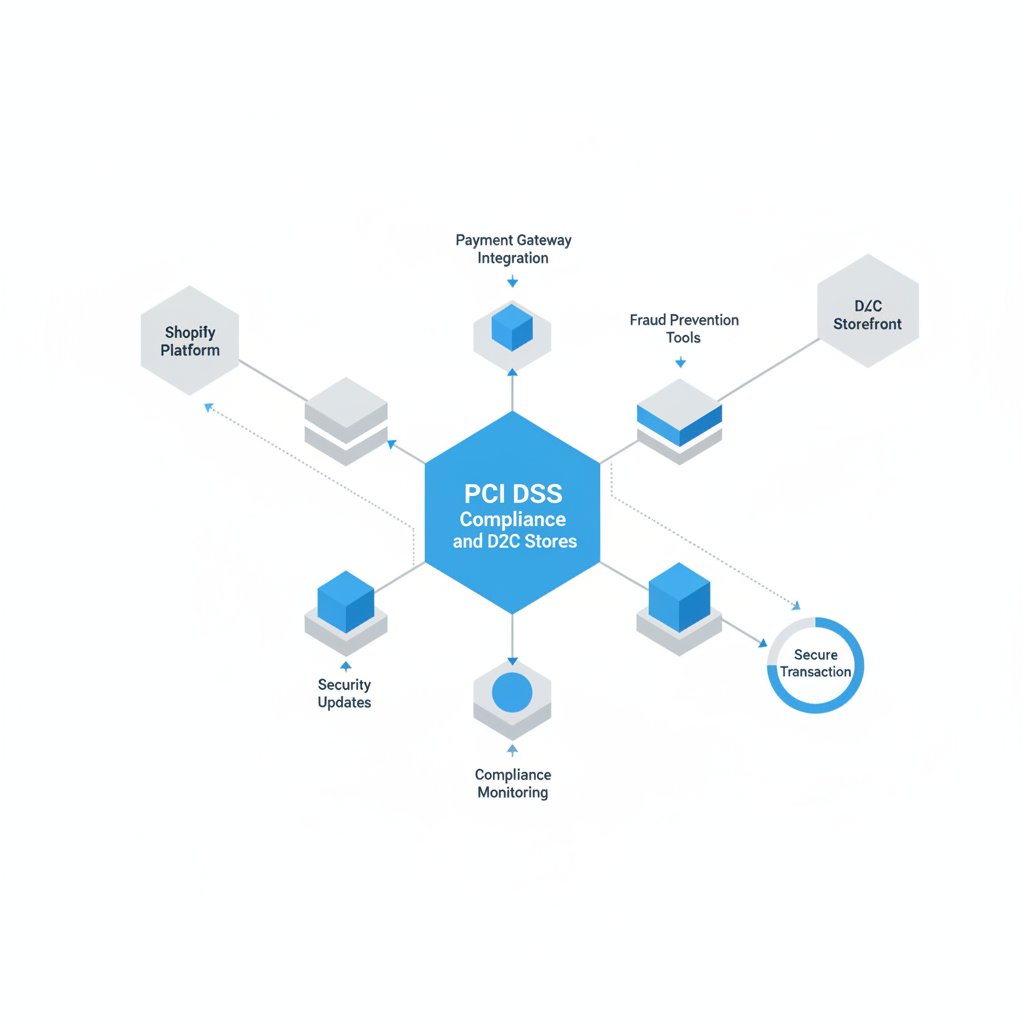
While the specifics vary, several overarching themes are critical for PCI DSS Compliance for Shopify and D2C Stores, irrespective of your platform or merchant level.
Never Store Sensitive Authentication Data
This is a golden rule. You must never store the following sensitive authentication data after authorization:
- Card Verification Value (CVV2/CVC2/CID)
- PINs and PIN Blocks
- Full contents of the magnetic stripe (track data)
Storing this data, even encrypted, is explicitly prohibited by PCI DSS and carries severe penalties. If your system requires access to this for any reason post-authorization, you are violating compliance.
Protect Stored Cardholder Data (If Applicable)
Ideally, you should not store any cardholder data (PAN – Primary Account Number). If your business model absolutely requires it (e.g., for recurring billing), you must:
- Minimize Storage: Store as little as possible, for as short a time as possible.
- Encrypt: Encrypt the PAN at rest using strong cryptography.
- Tokenization & Encryption: Leverage tokenization. This replaces the sensitive PAN with a unique, non-sensitive identifier (token) that cannot be reverse-engineered to reconstruct the original PAN. Your payment processor should offer tokenization services.
- Data Masking: Render the full PAN unreadable (e.g., only storing the first 6 and last 4 digits) unless there’s a business need to view the full number.
Again, for Shopify merchants and those fully outsourcing payment processing, this is typically handled by your payment gateway.
Secure Communication and Transmission
Any transmission of cardholder data across public networks must be encrypted.
- HTTPS/SSL/TLS: Your e-commerce website must use HTTPS (SSL/TLS certificates) across all pages, not just the checkout. This encrypts data in transit between the customer’s browser and your server (or Shopify’s server). This is standard for nearly all reputable platforms today.
- SFTP/VPN: If you exchange any payment-related files with third parties (e.g., fraud prevention services, accounting systems), ensure these transmissions use secure protocols like SFTP or VPNs.
Vendor Management and Due Diligence
Your chosen vendors are an extension of your security perimeter.
- Third-Party Compliance: Always verify that any third-party service provider touching, storing, or transmitting cardholder data is PCI DSS compliant. Request their Attestation of Compliance (AoC) or a similar document.
- Contractual Agreements: Ensure your contracts with payment gateways and other relevant service providers explicitly state their PCI DSS compliance and outline their responsibilities.
- Regular Reviews: Periodically review your vendors’ compliance status.
Incident Response Plan
Even with the best security measures, breaches can occur. Having a well-defined incident response plan is a core PCI DSS requirement (Requirement 12.10).
- Identify: How will you detect a potential breach?
- Contain: How will you limit the damage and prevent further access?
- Eradicate: How will you remove the threat?
- Recover: How will you restore systems and data?
- Review: What lessons can be learned?
- Notification: Who needs to be notified (card brands, customers, authorities)?
For D2C stores, particularly smaller ones, this plan might be less complex but still essential. It should include clear steps for contacting Shopify or your payment processor in case of any suspicious activity.
Explore strategies for enhanced D2C customer data protection.
Common PCI DSS Pitfalls for D2C Merchants
While many pitfalls are avoided by leveraging platforms like Shopify, D2C store owners can still inadvertently create compliance issues.
Mistake 1: Manual Processing of Card Data
If you ever take credit card details over the phone, via email, or write them down, you are directly entering the scope of PCI DSS Requirement 9 (“Restrict physical access to cardholder data”) and Requirement 3 (“Protect stored cardholder data”).
- Solution: Avoid this practice entirely. If you must take phone orders, use a PCI-compliant virtual terminal or a specialized call center solution that desensitizes card data. Never store written-down card details.
Mistake 2: Storing Unencrypted Partial Card Numbers (PAN)
Some merchants think storing only the last four digits of a credit card is safe. While this is less risky than storing the full PAN, if the last four digits are combined with other unencrypted data, it can still increase risk. PCI DSS allows for masking of the PAN, but still requires the full PAN to be secured if stored.
- Solution: Rely on your payment processor’s tokenization services or customer vault features for recurring billing or saving customer cards. This way, you only store a non-sensitive token.
Mistake 3: Neglecting Website Security Beyond Checkout
Even if your checkout is hosted by a third party, vulnerabilities on other parts of your website (e.g., SQL injection, cross-site scripting) could potentially lead to a compromise that indirectly impacts payment security or customer data.
- Solution: Maintain regular security updates for your platform (if self-hosted), themes, and plugins. Use web application firewalls (WAFs) and conduct regular vulnerability assessments.
Mistake 4: Weak Access Controls for Internal Systems
Giving all employees full admin access to your Shopify store or backend systems, or using generic login credentials, can quickly lead to a breach.
- Solution: Implement the principle of least privilege, assign unique IDs, enforce strong passwords, and always use MFA. Regularly review user access rights.
Mistake 5: Ignoring Compliance Statements from Vendors
Assuming all third-party apps or services are automatically compliant is a dangerous oversight.
- Solution: Ask for proof of PCI DSS compliance (AoC or evidence of SAQ completion) from any vendor that handles or could influence cardholder data.
Tools and Resources to Aid Your PCI DSS Journey
Navigating PCI DSS can feel like a labyrinth, but many tools and resources are available to simplify the process for D2C stores.
Payment Processors & Gateway Features
Your payment processor is your primary partner in PCI DSS compliance.
- Tokenization: Essential for reducing your PCI scope. Most modern gateways offer this to replace sensitive card data with non-sensitive tokens.
- Hosted Payment Fields/Iframes: Rather than collecting card data directly on your server, these solutions embed fields from the payment gateway, meaning sensitive data never touches your infrastructure.
- Virtual Terminals: For processing phone orders without manual entry or storing data.
- PCI DSS Resources: Many processors provide guides, templates, and even assistance with SAQ completion. Shopify Payments, for instance, intrinsically handles much of this for you.
Security Scanning Services (ASV)
If your merchant level requires it, you’ll need an Approved Scanning Vendor (ASV).
| ASV Provider | Key Features for D2C | Typical Target Audience | Notes |
|---|---|---|---|
| Qualys | Comprehensive vulnerability management, cloud security, web app scanning. | Enterprise, growing D2C with complex infrastructure. | Offers a full suite beyond just ASV; can be more involved. |
| Trustwave | PCI Manager portal, ASV scans, compliance services, WAF. | SMB to Enterprise, good for those seeking managed services. | One of the most recognized ASVs, offers consulting. |
| SecurityMetrics | PCI wizards, ASV scans, SAQ assistance, reporting. | Small to Medium D2C, often integrated with payment processors. | User-friendly tools for SAQ completion; direct support. |
| ControlScan | PCI compliance portal, ASV scans, continuous vulnerability monitoring. | Small to Medium D2C, focused on simplified compliance. | Often resold by payment processors as part of a compliance package. |
Website Security Solutions
Even if Shopify handles core compliance, other platforms might need these:
- Web Application Firewalls (WAFs): Cloudflare, Sucuri, Imperva. These protect your site from various web-based attacks.
- Vulnerability Scanners: Tools like Acunetix or Burp Suite (professional edition) for deeper penetration testing (often for self-hosted or complex custom solutions).
- Endpoint Protection: Ensuring all devices used by your team are secure with antivirus/antimalware (e.g., CrowdStrike, SentinelOne, basic Windows Defender/MacOS Gatekeeper).
Documentation and Training Resources
- PCI Security Standards Council (PCI SSC) Website: The definitive source for all PCI DSS documents, SAQs, and resources.
- Payment Processor Documentation: Your payment gateway often has excellent resources specific to their platform.
- Internal Training: Security awareness training for all employees is crucial. Many online services offer basic security awareness courses.
Discover top strategies for D2C e-commerce growth.
The Business Impact of PCI DSS Compliance
Beyond avoiding fines, PCI DSS compliance offers significant business advantages for Shopify and D2C stores.
Maintaining Consumer Trust
In an age of rampant data breaches, customers are increasingly conscious of where and how they share their payment information. Demonstrating PCI DSS compliance is a powerful way to build and maintain trust. A data breach can severely damage a brand’s reputation, leading to lost sales and long-term customer attrition. Conversely, a strong security posture reinforces your brand’s reliability and commitment to customer safety.
Avoiding Penalties and Fines
Non-compliance can result in substantial financial penalties and other punitive measures:
- Fines from Card Brands: Acquirers (banks) can fine merchants anywhere from $5,000 to $100,000 per month for non-compliance, depending on the volume of transactions and the duration of non-compliance. These fines are typically passed down to the merchant.
- Increased Transaction Fees: Non-compliant merchants may face higher transaction fees from their payment processors.
- Data Breach Costs: The cost of a data breach includes forensic investigations, customer notification, credit monitoring services, legal fees, and potential lawsuits. These costs can be astronomical and may even lead to business closure, especially for smaller D2C operations.
- Loss of Payment Processing Privileges: In severe cases of non-compliance or repeated breaches, banks can revoke your ability to process credit card payments, effectively shutting down your e-commerce business.
Operational Efficiency and Risk Management
Implementing PCI DSS requirements often leads to a more secure and efficient IT environment overall. The processes required for compliance, such as regular system updates, access control reviews, and vulnerability management, are good security hygiene practices that benefit your entire operation. It forces a systematic approach to risk management, making your business more resilient to various cyber threats, not just those related to cardholder data.
Competitive Advantage
For some D2C niches, particularly those dealing with high-value goods or sensitive customer bases, explicitly stating your commitment to PCI DSS compliance can be a differentiator. It signals professionalism and reliability, which can attract and retain customers who prioritize security.
Future-Proofing Your D2C Store: Ongoing Compliance and Evolution
PCI DSS is not a one-time achievement; it’s an ongoing process. As cyber threats evolve and technology advances, so too does the standard. Staying compliant requires continuous vigilance and adaptation.
Regular Reviews and Updates
- Annual SAQ: Even if you’re a Shopify merchant, you might be asked to complete an SAQ A annually by your acquiring bank. Ensure you do so promptly and accurately.
- Quarterly ASV Scans: If required, ensure these scans are conducted on schedule and any identified vulnerabilities are remediated quickly.
- Policy Reviews: Regularly review your internal security policies, user access policies, and incident response plans.
- Vendor Due Diligence: Re-evaluate your third-party vendors’ compliance status annually or whenever significant changes occur.
Staying Informed
The PCI Security Standards Council frequently releases updates, guidance, and new versions of the standard. Subscribing to their communications and staying informed about industry best practices will help you anticipate changes and adjust your security posture accordingly. Participate in relevant industry forums and leverage the expertise of your payment processors.
Embracing New Security Technologies
As the e-commerce landscape changes, new security solutions emerge. Technologies like advanced fraud detection, AI-powered threat intelligence, and zero-trust architectures continually improve the ability to protect sensitive data. While not all directly mandated by PCI DSS, adopting strong security practices proactively will contribute to a more robust and compliant environment.
The Role of Tokenization and End-to-End Encryption
Reducing your cardholder data environment (CDE) is the most effective way to reduce your PCI DSS scope. Tokenization, where actual card numbers are exchanged for non-sensitive tokens, is a cornerstone of this strategy. Similarly, payment methods that provide true end-to-end encryption from the customer’s browser directly to the payment processor, bypassing your servers entirely, are ideal for minimizing your responsibility. Actively seek out and implement these technologies where possible.
Ultimately, PCI DSS Compliance for Shopify and D2C Stores is about more than just checking boxes; it’s about embedding a culture of security throughout your operations. By understanding your responsibilities, leveraging the right tools, and committing to ongoing vigilance, you can protect your customers, safeguard your business, and solidify your reputation in the competitive D2C market.
Frequently Asked Questions
Q1: Is my Shopify store automatically PCI compliant?
A1: Shopify is a PCI DSS Level 1 compliant service provider, meaning their platform and infrastructure for processing, storing, and transmitting payment card data meet the highest security standards. This significantly reduces your compliance burden. However, you, as the merchant, still have residual responsibilities, such as maintaining strong admin passwords, implementing multi-factor authentication, and ensuring any third-party apps or custom code you use are also secure and don’t introduce vulnerabilities. It’s a shared responsibility model.
Q2: What is an SAQ, and which one do I need?
A2: An SAQ (Self-Assessment Questionnaire) is a document composed by the PCI Security Standards Council that merchants can use to self-validate their PCI DSS compliance. The specific SAQ you need depends on how you process credit card transactions. Most Shopify merchants fall under SAQ A (where card data is fully outsourced). D2C stores on other platforms using hosted payment pages or iframes might need SAQ A-EP, while those who store or directly interact more with card data could require SAQ D, which is much more extensive. Your payment processor can help you determine the correct SAQ.
Q3: Can I store customer credit card details for recurring billing?
A3: You should never store full customer credit card numbers (PANs) or sensitive authentication data (CVV, PINs) directly on your own systems. For recurring billing or “card-on-file” functionality, you must use tokenization services provided by your PCI DSS compliant payment gateway. This replaces the actual card number with a non-sensitive ‘token’ that your system can store and use for future transactions, while the sensitive card data remains securely with the payment processor.
Q4: What happens if I’m not PCI DSS compliant?
A4: Non-compliance can lead to severe consequences. These include fines ranging from $5,000 to $100,000 per month (passed down from your acquiring bank), increased transaction fees, and in the event of a data breach, extensive costs for forensic investigations, legal fees, customer notifications, and credit monitoring. In the most serious cases, your ability to process credit card payments could be revoked entirely, effectively shutting down your e-commerce business.
Q5: Do I need quarterly network scans if I’m on Shopify?
A5: For most Shopify merchants, especially those only using Shopify’s hosted checkout and Shopify Payments, you generally will not need to perform your own quarterly ASV (Approved Scanning Vendor) network scans. Your external PCI DSS scope is usually limited because Shopify itself handles the network infrastructure where cardholder data is processed. However, if you have a complex setup with custom integrations that might expose your own network or servers to the payment process, or if you use a non-Shopify hosted solution, you may need these scans. Always confirm specific requirements with your acquiring bank or payment processor.
PCI DSS Compliance for Shopify and D2C Stores: What You Actually Need to Do
Affiliate disclosure: This article may contain affiliate links. Recommendations are independent and editorially driven.
For any modern e-commerce business, particularly those operating on platforms like Shopify or running their own Direct-to-Consumer (D2C) operations, safeguarding customer payment data isn’t just a best practice; it’s a fundamental requirement. The Payment Card Industry Data Security Standard (PCI DSS) is the global benchmark for securing cardholder data, and achieving compliance is non-negotiable for anyone who processes, stores, or transmits credit card information. But what does PCI DSS Compliance for Shopify and D2C Stores actually entail?
Many D2C brands, especially those scaling rapidly, often find themselves navigating a murky landscape of acronyms and technical mandates. The good news is that for most Shopify and D2C merchants, the heavy lifting of compliance is significantly mitigated by your payment processing infrastructure. However, this doesn’t absolve you of all responsibility. Understanding your role, even when outsourcing much of the technical burden, is critical for operational integrity, legal protection, and maintaining consumer trust. This comprehensive guide will demystify PCI DSS, breaking down your responsibilities and providing actionable steps to ensure your e-commerce operations are fully compliant.
Understanding PCI DSS: The Foundation of Payment Security
The Payment Card Industry Data Security Standard (PCI DSS) is a set of security standards designed to ensure that all companies that accept, process, store, or transmit credit card information maintain a secure environment. It was established by the major credit card brands (Visa, MasterCard, American Express, Discover, and JCB) to reduce credit card fraud.
The Genesis and Evolution of PCI DSS
PCI DSS was originally created in the early part of the millennium, consolidating individual programs from various card brands into a single, unified standard. Its evolution has been continuous, adapting to new threats and technological advancements. Each new version introduces updated requirements, often focusing on areas like cloud security, multifactor authentication, and advanced threat detection. Merchants need to stay abreast of these updates to ensure ongoing compliance.
Who Does PCI DSS Apply To?
Essentially, if you accept credit card payments, PCI DSS applies to you. This includes:
- Merchants (like Shopify and D2C stores)
- Processors
- Acquirers
- Issuers
- Service Providers
For D2C stores on platforms like Shopify, the scope of your direct responsibility is often reduced because Shopify and your chosen payment gateway (e.g., Shopify Payments, Stripe, PayPal) handle a significant portion of the cardholder data environment (CDE). However, this reduction in scope does not mean complete exemption. It means you must understand where your responsibilities end and theirs begin.
The Core Principles of PCI DSS
PCI DSS is built around 12 core requirements, organized into six logically related goals:
- Build and Maintain a Secure Network and Systems:
- Requirement 1: Install and maintain a firewall configuration to protect cardholder data.
- Requirement 2: Do not use vendor-supplied defaults for system passwords and other security parameters.
- Protect Cardholder Data:
- Requirement 3: Protect stored cardholder data.
- Requirement 4: Encrypt transmission of cardholder data across open, public networks.
- Maintain a Vulnerability Management Program:
- Requirement 5: Protect all systems against malware and regularly update antivirus software or programs.
- Requirement 6: Develop and maintain secure systems and applications.
- Implement Strong Access Control Measures:
- Requirement 7: Restrict access to cardholder data by business need-to-know.
- Requirement 8: Identify and authenticate access to system components.
- Requirement 9: Restrict physical access to cardholder data.
- Regularly Monitor and Test Networks:
- Requirement 10: Log and monitor all access to network resources and cardholder data.
- Requirement 11: Regularly test security systems and processes.
- Maintain an Information Security Policy:
- Requirement 12: Maintain a policy that addresses information security for all personnel.
While this list might seem daunting, for most D2C merchants, particularly those leveraging robust platforms, the direct interaction with these granular requirements is often streamlined. This guide will clarify which of these are directly relevant to your day-to-day operations.
[INLINE IMAGE 1: place after second H2 | alt=”PCI DSS Compliance for Shopify and D2C Stores: What You Actually Need to Do concept illustration”]
Shopify and PCI DSS: Shared Responsibility in Action
One of the significant advantages of operating an e-commerce store on a platform like Shopify is that it substantially reduces your PCI DSS burden. Shopify is a Level 1 PCI DSS compliant service provider, which is the highest level of certification. This means they meet the stringent security standards set by the PCI Security Standards Council for handling cardholder data.
Shopify’s Role in PCI DSS Compliance
Shopify’s compliance covers the infrastructure that processes, stores, and transmits cardholder data gathered through their platform. This includes:
- Secure Network and Systems: Shopify implements firewalls, strong passwords, and robust network segmentation.
- Protection of Cardholder Data: They encrypt cardholder data during transmission and storage.
- Vulnerability Management: Shopify runs extensive vulnerability scanning and penetration testing programs.
- Access Control: Strict access controls are in place for their employees and systems.
- Monitoring and Testing: Continuous monitoring and regular testing of their security systems are standard.
- Information Security Policy: Comprehensive security policies govern their operations.
Essentially, when a customer enters their credit card details directly into the Shopify checkout or through Shopify Payments, that data is handled within Shopify’s secure and compliant environment. You, as the merchant, never directly touch or store this sensitive payment information on your own servers or systems.
Your Residual Responsibilities as a Shopify Merchant
Despite Shopify’s robust compliance, you are not entirely off the hook. PCI DSS is a chain of security, and every link must be strong. Your responsibilities typically fall into these categories:
Choosing Compliant Third-Party Apps and Integrations
While Shopify’s core platform is compliant, the apps and integrations you add to your store are your responsibility. If an app interacts with payment processes or handles any form of sensitive customer data (even if not full card numbers), you must ensure it is also compliant or does not expose your store to vulnerabilities.
- Payment Gateways: If you use a third-party payment gateway other than Shopify Payments, you need to ensure that gateway is PCI DSS compliant. Most reputable gateways (Stripe, PayPal, Authorize.net) are.
- App Permissions: Be extremely cautious about granting excessive permissions to apps, especially those requesting access to customer data or order information that might contain partial card details or other sensitive PII linked to transactions.
- Custom Development: If you engage in custom theme development or extensive API integrations, ensure your developers follow secure coding practices and do not inadvertently introduce vulnerabilities.
Protecting Your Admin Access and Internal Systems
Your Shopify admin panel is the gateway to your business operations and, indirectly, to customer data (though not full card numbers). Protecting access to it is paramount.
- Strong Passwords and Multi-Factor Authentication (MFA): Implement strong, unique passwords for all staff accounts and enforce MFA (also known as 2FA) whenever possible. Shopify supports MFA, and you should require it for all users.
- User Access Control: Grant only the necessary permissions to staff members. Not everyone needs full admin access. Follow the principle of least privilege. Regularly review user accounts and remove access for former employees immediately.
- Employee Training: Educate your team about phishing, social engineering attacks, and the importance of data security. A human error can often be the weakest link in any security chain.
General Security Practices for Your Business
Even if card data never touches your systems, other sensitive customer data (names, addresses, order history) still resides with you.
- Secure Your Devices: Ensure all devices used to access your Shopify admin (laptops, desktops, mobile devices) are password-protected, kept updated with the latest security patches, and have adequate antivirus/antimalware protection.
- Secure Your Wi-Fi: If you operate from a physical location or office, ensure your Wi-Fi network is secure (WPA2/WPA3 encryption, strong password).
- Data Breach Preparedness: Have a plan in place for what to do in the event of a data breach, even if it’s not payment card specific. This might involve notifying customers, law enforcement, and Shopify support.
- Privacy Policy: Maintain a clear and updated privacy policy that explains how you collect, use, and protect customer data, along with your PCI DSS compliance status (mentioning Shopify’s role).
D2C Stores Beyond Shopify: Deeper Diving into Compliance
For D2C stores operating on platforms other than Shopify (e.g., WooCommerce, Magento, custom-built solutions) or those that handle payment data in more complex ways, your PCI DSS responsibilities become significantly broader. In these scenarios, you might be directly responsible for many of the 12 PCI DSS requirements.
Determining Your Merchant Level
Your PCI DSS requirements are heavily influenced by your merchant level, which is determined by the annual volume of credit card transactions you process. The major card brands categorize merchants as follows:
- Level 1: Over 6 million transactions annually.
- Requirements: Annual Report on Compliance (RoC) by a Qualified Security Assessor (QSA), quarterly network scans by an Approved Scanning Vendor (ASV).
- Level 2: 1 million to 6 million transactions annually.
- Requirements: Annual Self-Assessment Questionnaire (SAQ), quarterly network scans by an ASV.
- Level 3: 20,000 to 1 million e-commerce transactions annually.
- Requirements: Annual SAQ, quarterly network scans by an ASV.
- Level 4: Fewer than 20,000 e-commerce transactions annually, or up to 1 million total transactions annually.
- Requirements: Annual SAQ, quarterly network scans by an ASV (might be recommended but not always mandated by card brands).
Most small to medium D2C businesses fall into Level 3 or 4, making the SAQ your primary compliance document. However, the specific SAQ you complete will depend on how you process payments.
Understanding Self-Assessment Questionnaires (SAQs)
The SAQ is a validation tool for merchants and service providers that are not required to undergo an on-site assessment by a QSA. There are several types of SAQs, each tailored to specific payment processing environments. Choosing the correct SAQ is crucial:
- SAQ A: For merchants who fully outsource all cardholder data functions to PCI DSS compliant third-party service providers. Cardholder data is never stored, processed, or transmitted on the merchant’s systems.
- Example: A D2C store where all payment processing happens directly on a third-party gateway’s site (e.g., redirecting to PayPal for checkout).
- SAQ A-EP: For e-commerce merchants who outsource all payment processing to PCI DSS compliant third parties and display payment pages that are entirely hosted by the third party. However, the merchant’s website impacts the security of the payment transaction.
- Example: A D2C store where the payment form is embedded on your site using an iframe, but the iframe content is served by a compliant payment gateway. This is common for many non-Shopify D2C operations using solutions like Stripe Elements or Braintree.
- Note for Shopify: Shopify’s standard checkout, which is fully hosted by Shopify, generally means you would fall under SAQ A, as your website doesn’t directly interact with card data.
- SAQ B: For merchants using imprint machines or stand-alone dial-out terminals (not applicable to e-commerce).
- SAQ C: For merchants with payment application systems connected to the internet but no electronic cardholder data storage.
- SAQ C-VT: For merchants who manually enter single transactions into an internet-based virtual terminal.
- SAQ D: For all other merchants not included in the above descriptions, typically those who store cardholder data or whose environments are more complex. This is the most extensive SAQ.
For most D2C merchants, especially those leveraging hosted payment pages or iframe solutions, SAQ A or SAQ A-EP will be the relevant questionnaire. If you store any cardholder data (even partial), you immediately jump to SAQ D, which dramatically increases your compliance burden.
Quarterly Network Scans (ASV Scans)
Regardless of your SAQ type (except for SAQ A, where there is no network reachable by card data), most merchant levels require quarterly network scans by an Approved Scanning Vendor (ASV). These scans are designed to identify vulnerabilities in your network infrastructure that could be exploited to compromise cardholder data.
- An ASV is a qualified third party approved by the PCI SSC.
- The scan checks for known vulnerabilities, misconfigurations, and other security weaknesses.
- Even if your D2C store uses a hosted solution, if any part of your web server (that influences or serves content to the payment forms) is directly accessible and processes payments, you may need these scans. Your payment processor can provide clarity here.
Learn more about choosing the right payment gateway for your D2C store.
[INLINE IMAGE 2: place after fourth H2 | alt=”PCI DSS Compliance for Shopify and D2C Stores: What You Actually Need to Do comparison illustration”]
Key Compliance Considerations for All D2C Merchants
While the specifics vary, several overarching themes are critical for PCI DSS Compliance for Shopify and D2C Stores, irrespective of your platform or merchant level.
Never Store Sensitive Authentication Data
This is a golden rule. You must never store the following sensitive authentication data after authorization:
- Card Verification Value (CVV2/CVC2/CID)
- PINs and PIN Blocks
- Full contents of the magnetic stripe (track data)
Storing this data, even encrypted, is explicitly prohibited by PCI DSS and carries severe penalties. If your system requires access to this for any reason post-authorization, you are violating compliance.
Protect Stored Cardholder Data (If Applicable)
Ideally, you should not store any cardholder data (PAN – Primary Account Number). If your business model absolutely requires it (e.g., for recurring billing), you must:
- Minimize Storage: Store as little as possible, for as short a time as possible.
- Encrypt: Encrypt the PAN at rest using strong cryptography.
- Tokenization & Encryption: Leverage tokenization. This replaces the sensitive PAN with a unique, non-sensitive identifier (token) that cannot be reverse-engineered to reconstruct the original PAN. Your payment processor should offer tokenization services.
- Data Masking: Render the full PAN unreadable (e.g., only storing the first 6 and last 4 digits) unless there’s a business need to view the full number.
Again, for Shopify merchants and those fully outsourcing payment processing, this is typically handled by your payment gateway.
Secure Communication and Transmission
Any transmission of cardholder data across public networks must be encrypted.
- HTTPS/SSL/TLS: Your e-commerce website must use HTTPS (SSL/TLS certificates) across all pages, not just the checkout. This encrypts data in transit between the customer’s browser and your server (or Shopify’s server). This is standard for nearly all reputable platforms today.
- SFTP/VPN: If you exchange any payment-related files with third parties (e.g., fraud prevention services, accounting systems), ensure these transmissions use secure protocols like SFTP or VPNs.
Vendor Management and Due Diligence
Your chosen vendors are an extension of your security perimeter.
- Third-Party Compliance: Always verify that any third-party service provider touching, storing, or transmitting cardholder data is PCI DSS compliant. Request their Attestation of Compliance (AoC) or a similar document.
- Contractual Agreements: Ensure your contracts with payment gateways and other relevant service providers explicitly state their PCI DSS compliance and outline their responsibilities.
- Regular Reviews: Periodically review your vendors’ compliance status.
Incident Response Plan
Even with the best security measures, breaches can occur. Having a well-defined incident response plan is a core PCI DSS requirement (Requirement 12.10).
- Identify: How will you detect a potential breach?
- Contain: How will you limit the damage and prevent further access?
- Eradicate: How will you remove the threat?
- Recover: How will you restore systems and data?
- Review: What lessons can be learned?
- Notification: Who needs to be notified (card brands, customers, authorities)?
For D2C stores, particularly smaller ones, this plan might be less complex but still essential. It should include clear steps for contacting Shopify or your payment processor in case of any suspicious activity.
Explore strategies for enhanced D2C customer data protection.
Common PCI DSS Pitfalls for D2C Merchants
While many pitfalls are avoided by leveraging platforms like Shopify, D2C store owners can still inadvertently create compliance issues.
Mistake 1: Manual Processing of Card Data
If you ever take credit card details over the phone, via email, or write them down, you are directly entering the scope of PCI DSS Requirement 9 (“Restrict physical access to cardholder data”) and Requirement 3 (“Protect stored cardholder data”).
- Solution: Avoid this practice entirely. If you must take phone orders, use a PCI-compliant virtual terminal or a specialized call center solution that desensitizes card data. Never store written-down card details.
Mistake 2: Storing Unencrypted Partial Card Numbers (PAN)
Some merchants think storing only the last four digits of a credit card is safe. While this is less risky than storing the full PAN, if the last four digits are combined with other unencrypted data, it can still increase risk. PCI DSS allows for masking of the PAN, but still requires the full PAN to be secured if stored.
- Solution: Rely on your payment processor’s tokenization services or customer vault features for recurring billing or saving customer cards. This way, you only store a non-sensitive token.
Mistake 3: Neglecting Website Security Beyond Checkout
Even if your checkout is hosted by a third party, vulnerabilities on other parts of your website (e.g., SQL injection, cross-site scripting) could potentially lead to a compromise that indirectly impacts payment security or customer data.
- Solution: Maintain regular security updates for your platform (if self-hosted), themes, and plugins. Use web application firewalls (WAFs) and conduct regular vulnerability assessments.
Mistake 4: Weak Access Controls for Internal Systems
Giving all employees full admin access to your Shopify store or backend systems, or using generic login credentials, can quickly lead to a breach.
- Solution: Implement the principle of least privilege, assign unique IDs, enforce strong passwords, and always use MFA. Regularly review user access rights.
Mistake 5: Ignoring Compliance Statements from Vendors
Assuming all third-party apps or services are automatically compliant is a dangerous oversight.
- Solution: Ask for proof of PCI DSS compliance (AoC or evidence of SAQ completion) from any vendor that handles or could influence cardholder data.
Tools and Resources to Aid Your PCI DSS Journey
Navigating PCI DSS can feel like a labyrinth, but many tools and resources are available to simplify the process for D2C stores.
Payment Processors & Gateway Features
Your payment processor is your primary partner in PCI DSS compliance.
- Tokenization: Essential for reducing your PCI scope. Most modern gateways offer this to replace sensitive card data with non-sensitive tokens.
- Hosted Payment Fields/Iframes: Rather than collecting card data directly on your server, these solutions embed fields from the payment gateway, meaning sensitive data never touches your infrastructure.
- Virtual Terminals: For processing phone orders without manual entry or storing data.
- PCI DSS Resources: Many processors provide guides, templates, and even assistance with SAQ completion. Shopify Payments, for instance, intrinsically handles much of this for you.
Security Scanning Services (ASV)
If your merchant level requires it, you’ll need an Approved Scanning Vendor (ASV).
| ASV Provider | Key Features for D2C | Typical Target Audience | Notes |
|---|---|---|---|
| Qualys | Comprehensive vulnerability management, cloud security, web app scanning. | Enterprise, growing D2C with complex infrastructure. | Offers a full suite beyond just ASV; can be more involved. |
| Trustwave | PCI Manager portal, ASV scans, compliance services, WAF. | SMB to Enterprise, good for those seeking managed services. | One of the most recognized ASVs, offers consulting. |
| SecurityMetrics | PCI wizards, ASV scans, SAQ assistance, reporting. | Small to Medium D2C, often integrated with payment processors. | User-friendly tools for SAQ completion; direct support. |
| ControlScan | PCI compliance portal, ASV scans, continuous vulnerability monitoring. | Small to Medium D2C, focused on simplified compliance. | Often resold by payment processors as part of a compliance package. |
Website Security Solutions
Even if Shopify handles core compliance, other platforms might need these:
- Web Application Firewalls (WAFs): Cloudflare, Sucuri, Imperva. These protect your site from various web-based attacks.
- Vulnerability Scanners: Tools like Acunetix or Burp Suite (professional edition) for deeper penetration testing (often for self-hosted or complex custom solutions).
- Endpoint Protection: Ensuring all devices used by your team are secure with antivirus/antimalware (e.g., CrowdStrike, SentinelOne, basic Windows Defender/MacOS Gatekeeper).
Documentation and Training Resources
- PCI Security Standards Council (PCI SSC) Website: The definitive source for all PCI DSS documents, SAQs, and resources.
- Payment Processor Documentation: Your payment gateway often has excellent resources specific to their platform.
- Internal Training: Security awareness training for all employees is crucial. Many online services offer basic security awareness courses.
Discover top strategies for D2C e-commerce growth.
The Business Impact of PCI DSS Compliance
Beyond avoiding fines, PCI DSS compliance offers significant business advantages for Shopify and D2C stores.
Maintaining Consumer Trust
In an age of rampant data breaches, customers are increasingly conscious of where and how they share their payment information. Demonstrating PCI DSS compliance is a powerful way to build and maintain trust. A data breach can severely damage a brand’s reputation, leading to lost sales and long-term customer attrition. Conversely, a strong security posture reinforces your brand’s reliability and commitment to customer safety.
Avoiding Penalties and Fines
Non-compliance can result in substantial financial penalties and other punitive measures:
- Fines from Card Brands: Acquirers (banks) can fine merchants anywhere from $5,000 to $100,000 per month for non-compliance, depending on the volume of transactions and the duration of non-compliance. These fines are typically passed down to the merchant.
- Increased Transaction Fees: Non-compliant merchants may face higher transaction fees from their payment processors.
- Data Breach Costs: The cost of a data breach includes forensic investigations, customer notification, credit monitoring services, legal fees, and potential lawsuits. These costs can be astronomical and may even lead to business closure, especially for smaller D2C operations.
- Loss of Payment Processing Privileges: In severe cases of non-compliance or repeated breaches, banks can revoke your ability to process credit card payments, effectively shutting down your e-commerce business.
Operational Efficiency and Risk Management
Implementing PCI DSS requirements often leads to a more secure and efficient IT environment overall. The processes required for compliance, such as regular system updates, access control reviews, and vulnerability management, are good security hygiene practices that benefit your entire operation. It forces a systematic approach to risk management, making your business more resilient to various cyber threats, not just those related to cardholder data.
Competitive Advantage
For some D2C niches, particularly those dealing with high-value goods or sensitive customer bases, explicitly stating your commitment to PCI DSS compliance can be a differentiator. It signals professionalism and reliability, which can attract and retain customers who prioritize security.
Future-Proofing Your D2C Store: Ongoing Compliance and Evolution
PCI DSS is not a one-time achievement; it’s an ongoing process. As cyber threats evolve and technology advances, so too does the standard. Staying compliant requires continuous vigilance and adaptation.
Regular Reviews and Updates
- Annual SAQ: Even if you’re a Shopify merchant, you might be asked to complete an SAQ A annually by your acquiring bank. Ensure you do so promptly and accurately.
- Quarterly ASV Scans: If required, ensure these scans are conducted on schedule and any identified vulnerabilities are remediated quickly.
- Policy Reviews: Regularly review your internal security policies, user access policies, and incident response plans.
- Vendor Due Diligence: Re-evaluate your third-party vendors’ compliance status annually or whenever significant changes occur.
Staying Informed
The PCI Security Standards Council frequently releases updates, guidance, and new versions of the standard. Subscribing to their communications and staying informed about industry best practices will help you anticipate changes and adjust your security posture accordingly. Participate in relevant industry forums and leverage the expertise of your payment processors.
Embracing New Security Technologies
As the e-commerce landscape changes, new security solutions emerge. Technologies like advanced fraud detection, AI-powered threat intelligence, and zero-trust architectures continually improve the ability to protect sensitive data. While not all directly mandated by PCI DSS, adopting strong security practices proactively will contribute to a more robust and compliant environment.
The Role of Tokenization and End-to-End Encryption
Reducing your cardholder data environment (CDE) is the most effective way to reduce your PCI DSS scope. Tokenization, where actual card numbers are exchanged for non-sensitive tokens, is a cornerstone of this strategy. Similarly, payment methods that provide true end-to-end encryption from the customer’s browser directly to the payment processor, bypassing your servers entirely, are ideal for minimizing your responsibility. Actively seek out and implement these technologies where possible.
Ultimately, PCI DSS Compliance for Shopify and D2C Stores is about more than just checking boxes; it’s about embedding a culture of security throughout your operations. By understanding your responsibilities, leveraging the right tools, and committing to ongoing vigilance, you can protect your customers, safeguard your business, and solidify your reputation in the competitive D2C market.
Frequently Asked Questions
Q1: Is my Shopify store automatically PCI compliant?
A1: Shopify is a PCI DSS Level 1 compliant service provider, meaning their platform and infrastructure for processing, storing, and transmitting payment card data meet the highest security standards. This significantly reduces your compliance burden. However, you, as the merchant, still have residual responsibilities, such as maintaining strong admin passwords, implementing multi-factor authentication, and ensuring any third-party apps or custom code you use are also secure and don’t introduce vulnerabilities. It’s a shared responsibility model.
Q2: What is an SAQ, and which one do I need?
A2: An SAQ (Self-Assessment Questionnaire) is a document composed by the PCI Security Standards Council that merchants can use to self-validate their PCI DSS compliance. The specific SAQ you need depends on how you process credit card transactions. Most Shopify merchants fall under SAQ A (where card data is fully outsourced). D2C stores on other platforms using hosted payment pages or iframes might need SAQ A-EP, while those who store or directly interact more with card data could require SAQ D, which is much more extensive. Your payment processor can help you determine the correct SAQ.
Q3: Can I store customer credit card details for recurring billing?
A3: You should never store full customer credit card numbers (PANs) or sensitive authentication data (CVV, PINs) directly on your own systems. For recurring billing or “card-on-file” functionality, you must use tokenization services provided by your PCI DSS compliant payment gateway. This replaces the actual card number with a non-sensitive ‘token’ that your system can store and use for future transactions, while the sensitive card data remains securely with the payment processor.
Q4: What happens if I’m not PCI DSS compliant?
A4: Non-compliance can lead to severe consequences. These include fines ranging from $5,000 to $100,000 per month (passed down from your acquiring bank), increased transaction fees, and in the event of a data breach, extensive costs for forensic investigations, legal fees, customer notifications, and credit monitoring. In the most serious cases, your ability to process credit card payments could be revoked entirely, effectively shutting down your e-commerce business.
Q5: Do I need quarterly network scans if I’m on Shopify?
A5: For most Shopify merchants, especially those only using Shopify’s hosted checkout and Shopify Payments, you generally will not need to perform your own quarterly ASV (Approved Scanning Vendor) network scans. Your external PCI DSS scope is usually limited because Shopify itself handles the network infrastructure where cardholder data is processed. However, if you have a complex setup with custom integrations that might expose your own network or servers to the payment process, or if you use a non-Shopify hosted solution, you may need these scans. Always confirm specific requirements with your acquiring bank or payment processor.
